CCNA Fundamentals and Configuration
Networking Basics
Models for Communication
When two people talk, they follow unspoken rules. They take turns speaking, use a common language, and signal when they’re done. Computers need rules too, but theirs must be explicit and perfectly defined. These rules, or protocols, are organized into frameworks called network models.
Think of a network model as a blueprint for communication. It breaks down the complex process of sending information from one device to another into smaller, manageable steps, or layers. Each layer has a specific job and only talks to the layers directly above and below it. This makes it easier to design, build, and troubleshoot networks.
The two most important models to know are the OSI model and the TCP/IP model.
The Open Systems Interconnection (OSI) model is a conceptual framework that standardizes the functions of a telecommunication or computing system into seven layers. It's a great tool for understanding how networks work, even though it's not what the modern internet is built on.
| Layer | Name | What it does |
|---|---|---|
| 7 | Application | Provides network services directly to user applications. |
| 6 | Presentation | Translates, encrypts, and compresses data. |
| 5 | Session | Manages communication sessions between devices. |
| 4 | Transport | Provides reliable data transfer between endpoints. |
| 3 | Network | Routes data from one network to another. |
| 2 | Data Link | Manages data transfer between devices on the same network. |
| 1 | Physical | Transmits raw bits over a physical medium (cables, Wi-Fi). |
The TCP/IP model is the practical framework used by the internet. It's simpler, with only four layers. It maps directly to the real-world protocols that make up the Internet Protocol Suite.
Giving Devices an Address
For devices to communicate, they need unique addresses, just like houses on a street. In networking, these are called IP addresses (Internet Protocol addresses). The most common format you'll see is IPv4, which looks like four numbers separated by periods, such as 192.168.1.10.
An IP address has two parts: a network portion and a host portion. The network portion is like the street name, identifying which network the device is on. The host portion is like the house number, uniquely identifying the device on that network.
How does a computer know which part is which? It uses a subnet mask. A subnet mask looks like an IP address (e.g., 255.255.255.0) and it "masks" the IP address to reveal the network portion. Where you see a 255 in the mask, it means the corresponding number in the IP address is part of the network. Where you see a 0, it's part of the host.
Essentially, the subnet mask draws the line between the network and host parts of an IP address.
This leads to subnetting, which is the process of breaking one large network into smaller, more manageable ones called subnets. Imagine a large office building with hundreds of computers on one giant network. It would be slow and chaotic. By subnetting, you can create separate, smaller networks for different departments, like Sales, Marketing, and Engineering. This improves performance, makes the network easier to manage, and increases security.
The Network's Traffic Cops
Data doesn't just magically find its way across networks. It's directed and managed by specialized hardware. Understanding what these devices do is key to understanding networking.
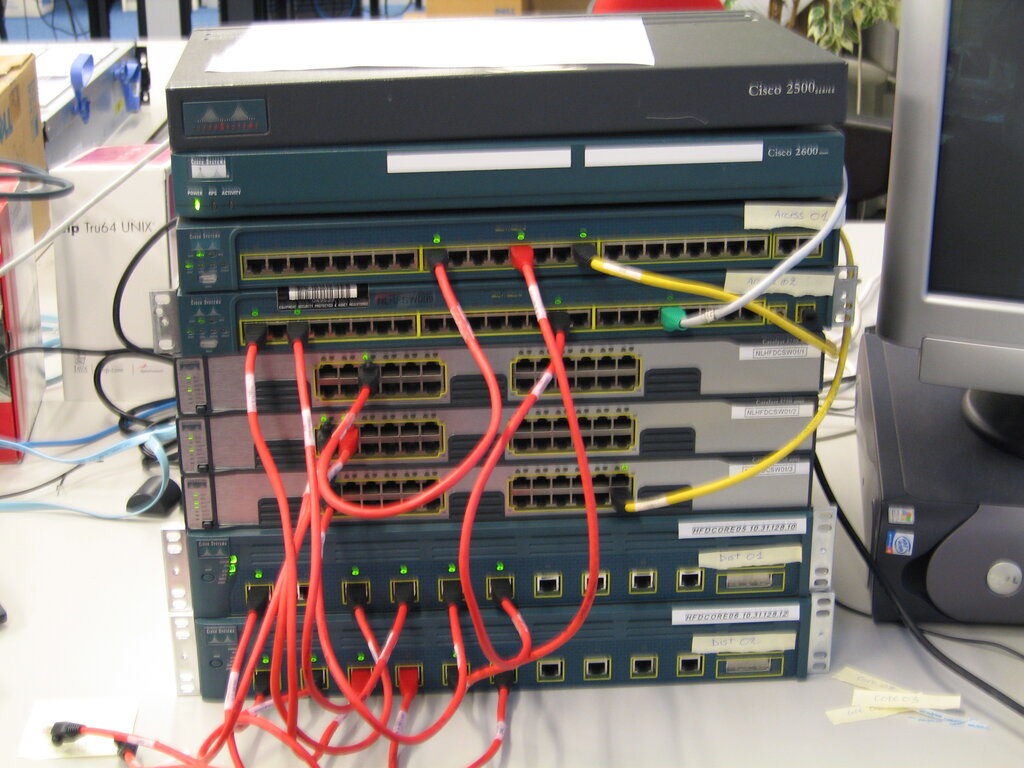
Switches operate at the Data Link layer (Layer 2). Their job is to connect devices on the same network. Think of a switch as a smart postal worker inside an office building. It knows exactly which desk (device) each piece of mail (data packet) should go to, so it delivers it directly to the recipient instead of shouting it out to the whole office. This creates efficient, direct lines of communication between devices on a local network, like your home or a single office floor.
Routers operate at the Network layer (Layer 3). They connect different networks together. If a switch is the office mail clerk, a router is the city's central post office. It doesn't care about individual desks, but it knows how to get a letter from your office building to a completely different building across town, or even across the country. Your home router, for instance, connects your local home network to the massive, global network of the internet.
Wireless Access Points (APs) are often built into home routers, but in larger environments like offices or campuses, they are separate devices. An AP allows wireless devices (like your phone or laptop) to connect to a wired network. It acts as a bridge, converting data traveling over radio waves into data that can travel over physical cables, and vice versa. It's the on-ramp to the network for all your wireless gadgets.
Let's check your understanding of these core concepts.
What is the primary purpose of a network model like the OSI or TCP/IP model?
A device needs to send data to another device on a different network. Which piece of hardware is primarily responsible for this task?
These building blocks—models, addressing, and devices—are the foundation of all computer networking. Mastering them is the first step toward understanding how our digital world is connected.