C++ Tree Data Structures
Tree Concepts
Beyond the Straight Line
So far, you might have thought about data as a straight line. Think of a to-do list or the tracks on a music album. You go from one item to the next in a specific order. These are called linear data structures. But what if the information isn't so straightforward?
Imagine trying to map out your family. You have parents, who have their own parents, and you might have siblings, who might have children. A simple list can't capture these complex relationships. You need a way to show how things are connected in a branching, multi-level way. This is where hierarchical data comes in.
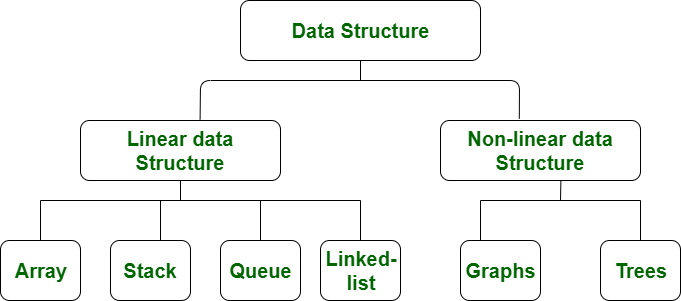
Trees are the perfect tool for organizing hierarchical data. Instead of a single line, they branch out, just like a real tree—only, in computer science, we draw them upside down.
Anatomy of a Tree
Let's break down the parts of a tree. They're simple, and the names are quite intuitive.
Node
noun
A fundamental part of a tree that holds a piece of data. It can also have links to other nodes.
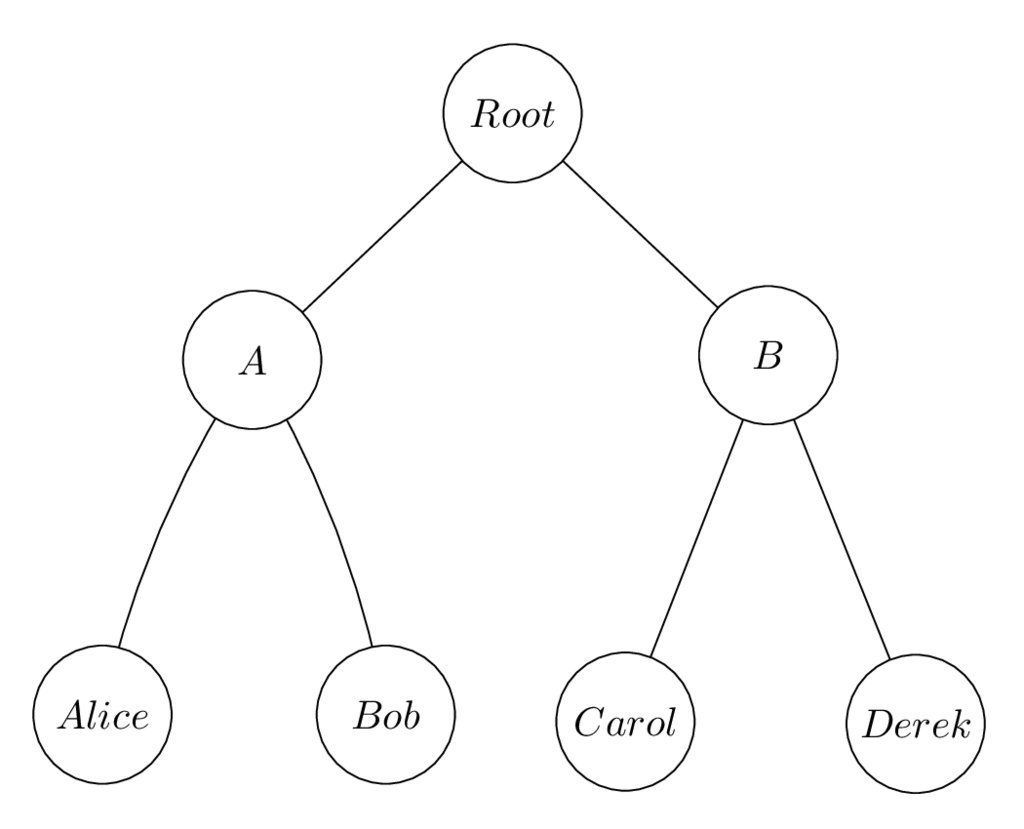
Every tree starts at one single, special node called the Root. It's the ancestor of all other nodes in the tree. From the root, we have connections called Edges that link to other nodes. These connections create parent-child relationships.
A node is a parent if it has nodes below it. The nodes it connects to directly are its children. Nodes with the same parent are siblings.
A node at the very end of a branch, one with no children, is called a Leaf Node. They represent the endpoints of the hierarchy.
Any node and all of its descendants (its children, its children's children, and so on) form a Subtree. You can think of a big tree as being made up of many smaller subtrees.
Trees in the Real World
You interact with tree structures all the time, even if you don't realize it. The folder system on your computer is a tree. The main drive (like C:) is the root. Each folder is a node that can contain other folders (children) and files (leaves).
Web pages are also built using a tree structure called the (Document Object Model). The <html> tag is the root, and all other elements like <head>, <body>, and <p> are nodes nested within each other.
By understanding these basic concepts—root, node, edge, parent, child, and leaf—you have the foundation for working with one of the most powerful and common data structures in all of computer science.
Ready to check your understanding?
What is the single, topmost node in a tree called, from which all other nodes descend?
Which of the following is an example of a hierarchical data structure?
Now you know the 'why' and the 'what' of tree data structures. Next, we'll start exploring how to build and use them.