C Programming Language
Development Environment Setup
Talking to Your Computer
Programming in C is like writing a set of very specific instructions for your computer. But there's a catch: computers don't understand English. They speak a language of pure electricity, represented by ones and zeros. To bridge this gap, we need a special translator called a compiler.
A compiler takes the human-readable code you write (called source code) and translates it into machine code that the computer's processor can execute directly.
Think of it like a chef's recipe. You write the recipe in plain language (source code). The compiler is a master translator who converts your recipe into the precise, step-by-step actions a robot chef (the computer) can follow perfectly. For C, two of the most popular compilers are GCC (GNU Compiler Collection) and Clang.
Your Coding Toolkit
You could write code in any basic text editor, but it's much easier to use a tool designed for the job. An Integrated Development Environment (IDE) is a software application that combines all the tools a programmer needs into one place. It bundles a text editor with features like syntax highlighting (which colors your code to make it easier to read), a compiler, and a debugger (for finding mistakes).
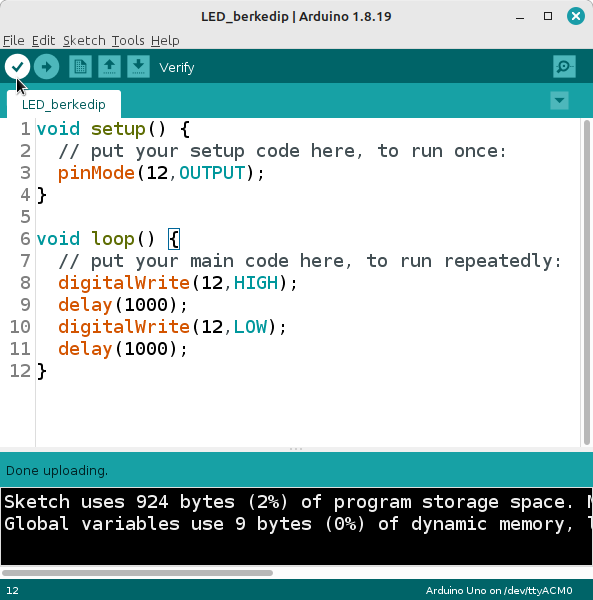
For beginners, popular and free IDEs like Visual Studio Code (VS Code) or Code::Blocks are excellent choices. They provide a user-friendly interface to write, compile, and run your C programs without having to juggle multiple separate applications. We'll be using commands that work in most IDE terminals or your system's command line.
From Words to Actions
The journey from a blank screen to a running program involves a few key steps. First, you write your instructions in a text file and save it with a .c extension. This is your source file. Next, you use the compiler to process this file. The compiler reads your C code and produces a new file: an executable. This executable file contains the machine code that tells the computer exactly what to do.
Let's try this process with the traditional first program for any new language: "Hello, World!".
#include <stdio.h>

int main() {
    // This line prints "Hello, World!" to the screen.
    printf("Hello, World!\n");
    return 0;
}
Let's break that down line by line.
#include <stdio.h>: This is a preprocessor directive. It tells the compiler to include the contents of a file called , which stands for "standard input-output header." This file contains declarations for functions we need, like printf().
int main(): This is the main function. Every C program starts executing from the first line inside main(). The int means the function will return an integer value when it's done.
printf("Hello, World!\n");: This is a function call. It uses the printf function from stdio.h to print the text inside the quotation marks to your screen. The \n is a special character that means "new line."
return 0;: This line ends the main function and returns the value 0 to the operating system. A return value of 0 is the standard way to signal that the program finished successfully.
Compiling and Running
Now, save the code above in a file named hello.c. Open the terminal or command prompt within your IDE (or your computer's main terminal). Navigate to the directory where you saved your file.
To compile it using GCC, you'll type the following command and press Enter.
gcc hello.c -o hello
This command tells the gcc compiler to take hello.c as input and create an output file (-o) named hello. If you don't see any errors, it worked! You'll find a new executable file called hello in the same folder.
To run your program, type this:
./hello
The ./ part tells the system to look for the program in the current directory. You should see Hello, World! printed to your screen. Congratulations, you've just written and run your first C program!
Setting up your environment is the first and most critical step. Now that your tools are ready, you can start exploring what makes C such a powerful language.