C++ Programming Fundamentals
Introduction to C++
What is C++?
C++ began in the early 1980s as an enhancement to the C programming language. Created by Bjarne Stroustrup at Bell Labs, its original name was "C with Classes." The name C++ was coined later, cleverly using the ++ operator from C, which means "increment by one." It was literally the next step up from C.
So, what makes it special? C++ is known for its speed and power. It gives programmers a high degree of control over system resources and memory. This makes it a popular choice for software that needs to run fast and efficiently, like video games, operating systems, web browsers, and financial trading platforms.
C++ combines high-level features (like organizing code into objects) with low-level capabilities (like directly managing memory). This flexibility is one of its greatest strengths.
Your First Program
To write and run a C++ program, you need two things: a text editor to write your code and a compiler to translate that code into a language the computer can understand. You can get these separately, but it's easier to use an Integrated Development Environment (IDE), which bundles them together with other helpful tools.
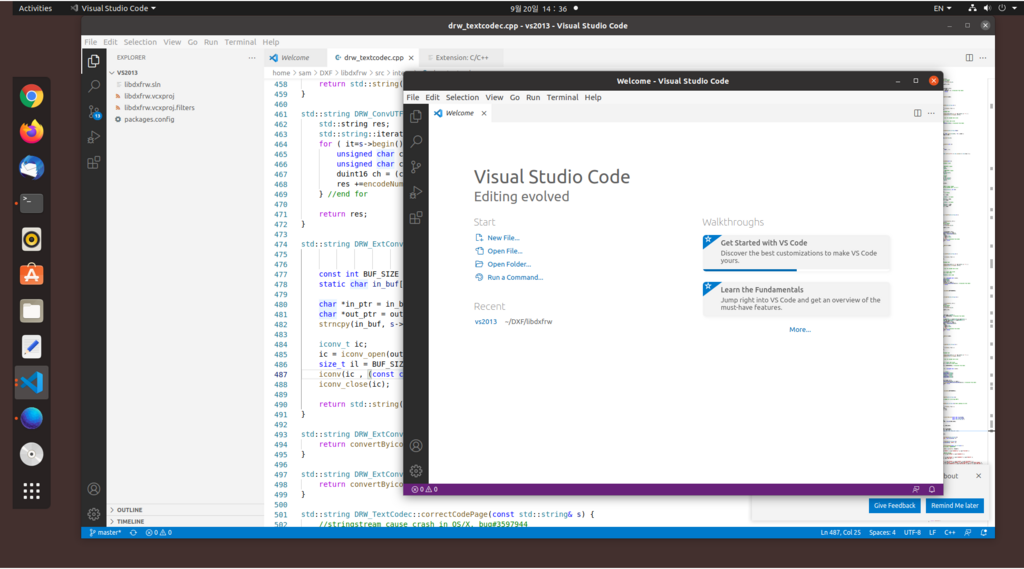
Popular IDEs for C++ include Visual Studio, Code::Blocks, and CLion. For this guide, we'll focus on the code itself, which will work in any standard C++ environment.
A tradition in programming is to make your first program display the text "Hello, World!" on the screen. It's a simple way to confirm that your setup is working correctly.
// This is your first C++ program!

#include <iostream>

int main() {
    // This line prints "Hello, World!" to the console.
    std::cout << "Hello, World!\n";

    // This tells the operating system that the program ran successfully.
    return 0;
}
Breaking Down the Code
Let's look at that program piece by piece to understand what's happening.
// This is your first C++ program!Any line that starts with//is a comment. The compiler ignores it completely. Comments are notes for humans to explain what the code does.
#include <iostream>This is a preprocessor directive. It tells the compiler to include theiostreamfile, which is part of the C++ standard library. This file contains the code that allows us to get input and display output, like printing text to the screen.
int main() { ... }This is the main function. Every C++ program must have one. When you run your program, the code inside the curly braces{}of themainfunction is what gets executed. Theintbeforemainindicates that the function will return an integer value when it finishes.
std::cout << "Hello, World!\n";This is the statement that does the actual work.std::coutis the standard character output stream, which usually means your screen or console. The<<operator is used to send the text "Hello, World!" to that stream. The\nis a special character that represents a new line. Finally, the semicolon;marks the end of the statement, much like a period at the end of a sentence.
return 0;This line ends themainfunction. Returning a0is the standard way of telling the operating system that the program executed successfully without any errors.
To run this, you would save the code in a file (e.g., hello.cpp), compile it, and then execute the resulting program. The exact steps depend on your IDE or compiler, but the outcome will be the same: the words Hello, World! appearing in your terminal.
What was the original name of the C++ programming language?
What is the primary role of a compiler in the C++ development process?
And that's it! You've just walked through the fundamental structure of a C++ program. This simple foundation is the starting point for building much more complex and powerful applications.