C Programming Fundamentals
Introduction to C
The Granddaddy of Modern Code
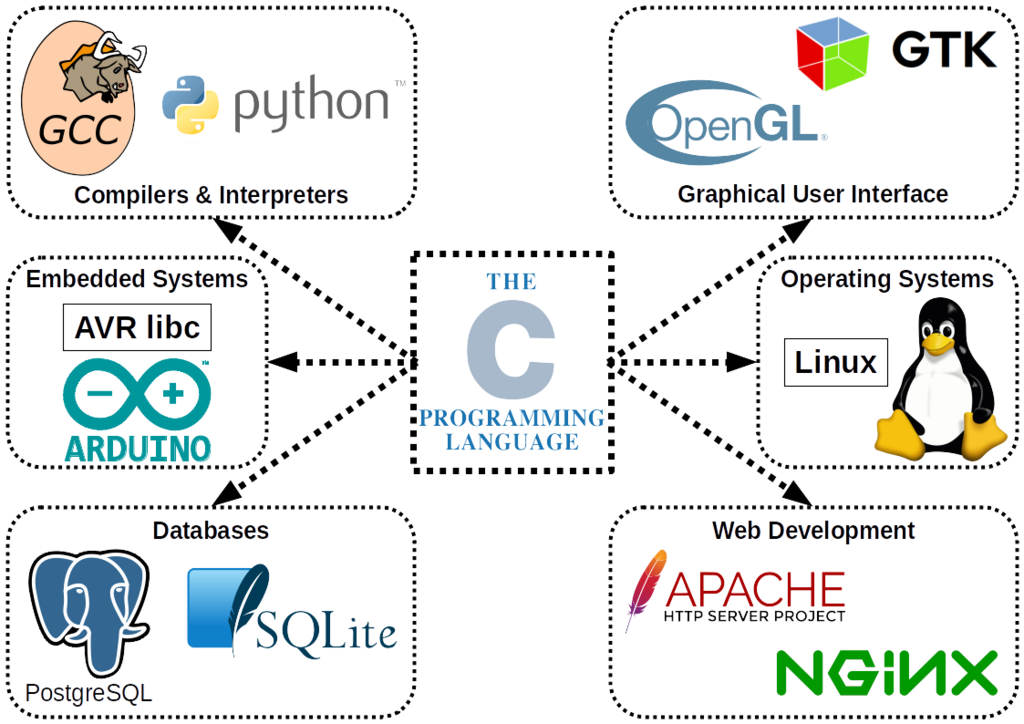
C is one of the most influential programming languages ever created. Developed in the early 1970s by Dennis Ritchie at Bell Labs, it was built to write the Unix operating system. This close link between C and Unix is a big reason for its success.
Think of C as a foundational language. It's old, but it’s not obsolete. Many languages you might have heard of, like C++, Java, and Python, borrowed heavily from C. The core of major operating systems, including Windows and Linux, are written in C. It's known for being fast and giving the programmer a lot of control over the computer's hardware.
Getting Your Tools Ready
To start writing C, you need two basic tools: a text editor and a compiler.
A text editor is where you'll write your code. This can be a simple program like Notepad on Windows, or a more powerful code editor like Visual Studio Code, which offers features like syntax highlighting to make your code easier to read.
A compiler is a special program that translates the C code you write (source code) into machine code, which is a set of instructions the computer's processor can actually understand and execute.
The process is simple: Write your code in the editor, save the file, use the compiler to create an executable program, and then run that program.
A popular and free compiler is GCC (the GNU Compiler Collection), which is the standard on most Linux systems and is available for Windows and macOS. You can also use an Integrated Development Environment (IDE) like Code::Blocks or Visual Studio. An IDE bundles a text editor, a compiler, and other helpful tools into a single application.
Your First C Program
It's a long-standing tradition in programming to make your first program in a new language simply print the phrase "Hello, World!" to the screen. Let's do that in C.
// This program prints "Hello, World!" to the console.

#include <stdio.h>

int main(void) {
    // Print the text to the screen
    printf("Hello, World!\n");

    // Tell the operating system the program ran successfully
    return 0;
}
Let's break that down piece by piece.
| Code | Explanation |
|---|---|
#include <stdio.h> | This is a preprocessor directive. It tells the compiler to include the contents of the standard input/output header file. This file contains the declaration for the printf function we use to print text. |
int main(void) | This is the main function. Every C program must have a main function, as it's the starting point of execution. The computer starts running the code from here. |
{ ... } | The curly braces mark the beginning and end of the function's code block. Everything inside them belongs to the main function. |
printf("Hello, World!\n"); | This is a function call. It calls the printf function to print the text inside the double quotes. The \n is a special character that represents a newline, moving the cursor to the next line after printing. |
return 0; | This line ends the main function. It returns the value 0 to the operating system, which is a standard way of saying "the program finished without any errors." |
To run this, you would save the code in a file named something like hello.c. Then, you'd use your compiler to turn it into an executable file. For example, in a command line terminal with GCC installed, you would type:
gcc hello.c -o hello
This command tells GCC to compile hello.c and create an output file (-o) named hello. To run your new program, you would then type:
./hello
And you'll see Hello, World! printed on your screen.
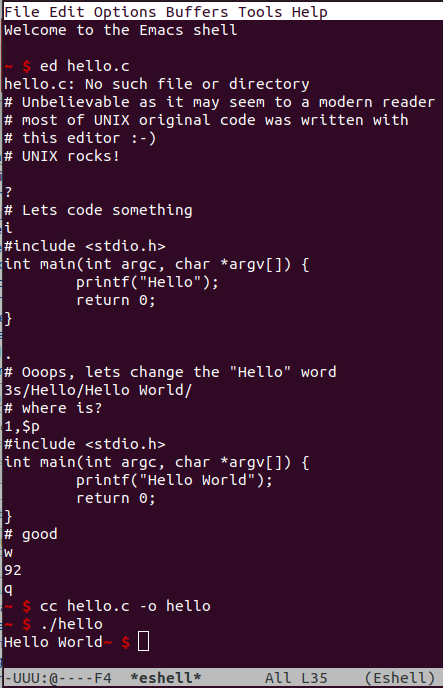
That's it! You've written, compiled, and executed your first C program.
What was the original purpose for the creation of the C programming language?
What is the primary function of a C compiler?