C Programming for Civil Engineers
Introduction to C Programming
Why C for Engineering?
Before powerful software with graphical interfaces, engineers solved complex problems with raw code. One of the most important tools they used was a programming language called C. Developed in the early 1970s at Bell Labs, C was designed to be fast, efficient, and give programmers close control over the computer's hardware.
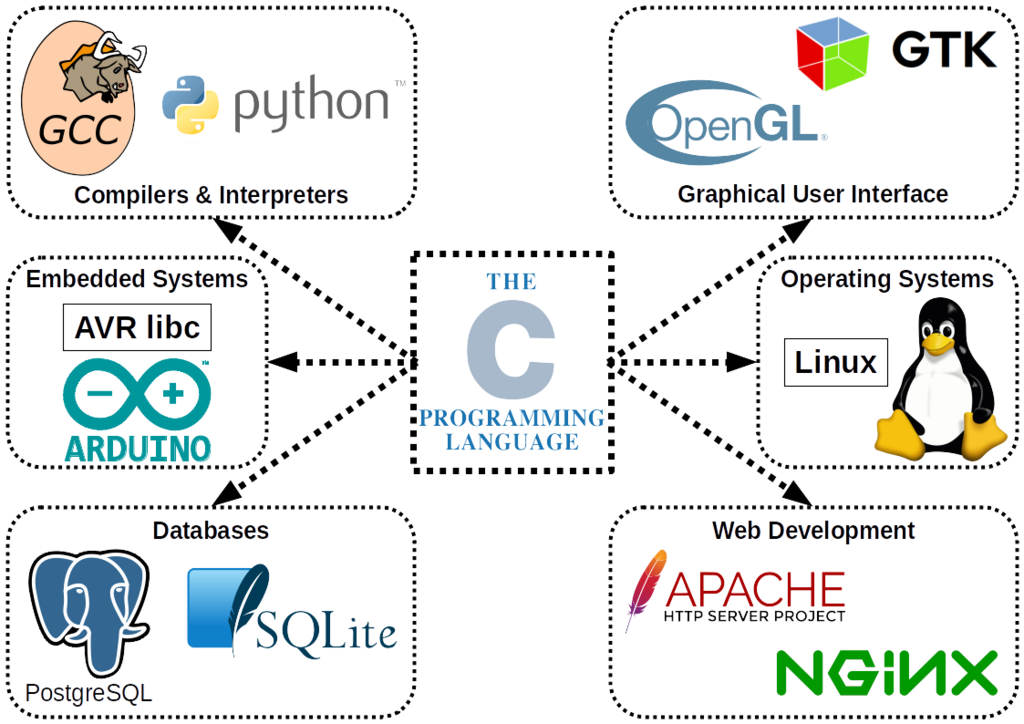
Think about the challenges in civil engineering: simulating water flow in a new canal system, analyzing the structural integrity of a bridge under stress, or processing vast amounts of survey data. These tasks require massive calculations. C excels at this because it's a compiled language. Instead of being interpreted on the fly, C code is translated directly into machine code that the computer's processor can execute at high speed. This efficiency is why C is still used today for performance-critical applications, from operating systems to the embedded systems in modern cars and infrastructure.
Your First Program
In programming, there's a tradition of making your first program print the phrase "Hello, World!" to the screen. It's a simple way to confirm that your setup is working correctly. Let's look at what that program looks like in C.
#include <stdio.h>

int main() {
    // This line prints the text to the screen
    printf("Hello, World!\n");

    return 0;
}
This might look cryptic, but each part has a specific job. Let's break it down line by line.
#include <stdio.h>: This is a preprocessor directive. It tells the compiler to include the "standard input/output" library. This library contains pre-written code for common tasks, like printing text to the screen. Without it, the printf function wouldn't be recognized.
int main(): This is the main function. Every C program must have a main function. It's the starting point—the first piece of code that runs when you execute your program.
printf("Hello, World!\n");: This is the line that does the work. printf is a function from the stdio.h library that prints text to the console. The text you want to print goes inside the parentheses and quotes. The \n is a special character that means "new line," moving the cursor down for any subsequent text.
return 0;: This line signals that the program has finished successfully. A return value of 0 conventionally means "no errors occurred."
Setting Up Your Environment
To write and run C code, you need two main tools: a text editor and a compiler.
-
Text Editor or IDE: This is where you write your code. You can use a simple text editor like Notepad, but it's easier to use an Integrated Development Environment (IDE) like VS Code or Code::Blocks. IDEs offer features like syntax highlighting and debugging tools that make coding much smoother.
-
Compiler: This is the program that translates your human-readable C code into machine code that the computer can understand. GCC (GNU Compiler Collection) is a popular, free compiler available for most operating systems.
Basic Input and Output
Beyond just printing static text, programs need to interact with the user. Let's write a program that asks for the length and width of a rectangular plot of land and calculates its area. This demonstrates how to get input from the user.
#include <stdio.h>

int main() {
    float length, width, area;

    printf("Enter the length of the plot: ");
    scanf("%f", &length);

    printf("Enter the width of the plot: ");
    scanf("%f", &width);

    area = length * width;

    printf("The area of the plot is: %f\n", area);

    return 0;
}
Here are the new pieces:
float length, width, area;: This line declares three variables of type float. A variable is a named storage location for data. float means these variables will hold floating-point numbers (numbers with decimal points).
scanf("%f", &length);: The scanf function reads input from the user. The %f is a format specifier that tells scanf to expect a floating-point number. The &length part tells scanf where to store the number that it reads.
The rest of the program uses the multiplication operator * to calculate the area and another printf statement to display the result. Notice the %f inside the final printf string—it acts as a placeholder that gets replaced by the value of the area variable.
Why is a compiled language like C particularly well-suited for complex engineering simulations?
What is the primary purpose of the line #include <stdio.h> in a C program?
This is just the first step. With these fundamentals of program structure and input/output, you're ready to start building more complex tools to solve real-world engineering problems.