C Programming for Cameroon GCE A-Level
Introduction to C Programming
The Bedrock of Modern Code
Most modern programming languages stand on the shoulders of a giant: C. Developed in the early 1970s by Dennis Ritchie at Bell Labs, C was revolutionary. It was powerful enough to build operating systems but simple enough for a wide range of other tasks. Its creation was a huge leap forward, giving programmers a new level of control and efficiency.
Why does a language from the 70s still matter? Because C is everywhere. The operating systems on your phone and computer (like Linux, Windows, and macOS) have C at their core. It's used in embedded systems, the tiny computers inside everything from microwaves to cars. Many languages you might have heard of, including C++, Java, and Python, were heavily influenced by C's syntax and ideas.
Learning C is like learning the grammar of programming. It teaches you how computers actually work on a deeper level.
Your Programming Toolkit
Before you can write C code, you need two essential tools: a compiler and an Integrated Development Environment (IDE).
Compiler
noun
A special program that translates the source code you write into machine code, the 1s and 0s that a computer's processor can understand and execute.
An IDE is a software application that bundles common developer tools into a single interface. Think of it as a workbench for programmers. It typically includes a text editor with features like syntax highlighting, which colors your code to make it easier to read, along with the compiler and a debugger for finding mistakes.
There are many IDEs to choose from. For beginners, popular options include Visual Studio Code (with a C/C++ extension), Code::Blocks, or even online compilers that let you write and run code directly in your web browser without installing anything.
Hello, World!
It's a long-standing tradition in programming to make your first program print the phrase "Hello, World!" to the screen. It's a simple way to confirm that your development environment is set up correctly and to see the basic structure of the language.
// This is a comment. It's ignored by the compiler.
#include <stdio.h>

int main() {
    printf("Hello, World!\n");
    return 0;
}
Let's break that down line by line.
#include <stdio.h>: This line is a preprocessor directive. It tells the compiler to include the contents of a standard file called stdio.h, which stands for "Standard Input/Output." This file contains the declaration for functions like printf(), which we need to print text.
int main(): This is the main function. Every C program must have a main function. It's the starting point—the first piece of code that runs when you execute your program. The int means the function will return an integer value when it's done.
printf("Hello, World!\n");: This is the line that does the work. printf is a function from the stdio.h library that prints formatted text to the console. The text inside the double quotes is what gets printed. The \n is a special character that represents a newline, moving the cursor down to the next line after printing.
return 0;: This line ends the main function. By convention, returning a 0 tells the operating system that the program executed successfully without any errors.
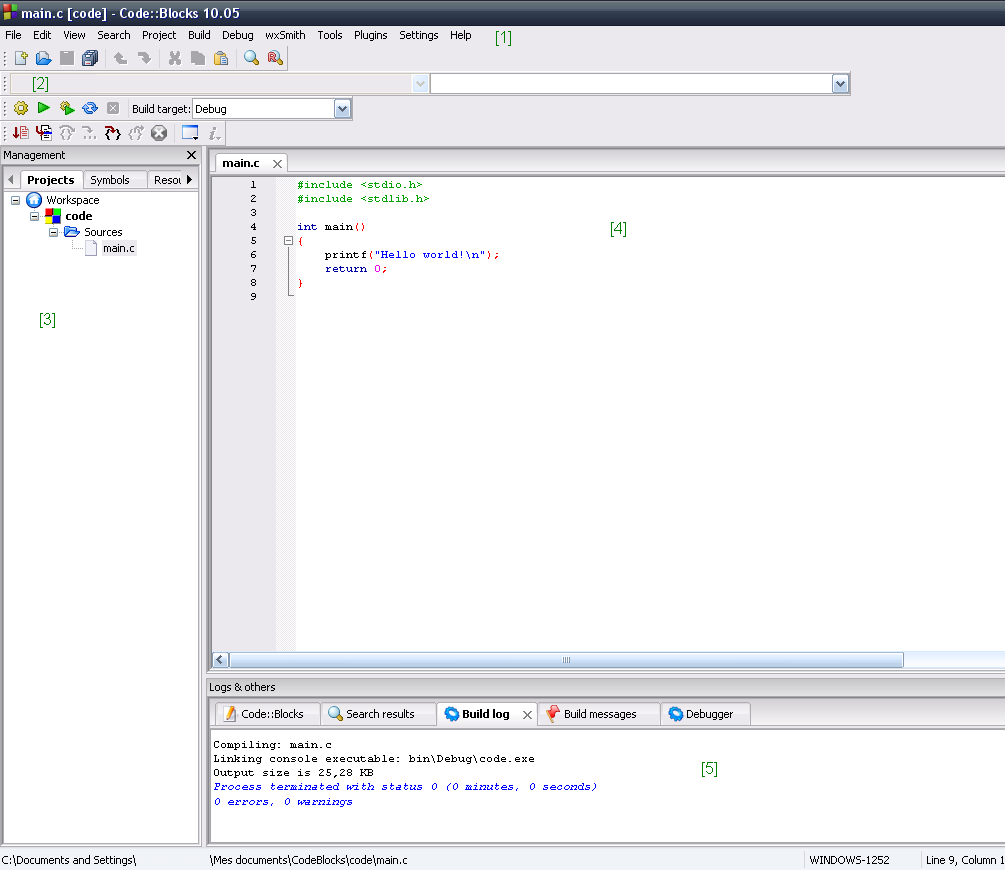
To run this, you would save the code in a file (e.g., hello.c), then use your IDE's "build" or "run" button. This action compiles the code into an executable file and then runs it, and you should see "Hello, World!" appear in a terminal or output window.
Now let's check your understanding of these core concepts.
Which statement best describes the historical significance of the C programming language?
What is the primary role of an Integrated Development Environment (IDE) in C programming?
That's it! You've taken your first step into the world of C programming, from understanding its history to writing and dissecting your very first program.