C++ Fundamentals for Beginners
Introduction to C++
What Is C++?
C++ is a powerful, general-purpose programming language. It was created in the 1980s by Bjarne Stroustrup as an extension of the C language. Think of it as C with a lot of extra features, making it more versatile.
What makes C++ special? It's known for its high performance and giving the programmer a lot of control over system resources, like memory. This makes it a popular choice for software that needs to run fast and efficiently. You'll find C++ in game engines, high-frequency trading applications, operating systems, and web browsers.

It's a compiled language, which means the code you write is translated into machine code that a computer's processor can execute directly. This is a key reason for its speed. It also supports multiple programming styles, but for now, we'll focus on the most basic procedural approach.
Your First C++ Program
The best way to learn any programming language is to start writing code. A long-standing tradition for new programmers is to write a program that simply displays "Hello, World!" on the screen. Let's look at how to do that in C++.
// This is a simple C++ program

#include <iostream>

int main() {
    // Print "Hello, World!" to the console
    std::cout << "Hello, World!" << std::endl;
    return 0;
}
This might look a bit intimidating at first, but each part has a specific job. Let's break it down.
| Code | Purpose |
|---|---|
#include <iostream> | Includes the iostream header file. This lets us use tools for input and output, like printing to the screen. |
int main() { ... } | This is the main function. Every C++ program starts running here. The code inside the curly braces {} is executed. |
std::cout << "Hello, World!"; | std::cout is an object used to send output to the console. The << operator sends the text to std::cout. |
std::endl | This adds a new line at the end of the text, similar to pressing the Enter key. |
return 0; | This tells the operating system that the program finished successfully. A return value of 0 means no errors. |
Notice the
std::beforecoutandendl. This specifies that we're using a feature from the standard (std) namespace. Namespaces help organize code and prevent naming conflicts. For now, just remember to include it.
Setting Up Your Environment
To write and run C++ code, you need two things: a text editor to write your code and a compiler to translate it into a runnable program.
A compiler is like a translator. It takes the human-readable C++ code you write (called source code) and converts it into machine code that the computer's processor can understand and execute.
Many developers use an Integrated Development Environment (IDE), which bundles a text editor, a compiler, and other helpful tools into one application. Some popular choices for C++ are:
- Visual Studio: A full-featured IDE for Windows.
- Code::Blocks: A free, cross-platform IDE that works on Windows, macOS, and Linux.
- VS Code with a C++ extension: A lightweight and popular text editor that can be configured to compile C++ code using a compiler like g++.
Regardless of the tool you choose, the process is the same.
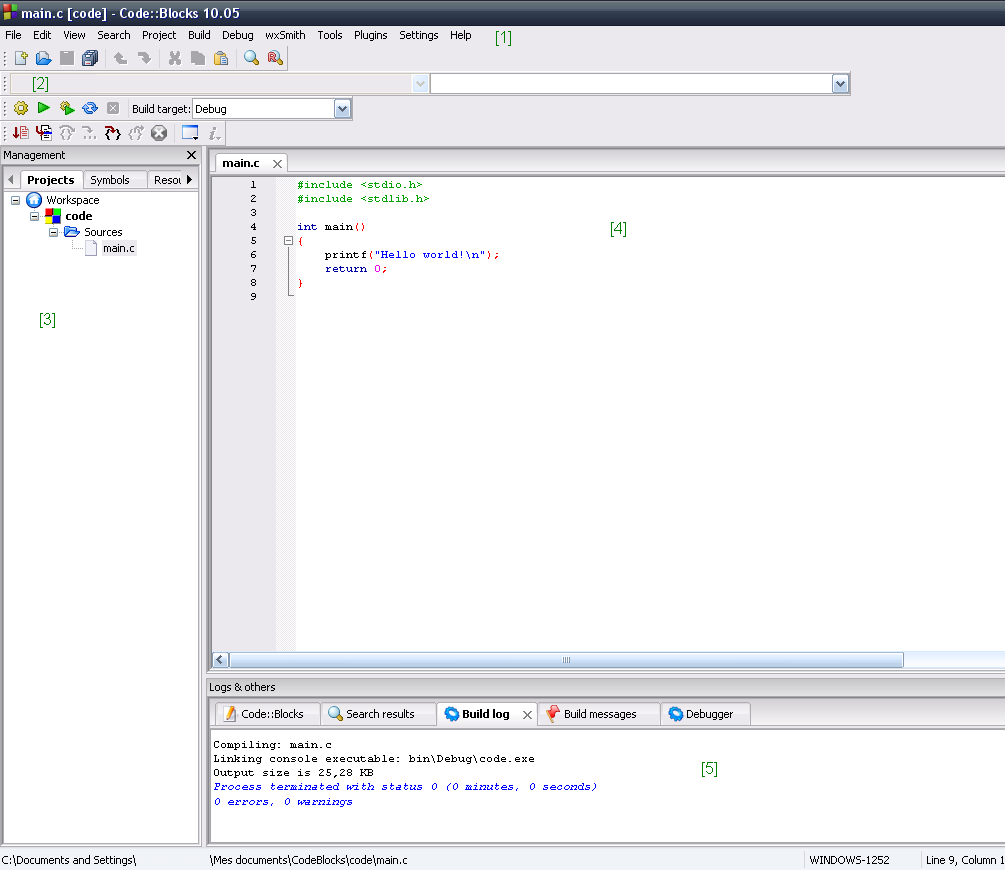
Here's the general workflow:
- Write: Type your C++ code into your editor.
- Save: Save the file with a
.cppextension, for example,hello.cpp. - Compile: Use your compiler to translate the
.cppfile into an executable file. If you were using the g++ compiler in a terminal, the command would look likeg++ hello.cpp -o hello. - Run: Execute the program you just created. In a terminal, you might type
./helloto run it.
Your IDE will handle most of these steps for you, often combining compilation and running into a single click of a "Run" button.
Now that you've seen the basic structure and workflow, let's test your understanding.
What is the primary role of a C++ compiler?
Which of the following best describes the relationship between C and C++?
You've taken the first step into the world of C++. With these fundamentals, you're ready to start exploring variables, data types, and more complex logic.