C++ Fundamentals for Aspiring Programmers
Introduction to C++
What is C++?
C++ is a powerful, versatile programming language used to build everything from video games and web browsers to operating systems and financial trading software. It was created in the early 1980s by Bjarne Stroustrup as an extension of the C language, adding more advanced features while keeping C's signature speed and efficiency.
Think of it like this: if the C language is a high-performance engine, C++ is that same engine placed in a modern car, complete with a dashboard, power steering, and safety features. It gives you direct control over computer hardware and memory, which makes it incredibly fast. This combination of power and high-level features makes it a popular choice for applications that need to run as quickly as possible.
Getting Your Tools Ready
To start writing C++ programs, you need two key pieces of software: a compiler and an Integrated Development Environment (IDE).
Compiler
noun
A special program that translates the source code you write into machine code, which is a language the computer's processor can understand and execute.
An IDE is a software application that bundles common developer tools into a single package. It's like a workshop for programmers. A typical IDE includes a source code editor for writing your code, the compiler to translate it, and a debugger to help you find and fix mistakes. Many popular IDEs, like Visual Studio, Code::Blocks, and Xcode, come with a C++ compiler pre-configured.
For this course, you will need to have an IDE with a C++ compiler installed. We recommend using a modern, well-supported IDE to make your coding experience smoother.
Your First Program
It's a tradition in programming to start with a program that simply prints "Hello, World!" to the screen. This is a great way to confirm that your compiler and IDE are set up correctly. Let's write one now.
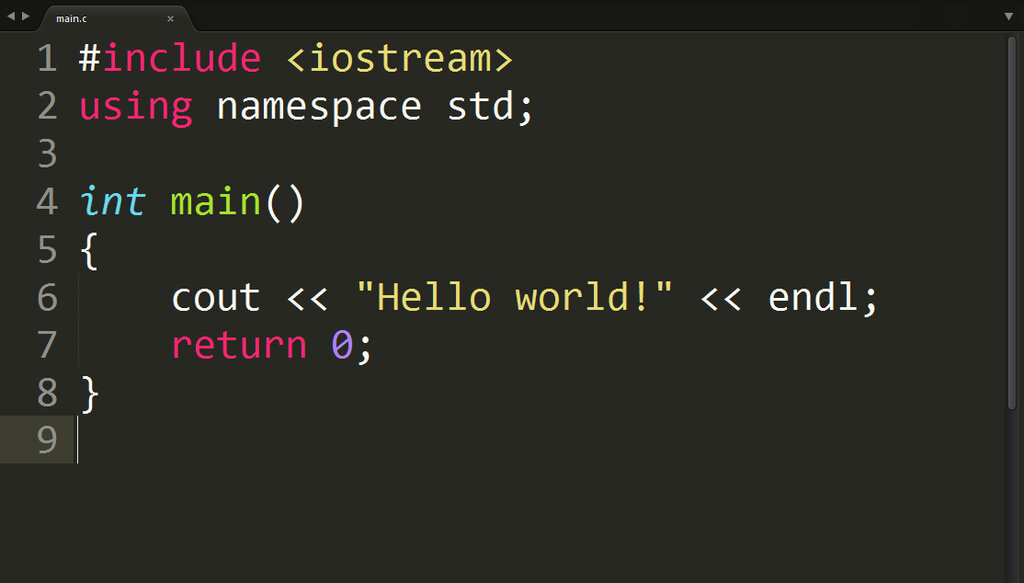
Type or copy the following code into your IDE's editor:
#include <iostream>

int main() {
    // Print a message to the console
    std::cout << "Hello, World!";
    return 0;
}
Let's break this down line by line:
#include <iostream>: This line is a preprocessor directive. It tells the compiler to include theiostreamfile, which is a standard library that contains code for handling inputs and outputs, like printing text to the screen.int main(): This is themainfunction. Every C++ program has one, and it's the starting point for execution. When you run your program, the code inside these curly braces{}is what gets executed first.std::cout << "Hello, World!";: This is the statement that does the work.std::coutis the standard character output stream (think of it as the console or terminal window). The<<operator is used to send the string of text"Hello, World!"to that output stream.return 0;: This line signals that the program has finished running successfully. A return value of0is the standard for a successful exit.
Most IDEs have a button labeled 'Build and Run' or something similar (often represented by a green play icon) that will compile your code and execute it in one step.
When you run this code, a console window should appear displaying the text Hello, World!. If it does, congratulations! You've just written and executed your first C++ program.
Who is credited with creating the C++ programming language?
In a C++ program, what is the primary purpose of the #include <iostream> directive?