C for Low Latency UI Performance
Introduction to C Programming
The Bedrock of Modern Computing
C is one of the oldest and most influential programming languages. Created in the early 1970s by Dennis Ritchie at Bell Labs, it has been the foundation for countless technologies. Many of the tools you use every day, from your computer's operating system to the web browser you're reading this on, have C deep in their roots.
Think of C as the Latin of programming languages. It's not always the language you'd use for a quick, modern web app, but it's the ancestor of many popular languages like C++, Java, and Python. Understanding C gives you a deeper insight into how computers actually work at a fundamental level. It's known for its efficiency and for giving programmers a high degree of control over the computer's hardware.
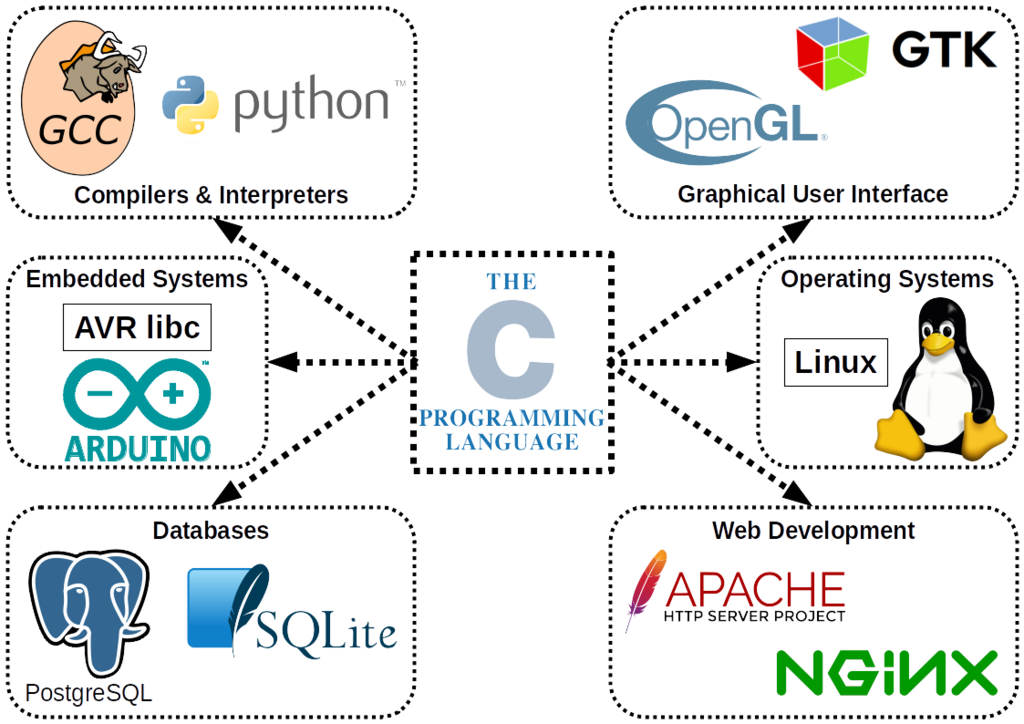
Its power lies in its simplicity and performance. Because C is a 'low-level' language, it's very close to the machine's own language. This allows developers to write code that runs incredibly fast, which is crucial for tasks like building operating systems, game engines, and performance-critical software.
Getting Your Tools Ready
To start writing C programs, you need two main tools: a text editor and a compiler.
-
A Text Editor: This is where you'll write your C code. You can use a simple program like Notepad on Windows or TextEdit on a Mac, but it's better to use a code editor like Visual Studio Code, Sublime Text, or Atom. These editors provide helpful features like syntax highlighting, which colors your code to make it easier to read.
-
A Compiler: A computer can't understand C code directly. It only understands machine code, which is a series of ones and zeros. A compiler is a special program that translates your human-readable C code into machine code that the computer's processor can execute.
The most common C compiler is GCC (the GNU Compiler Collection), which is free and available for all major operating systems. The process of turning your source code into a runnable program is called compilation.
Your First Program
The traditional first program for any new language is "Hello, World!". It's a simple program that just prints the text "Hello, World!" to the screen. It's a great way to verify that your compiler is set up correctly and to see the basic structure of a C program.
#include <stdio.h>

// This is the main function where the program starts
int main() {
    // Print the text to the console
    printf("Hello, World!\n");

    // Return 0 to indicate the program ran successfully
    return 0;
}
Let's break this down:
#include <stdio.h>: This line is a preprocessor directive. It tells the compiler to include the contents of a file calledstdio.h(Standard Input/Output) before compiling. This file contains declarations for functions likeprintf()that let us interact with the screen.int main(): This is the main function. Every C program must have amainfunction. It's the starting point of execution when you run the program. Theintmeans the function will return an integer value.printf("Hello, World!\n");: This is a function call. It uses theprintffunction from thestdio.hlibrary to print text to the console. The text inside the double quotes is what gets printed. The\nis a special character that represents a newline, moving the cursor to the next line after printing.return 0;: This line ends themainfunction. It returns a value of 0 to the operating system, which signals that the program executed successfully. A non-zero value would indicate an error.
Variables and Control Flow
Programs aren't very useful if they just do the same thing every time. We need ways to store information and make decisions. That's where variables and control structures come in.
A variable is a named storage location for a value that can change during the program's execution. Before you can use a variable in C, you must declare it, which means giving it a name and a data type.
A data type tells the compiler what kind of data the variable will hold. This is important because different types of data take up different amounts of memory and allow for different operations. Here are a few fundamental types:
| Data Type | Description | Example |
|---|---|---|
int | Integer (whole number) | int age = 30; |
float | Floating-point (decimal) | float pi = 3.14; |
double | Double-precision float | double price = 19.99; |
char | Single character | char grade = 'A'; |
Once you have variables, you can use control structures to control the flow of your program's execution.
An
ifstatement allows you to execute a block of code only if a certain condition is true.
int score = 85;

if (score > 60) {
    printf("You passed!\n");
}
Loops allow you to repeat a block of code multiple times. The for loop is one of the most common types. It's great when you know exactly how many times you want to repeat an action.
// This loop will print numbers 1 through 5
for (int i = 1; i <= 5; i++) {
    printf("%d\n", i);
}
This for loop has three parts: int i = 1 initializes a counter variable i, i <= 5 is the condition that is checked before each repetition, and i++ increments the counter after each repetition. The printf("%d\n", i); line prints the current value of i. The %d is a placeholder that tells printf to insert the value of an integer variable at that spot.
Who is credited with creating the C programming language at Bell Labs in the early 1970s?
What is the primary function of a C compiler?