Building Your First AI Model
AI Development Environments
Your AI Workshop
Every project needs a workspace. For building AI, this is your development environment. Think of it as a digital workshop, equipped with all the specialized tools you need to create, test, and refine AI models. You don't need a physical garage, just your computer and the right software.
The foundation of this workshop is Python, the primary programming language for AI. On top of that, you'll need three main things:
- Frameworks: Pre-built toolkits that handle the heavy lifting of AI math. We'll focus on TensorFlow and PyTorch.
- An IDE: An Integrated Development Environment is your workbench. We'll use Jupyter Notebook, a favorite among data scientists.
- A Package Manager: A tool to install and manage all your other tools. We'll use
pip, which comes with Python.
The Power Tools: TensorFlow & PyTorch
AI frameworks like TensorFlow and PyTorch are the heavy machinery of your workshop. They provide the fundamental building blocks for creating neural networks, saving you from having to write complex mathematical operations from scratch. Most AI development today happens using one of these two.
You can install them directly from your computer's command line or terminal. pip is the command that tells Python's package manager to fetch and install the software.
# Installs Google's TensorFlow framework
pip install tensorflow
And here is the command for installing PyTorch, which is developed by Meta.
# Installs Meta's PyTorch framework
pip install torch torchvision torchaudio
The Workbench: Jupyter Notebook
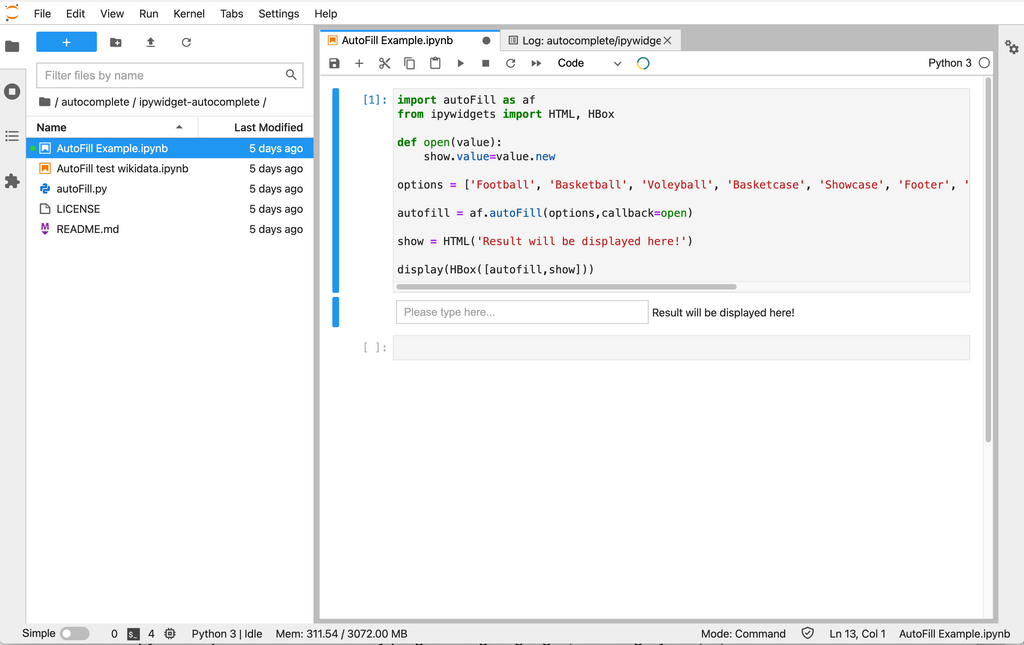
Jupyter Notebook is an interactive environment that lets you write and run code in small chunks called "cells." This is perfect for AI development because you can experiment with code, visualize data, and see results immediately without re-running your entire program. It feels less like writing software and more like a conversation with your code.
First, you'll need to install it.
# Installs the Jupyter Notebook environment
pip install notebook
Once installed, you can launch it from your terminal. This command will open a new tab in your web browser with the Jupyter interface.
# Starts the Jupyter Notebook server
jupyter notebook
Keeping Your Tools Organized
As you work on AI projects, you'll install many different Python packages. These are your project's dependencies—other tools that your main tools rely on to work correctly. pip helps you manage this.
A common practice is to create a virtual environment for each project. This is like having a separate, clean workshop for every car you build, so the tools for one don't get mixed up with the tools for another. While we won't cover setting one up here, it's a crucial next step for any serious project.
To ensure your project can be shared and recreated by others, it's standard to list all its dependencies in a file called requirements.txt. This is like a packing list for your workshop.
# An example requirements.txt file

tensorflow==2.16.1
numpy==1.26.4
pandas==2.2.2
The == specifies the exact version of the package to use, which prevents problems when packages are updated. Someone else (or your future self) can then set up the exact same environment with a single command:
# Install all packages listed in the file
pip install -r requirements.txt
With your frameworks installed, Jupyter Notebook ready to go, and a system for managing dependencies, your AI development environment is set up and ready for work.