Building Intelligent Websites with AI
AI Design Workflows
From Manual to AI-Assisted Design
The traditional UI/UX design process is methodical and often time-consuming. It involves research, wireframing, mockups, and prototyping, with each step requiring meticulous manual effort. Today, that workflow is changing. AI-powered tools are transforming design from a series of manual tasks into a fluid, collaborative process between human creativity and machine efficiency.
Instead of replacing designers, AI acts as a powerful assistant. It automates repetitive work, generates a wide array of ideas, and shortens the path from a rough concept to a functional prototype. This shift allows you to focus less on pushing pixels and more on the high-level user journey, strategic thinking, and creating truly innovative experiences.
Designers now find themselves focusing on things like: orchestrating AI-powered tools, curating AI-generated solutions, and maintaining the balance between automation and human creativity.
Generating Visual Inspiration
Every project begins with an idea. Generative AI tools like Midjourney or DALL-E can turn a simple text prompt into a rich source of visual inspiration. Forget spending hours searching for references. Now, you can generate high-fidelity mockups, mood boards, and unique visual concepts in minutes.
For example, a prompt like “UI for a minimalist mobile banking app, clean lines, dark mode, with accents of neon green, inspired by Scandinavian design” can produce dozens of distinct visual directions. This isn't about creating a final, pixel-perfect design. It's about rapidly exploring possibilities and establishing a strong aesthetic foundation before you even open a design tool.
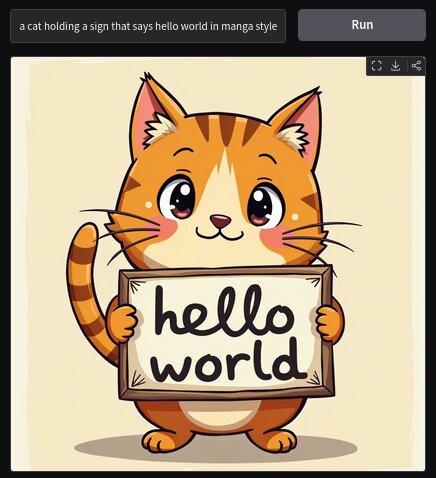
These generated images serve as high-quality starting points. You can pull colour palettes, layout ideas, and stylistic elements directly from them, providing a clear and visually rich brief for the next stage of the process.
AI-Powered Prototyping
Once you have a visual direction, the next step is bringing it into a design tool like Figma. Here, a new ecosystem of AI plugins supercharges the prototyping workflow, automating tasks that once took hours.
Think of these plugins as specialised assistants. One is an expert at creating icons, another is a brilliant copywriter, and a third is a master of organisation. Together, they streamline the entire process.
Two powerful examples are Magician and Automator.
-
Magician: This plugin works like magic for content generation. Need an icon for a settings page or a user profile? Just type a description, and Magician generates a set of unique SVG icons for you. It can also write UI copy, from button labels to descriptive paragraphs, helping you fill your mockups with realistic text instead of lorem ipsum.
-
Automator: Many design tasks are repetitive: renaming layers, organising files, or checking for accessibility issues. The Automator plugin lets you build custom workflows to handle these jobs automatically. You can create an automation that scans your design for contrast issues, ensures all images have alt text, or standardises the naming conventions across your entire project.
From Design to Code in Minutes
The final hurdle in the design process has always been the handoff to development. Translating a static design into responsive, well-structured code is often a source of friction and misinterpretation. AI-powered tools are building a bridge over this gap.
Platforms like Builder.io integrate directly with Figma and use AI to convert your static designs into live, responsive web components for frameworks like React, Vue, or Qwik. You design your layout in Figma, and the tool analyses the structure, components, and styling to generate clean, production-ready code.
By automating the conversion from design to code, these AI tools drastically reduce the time spent on coding UI components, allowing developers to focus on more complex functionality.
This approach creates a seamless workflow. You can move from a text prompt in Midjourney to a visual concept, then to a structured Figma prototype with AI-generated assets, and finally to a coded front-end in a fraction of the time it would take manually. This rapid iteration allows for faster testing, quicker feedback loops, and ultimately, a more efficient and creative design process.
Now let's test your understanding of these new workflows.
What is the primary role of AI in the modern UI/UX design process, as described in the provided text?
Which AI plugin for Figma is specifically mentioned for generating SVG icons and UI copy from text descriptions?