Build Your Own Minecraft Server
Understanding Server Hosting
Your Server's Foundation
Running your own Minecraft server is like building a custom clubhouse for you and your friends. Before you start decorating, you need to make sure the foundation is solid. That means checking your computer's hardware, its operating system, and your internet connection. Getting these basics right is the key to a smooth, lag-free world.
The Server's Engine
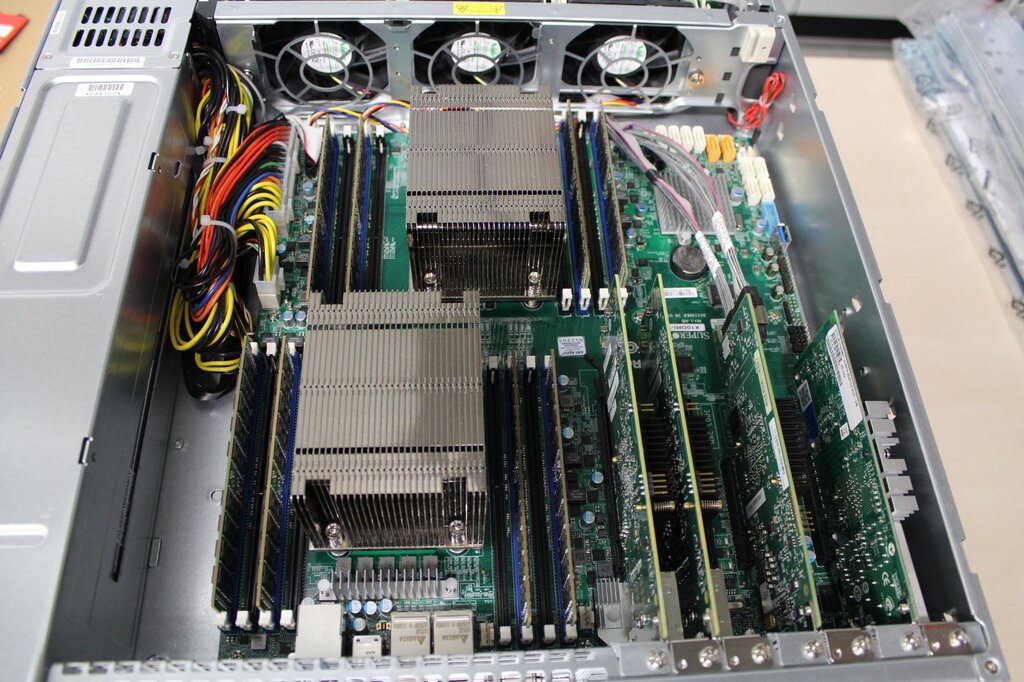
Think of the computer hosting your server as its engine. A weak engine will struggle, leading to frustrating lag and crashes. Let's look at the three main components.
Processor (CPU): This is the brain of your server. It handles all the game logic, from mob behavior to Redstone contraptions. A modern multi-core processor is ideal. While a server doesn't use all cores equally, a faster single-core speed is very beneficial.
Memory (RAM): RAM is the server's short-term memory. It holds the game world, player data, and any mods you're running. Not enough RAM is the most common cause of server lag. The more players and mods you add, the more RAM you'll need.
Storage: This is where your Minecraft world is saved. A Solid State Drive (SSD) is highly recommended over a traditional Hard Disk Drive (HDD). SSDs read and write data much faster, which means your world's chunks will load quickly for players as they explore.
So, how much do you actually need? It scales with your ambition. A small server for a handful of friends has very different needs than a large public server.
| Server Size | Players | Recommended RAM | CPU Speed | Storage |
|---|---|---|---|---|
| Small | 1-5 | 2-4 GB | 2.5 GHz+ | 25 GB SSD |
| Medium | 6-20 | 5-8 GB | 3.0 GHz+ | 50 GB SSD |
| Large | 20+ | 8+ GB | 3.5 GHz+ | 100+ GB SSD |
Connecting Your World
Once your hardware is sorted, you need to consider the software and the connection that brings it all online.
The Minecraft: Java Edition server software is flexible. You can run it on Windows, macOS, or Linux. For a small server you plan to run from your main computer, any of these will work just fine. Professionals often prefer Linux for dedicated servers because it's lightweight and stable, using fewer resources for the operating system and leaving more for the game.
Your internet connection is the highway that connects players to your world. A fast, stable connection is non-negotiable. While download speed is important for players, your upload speed is critical. You are constantly uploading the state of the world to every connected player. A low upload speed will feel like a traffic jam, causing blocks to reappear after being broken and making combat feel sluggish.
Finally, we need to make sure players can find your server. This involves two key networking concepts: IP addresses and port forwarding.
IP Address
noun
An Internet Protocol address is a unique number assigned to every device on a network. It acts like a mailing address, telling data where to go.
Your router has a public IP address that identifies your home network to the outside world. This is the address your friends will use. However, that address just gets them to your router's front door. You need to tell the router where the party is. That's where port forwarding comes in.
Port forwarding is a rule you set on your router. It tells the router that any incoming traffic on a specific port should be sent to a specific device on your local network. For Minecraft, the default port is 25565. By setting up a port forwarding rule, you're essentially telling your router: "Hey, if anyone from the internet tries to connect using port 25565, send them directly to the computer running the Minecraft server."
Without this rule, the router would receive the connection request from your friend and have no idea what to do with it, so it would simply reject it.
When hosting a Minecraft server, which aspect of your internet connection is most crucial for ensuring a smooth experience for other players?
What is the primary function of port forwarding in the context of a Minecraft server?
With the right hardware and a basic understanding of your network, you're ready for the next steps in bringing your world online.