Build Your First Website Workshop
Introduction to HTML
The Skeleton of the Web
Every website you visit, from a simple blog to a complex news site, is built on a foundation of HTML. HTML stands for HyperText Markup Language, and it provides the basic structure, or skeleton, for a webpage. It's not a programming language; it doesn't perform logic. Instead, it's a markup language, which means it uses special markers called tags to describe the content.
Think of it like this: if a website were a house, HTML would be the blueprint and the wooden frame. It defines where the rooms are, but not what color the walls are painted.
HTML tags are keywords surrounded by angle brackets, like <html>. They usually come in pairs: an opening tag and a closing tag. The closing tag is the same as the opening one, but with a forward slash before the tag name, like </html>. Everything between the opening and closing tag is the content of that element.
Every HTML document has a fundamental structure. It tells the browser that it's reading an HTML page and defines the main containers for the page's content.
<!DOCTYPE html>
<html>
  <head>
    <title>My First Webpage</title>
  </head>
  <body>
    <!-- Content goes here -->
  </body>
</html>
Let's break that down:
<!DOCTYPE html>: This declaration defines the document type. It lets the browser know it should interpret the file as an HTML5 document.<html></html>: This is the root element. All other elements on the page are nested inside it.<head></head>: This container holds meta-information about the page, like the title. This information isn't displayed on the page itself.<title></title>: This sets the title of the page, which appears in the browser tab.<body></body>: This is where the magic happens. All visible content, like text, images, and links, goes inside the body tags.
Structuring Content
Once you have the basic structure, you can start adding content. The most common elements you'll use are headings and paragraphs. They organize your text into a readable hierarchy.
Headings are defined with <h1> through <h6> tags. <h1> is the most important heading, typically used for the main title of a page. <h6> is the least important. Search engines use these headings to understand the structure of your content, so it's important to use them correctly.
Paragraphs are created with the <p> tag. Any block of text you want to stand on its own should be wrapped in <p> tags.
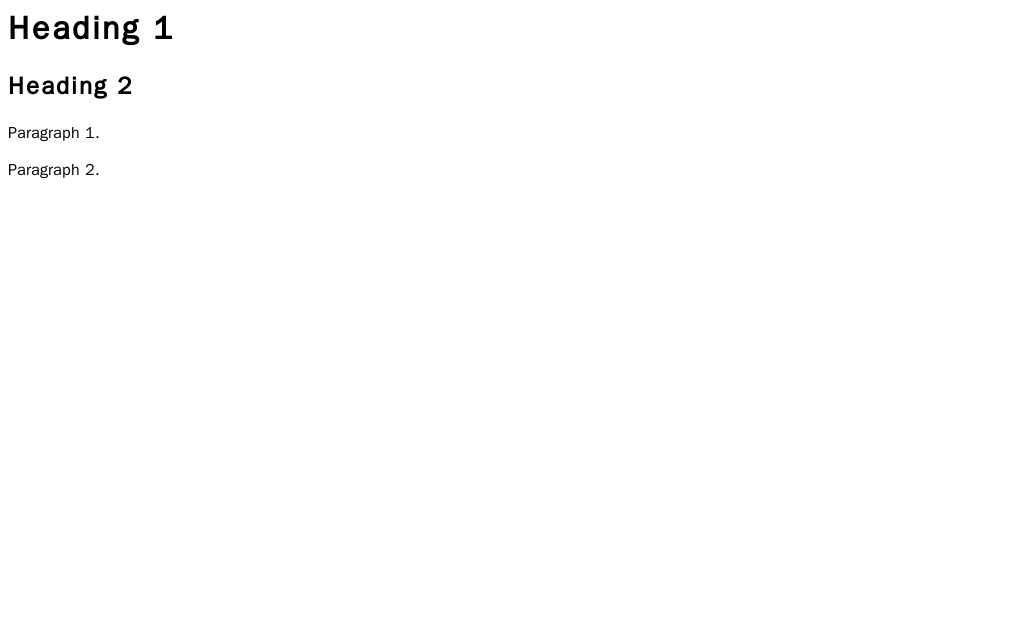
<body>
  <h1>The Main Title</h1>
  <p>This is the first paragraph. It introduces the main topic of the page.</p>

  <h2>A Sub-heading</h2>
  <p>This paragraph provides more detail about the topic introduced in the sub-heading.</p>
</body>
A key principle of good HTML is to use tags for their meaning, not their appearance. Use an
<h1>because it's the main heading, not just because you want big text. This is called semantic HTML.
To organize items, you can use lists. There are two main types: unordered lists (<ul>), which are for bullet points, and ordered lists (<ol>), which are numbered. Each item within a list is created with a list item tag, <li>.
<h3>My Favorite Foods</h3>
<ul>
  <li>Pizza</li>
  <li>Tacos</li>
  <li>Ice Cream</li>
</ul>

<h3>Steps to Make Coffee</h3>
<ol>
  <li>Grind coffee beans</li>
  <li>Boil water</li>
  <li>Pour water over grounds</li>
</ol>
Images and Links
A webpage with only text would be pretty boring. You can embed images using the <img> tag. This tag is self-closing, meaning it doesn't need a separate closing tag. It uses attributes to define its content.
The two essential attributes for an <img> tag are src and alt.
src: This stands for "source" and contains the URL or file path of the image you want to display.alt: This stands for "alternative text." It provides a description of the image for screen readers (used by visually impaired users) and will display if the image fails to load.
<img src="https://upload.wikimedia.org/wikipedia/commons/6/6a/PNG_Test.png" alt="A test image with a colorful background">
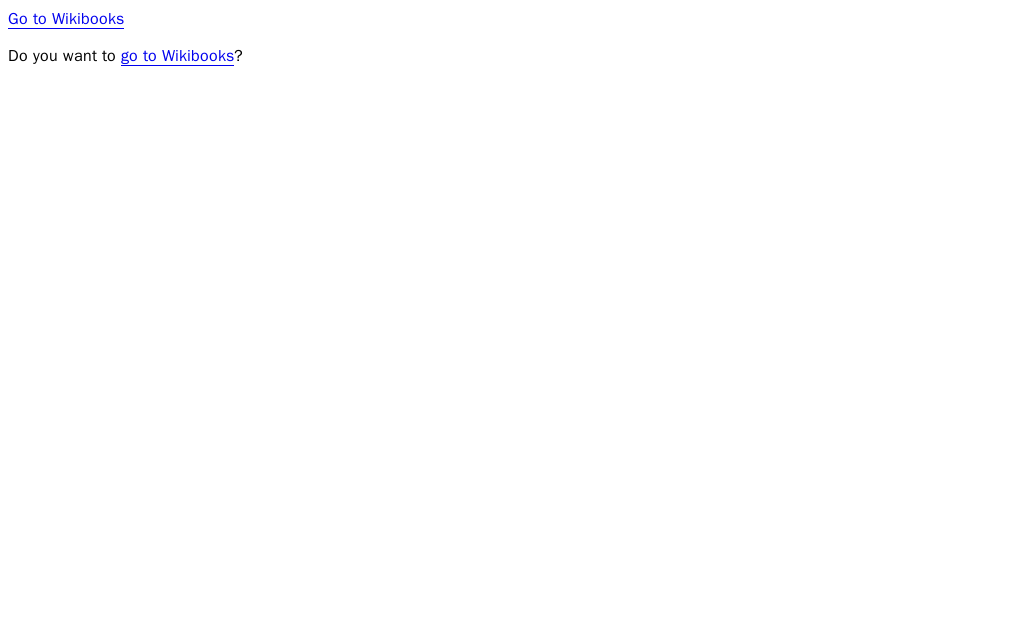
The "HyperText" in HTML refers to the ability to link documents together. We create links, or hyperlinks, with the anchor tag <a>. The href attribute specifies the destination URL.
<p>You can learn more on the <a href="https://www.wikipedia.org/">Wikipedia homepage</a>.</p>
With these basic elements, you have the power to structure a complete webpage. You can create clear headings, write paragraphs, organize information into lists, and link to other pages across the web.
What is the primary function of HTML?
Which tag is the root element for every HTML document?
This is just the start. Mastering these fundamentals is the first and most important step in web development. Clean, semantic HTML is the foundation upon which great websites are built.