Build Your First Nano Banana API
Understanding APIs
What's an API?
Think of an API as a waiter in a restaurant. You, the customer, don't go into the kitchen to cook your own food. Instead, you give your order to the waiter. The waiter takes your request to the kitchen (the system), and then brings the food (the data or action) back to you. You don't need to know how the kitchen works, just how to ask the waiter for what you want.
API
noun
Stands for Application Programming Interface. It's a set of rules that allows different software applications to communicate with each other.
In the digital world, an API does the same job as the waiter. It takes a request from one application, carries it to another, and then brings back a response. This allows apps to share data and functionality without having to share all their internal code. For example, when a weather app on your phone shows you the forecast, it's using an API to request that data from a weather service's system.
APIs are the messengers that let different software programs talk to each other and share information.
Different Styles of Conversation
Just like people have different ways of communicating, APIs have different architectural styles. One popular style is GraphQL, which lets an application ask for exactly the data it needs, nothing more and nothing less. It's like giving the waiter a very specific, detailed shopping list.
However, the most common and beginner-friendly style is REST, which stands for Representational State Transfer. We'll focus on this one.
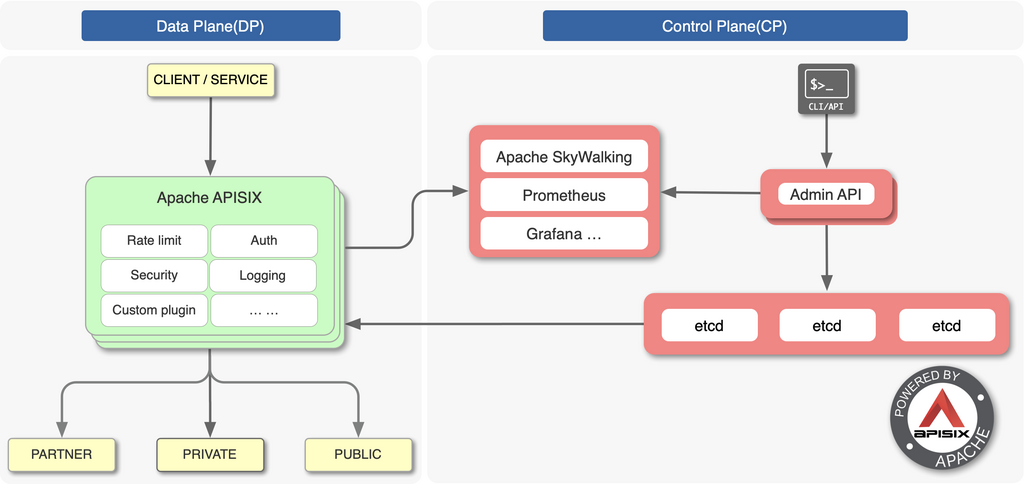
REST is a style that treats information as a collection of resources. Each resource, like a user profile or a product, has a unique address. You interact with these resources using a standard set of actions, much like how every web browser knows how to get a webpage or submit a form.
The Language of REST APIs
A conversation with a REST API involves a few key parts. The application making the request is called the client, and the system that has the data is the server. The client sends a request, and the server sends back a response.
Let's break down what goes into that request.
Endpoints
An endpoint is the specific address (URL) where the API can be accessed. Think of it as the specific table you're sending the waiter to. For example, an API for an online store might have an endpoint like https://api.store.com/products to access all products, or https://api.store.com/products/123 to access one specific product.
An endpoint is a URL that points to a specific resource on the server.
HTTP Methods Every request also includes a method, or a verb, that tells the server what kind of action to perform. These are standard methods used all across the web.
| Method | Action |
|---|---|
GET | Retrieve data from the server. |
POST | Send data to the server to create a new resource. |
PUT | Send data to the server to update an existing resource. |
DELETE | Tell the server to remove a resource. |
So, a GET request to /products would ask for a list of all products, while a DELETE request to /products/123 would ask to remove the product with ID 123.
Data Format: JSON
When you send data (with POST or PUT) or receive data (in a response), it needs to be in a structured format that both applications can understand. The most common format is JSON, which stands for JavaScript Object Notation.
{
  "id": 123,
  "name": "Nano Banana",
  "price": 0.50,
  "in_stock": true
}
JSON is lightweight and easy for both humans and machines to read. It uses key-value pairs, where a piece of information (the value) is identified by a label (the key). In the example above, "name" is a key and "Nano Banana" is its value.
Putting it all together, a client might send a GET request to the /products/123 endpoint and receive that exact JSON data as the response.
In the analogy of a restaurant, what role does an API play?
What is the primary function of an API endpoint like https://api.store.com/products/123?
Now that you understand the basic building blocks of APIs, you're ready to see how they work in practice.