Build Apps with Google Tools
Introduction to Android Development
What Is Android?
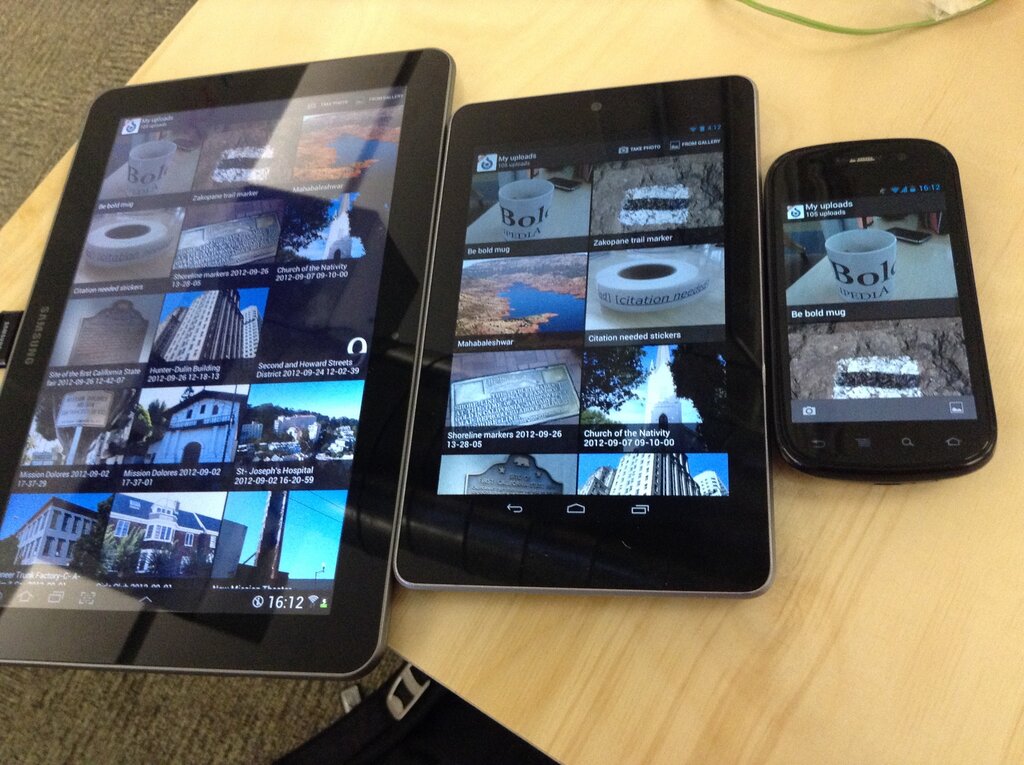
Android is a mobile operating system, much like Windows or macOS on a desktop computer. It's the software that runs on billions of phones, tablets, watches, and even TVs worldwide. Originally developed by Android Inc., which Google bought in 2005, it’s built on a modified version of the Linux kernel.
What makes Android powerful is its open-source nature. Google maintains the core system, but manufacturers like Samsung, OnePlus, and others can customize it for their devices. This flexibility has led to a massive and diverse ecosystem of hardware, all running the same fundamental software.
The Android Architecture
To build for Android, it helps to understand how it's structured. The system is organized into a 'software stack'—a series of layers, each building upon the one below it. This layered approach creates a stable and organized environment for apps to run.
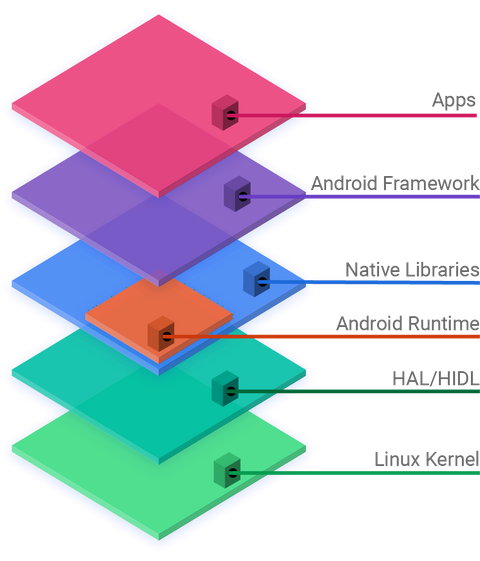
Let's break down the layers from top to bottom:
- Applications: This is the layer you interact with. It includes the pre-installed apps like Phone, Contacts, and Chrome, as well as any apps you download from the Google Play Store.
- Android Framework: This is the developer's toolkit. It provides the high-level building blocks for creating apps, like the system for managing user interfaces, handling notifications, or accessing phone data. Developers interact with this layer through Application Programming Interfaces (APIs).
- Native Libraries & Android Runtime: This layer contains core C/C++ libraries for handling things like graphics, databases, and web browsing. Alongside these is the Android Runtime (ART), the engine that executes your app's code, translating it into instructions the device can understand.
- Hardware Abstraction Layer (HAL): The HAL acts as a universal translator. It provides a standard interface that connects the Android framework to the device's specific hardware drivers. This means app developers don't need to write custom code for every different camera or Bluetooth chip out there.
- Linux Kernel: The foundation of the whole system. It manages the device's core functions, including memory, power, security, and the drivers needed to communicate with the hardware.
An App's Building Blocks
Every Android app is built from a set of core components. Think of them as standardized parts you can assemble to create a complete application. Understanding these is fundamental to development.
| Component | Description |
|---|---|
| Activities | Represents a single screen with a user interface. An app is often a collection of linked Activities. |
| Services | Runs in the background to perform long-running operations, like playing music or fetching data. |
| Broadcast Receivers | Listens for and responds to system-wide announcements, like the battery getting low or a photo being taken. |
| Content Providers | Manages a shared set of app data. You can use it to share your app's data with other apps. |
These components are declared in a special file called AndroidManifest.xml. This file acts as a blueprint for your app, telling the Android system what the app consists of and what permissions it needs to run.
The Tools of the Trade
To build an Android app, you need the right tools. While you could technically use a simple text editor and command-line tools, developers almost universally use an Integrated Development Environment (IDE).
IDE
noun
An Integrated Development Environment is a software application that provides comprehensive facilities to computer programmers for software development. An IDE normally consists of at least a source code editor, build automation tools, and a debugger.
The official IDE for Android development is Android Studio. It's a powerful tool built by Google that includes everything you need: a code editor, a visual layout designer, debugging tools, performance monitors, and an emulator to run your apps on a virtual device.
As for programming languages, Kotlin is now the official and recommended language. It's a modern, concise language that helps developers write better apps faster. While Java is still fully supported and widely used, most new development is done in Kotlin.
Together, Android Studio and Kotlin provide a robust, industry-standard environment for building modern applications.
Android development fundamentals are taught in the context of an architecture that provides the scaffolding for robust, maintainable applications.
Now that you have a high-level view of the Android world, let's test your understanding.
The Android operating system is built upon a modified version of which kernel?
Which layer of the Android software stack provides the high-level building blocks and APIs that developers use to create application features like user interfaces and notifications?
This foundational knowledge of the Android OS, its architecture, and its components is the first step on your development journey.