Build a Smart Calorie Tracker App
Introduction to Computer Vision
How Computers See the World
When we look at a picture, we instantly recognize objects, people, and scenes. For a computer, it's a different story. A digital image isn't a single entity but a grid of tiny dots called pixels. Each pixel has a specific color, and the computer sees this color as a set of numbers.
Most commonly, colors are represented by the RGB model, which mixes red, green, and blue light to create any color. Each pixel has a value for red, a value for green, and a value for blue, typically ranging from 0 to 255. A computer sees a picture of a red apple not as a fruit, but as a vast collection of numbers representing the specific shades of red, green, and blue in each pixel.
This numerical representation is the foundation of image processing. Basic tasks like making an image brighter or increasing its contrast are just mathematical operations. To brighten an image, the computer simply increases the RGB values for every pixel. To convert an image to grayscale, it averages the red, green, and blue values.
Finding What Matters
To understand an image, a computer can't just look at millions of individual pixel values. It needs to identify important characteristics, or features. Features are the meaningful patterns in the data that help distinguish one thing from another. Think of them as the basic visual clues a computer looks for.
The simplest features are edges and corners. An edge is a boundary where there's a sharp change in color or brightness, like the outline of a person against a wall. A corner is where two edges meet. Computers detect these features by running filters over the image. A filter is a small grid of numbers that modifies pixel values to highlight specific patterns, like edges.
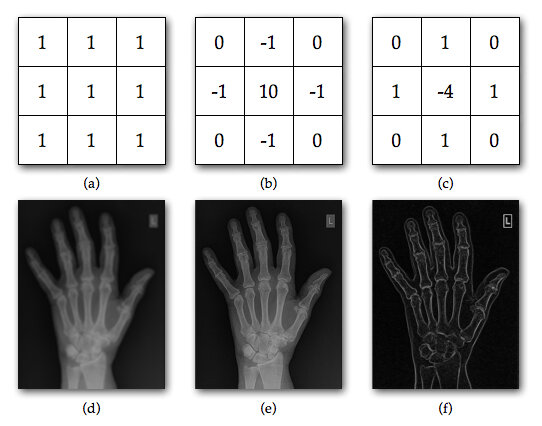
By identifying all the edges, corners, textures, and simple shapes, the computer creates a map of the image's key components. This process, called feature extraction, simplifies the complex image into a more manageable set of data points that can be used for analysis.
Putting the Pieces Together
Once the features have been extracted, the final step is object recognition: figuring out what those features represent. The computer analyzes the collection of detected edges, corners, and shapes and compares them to patterns it has learned.
For example, it might learn that an object with many circular features is likely a bunch of grapes, while an object with long, straight edges is probably a box.
This process is like assembling a puzzle. The individual features are the puzzle pieces. The computer's task is to see how these pieces fit together to form a recognizable object. A specific arrangement of two circles (eyes), a vertical line (nose), and a curved line (mouth) might be identified as a face.
Modern computer vision systems use machine learning to train models on thousands or millions of labeled images. The model learns to associate specific combinations of features with specific objects. After training, it can look at a new image, extract its features, and predict what object is present.
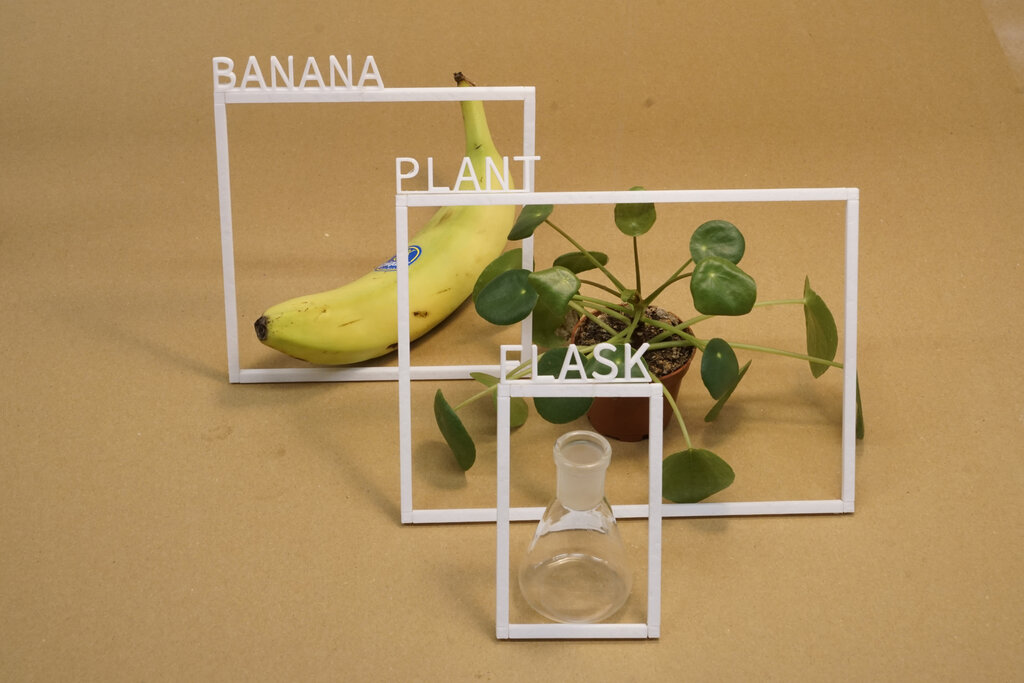
By breaking down images into pixels, extracting key features, and recognizing patterns, computers can begin to interpret the visual world. These fundamental steps are what allow an app to look at a photo of your lunch and identify the food on your plate.