Bengali Blog for Procrastination Solutions
Blog Setup
Choosing your platform
The first step is deciding where your blog will live. This is your blogging platform, or Content Management System (CMS). Think of it as the foundation of your house. Two popular and user-friendly options are Blogger and WordPress.
You'll face a choice between hosted platforms and self-hosted ones.
-
Hosted platforms (like Blogger or WordPress.com) are the easiest to start with. They handle all the technical details like security and maintenance for you. You can sign up and start writing in minutes. This is a great choice if you want to focus purely on your content.
-
Self-hosted platforms (like WordPress.org) offer more power and flexibility. You'll need to buy your own domain name and web hosting, but you get complete control over the design and functionality. This path involves more technical setup.
Choosing a blogging platform is your first challenge.
For a beginner, a hosted platform like Blogger or the free version of WordPress.com is the recommended starting point. It removes technical hurdles, allowing you to concentrate on writing about your theme of overcoming procrastination.
Customizing your look
Once you've chosen a platform, it's time to personalize your blog's appearance. This is done using themes and layouts. A theme is a pre-designed template that controls the overall look and feel of your site, from colors and fonts to the placement of elements.
For a blog about overcoming procrastination, a clean, simple, and uncluttered theme is ideal. Look for designs with plenty of white space and easy-to-read typography. Most platforms allow you to browse a library of free themes and preview them on your blog before applying them. You can customize colors, upload a header image, and arrange widgets to create a space that feels calm and focused.
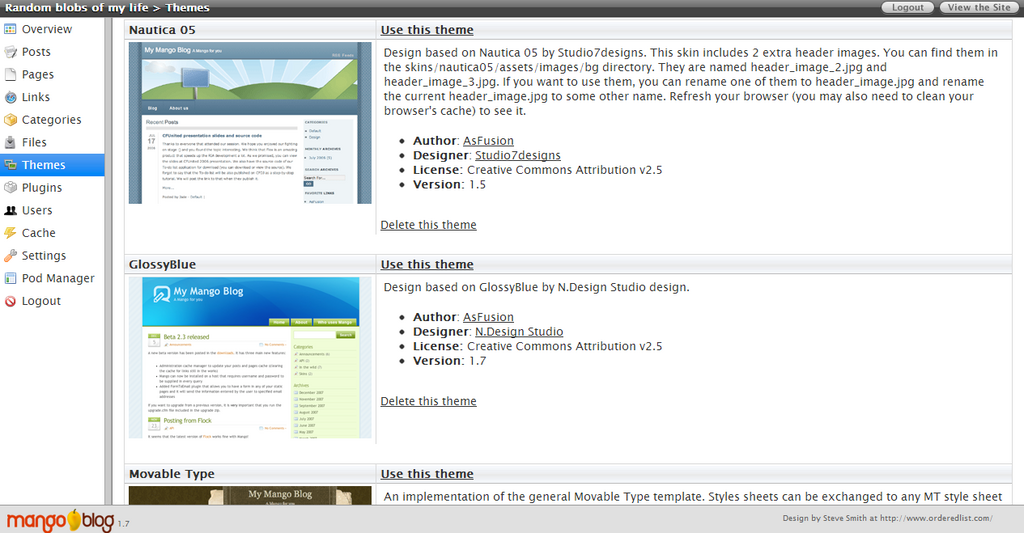
Don't get bogged down trying to make it perfect from day one. Pick a simple, clean theme to start. You can always change it later. The goal is to get the technical setup done so you can move on to writing.
A simple theme is usually best, while making your blog as user-friendly as possible.
Ensuring Bengali support
Modern blogging platforms have excellent built-in support for different languages, including Bengali. They use a standard called Unicode, which ensures that characters from scripts around the world display correctly. This means you don't need any special software to write in Bengali; you can simply type directly into the blog editor.
Bengali
The main thing to check is that your chosen theme's fonts can render Bengali script clearly and elegantly. Before committing to a theme, use the 'live preview' feature. Try typing or pasting a few Bengali sentences into a sample post title or the body text. Check how it looks. Does it flow well? Is it easy to read? If the characters appear as squares (often called 'tofu'), it means the font doesn't support Bengali, and you should try a different theme.
Finally, always check your blog on both a desktop computer and a mobile phone. A theme might look great on a large screen but render Bengali text poorly on a smaller one. Ensuring readability across all devices provides a good experience for all your potential readers.
For a beginner who wants to focus on writing content without worrying about technical details, which type of blogging platform is recommended?
When choosing a theme for a blog about overcoming procrastination, what design style is most suitable?
With your platform chosen, your theme customized, and Bengali script displaying correctly, your blog's foundation is set. You're now ready to start creating content.