Basic vs Rich Text Explained
Text Basics
The Two Types of Text
At its core, all digital text is just a sequence of characters. But how that text is stored and displayed makes a huge difference. Every piece of text you see on a screen falls into one of two categories: plain text or rich text.
Plain text is exactly what it sounds like. It's the simplest, most basic form of text. It contains only the characters themselves—letters, numbers, and symbols—and nothing else. There is no information about fonts, colors, sizes, or styles. A plain text file is the digital equivalent of a typewriter page.
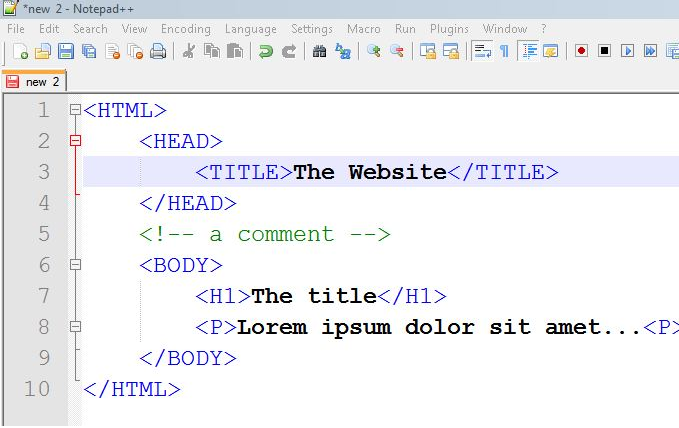
Because of this simplicity, plain text is universal. Any device or program that can read text can understand a plain text file. This makes it perfect for things like writing code, creating configuration files for software, or jotting down a quick note.
Adding Style with Rich Text
Rich text is plain text with a layer of formatting information on top. This extra information tells the computer how to display the text. It’s what allows for bold and italic styles, different fonts, various text sizes, and a rainbow of colors.
Beyond styling, rich text documents can also embed other media, like images, videos, and hyperlinks. When you're typing in a word processor, creating a webpage, or composing an email with a unique signature, you're working with rich text. The focus is not just on the words, but on their presentation.
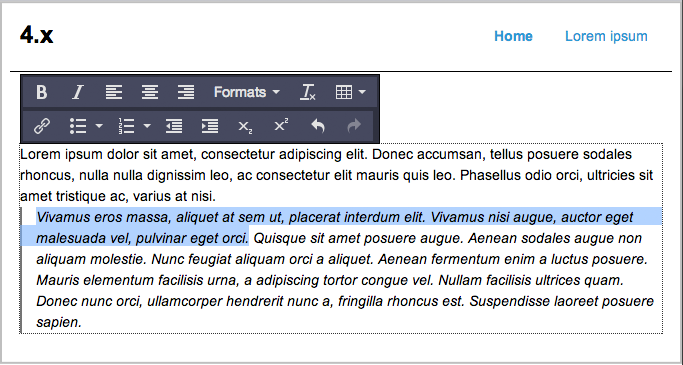
Think of it like this: plain text is the raw manuscript of a book, while rich text is the final, printed copy with its designed cover, chapter headings, and typeset pages. One contains the story, and the other presents that story to the reader.
Key Differences
The distinction seems simple, but it has important practical consequences. The formatting data in rich text makes the file sizes larger and less universal. A program has to be specifically designed to interpret the formatting codes of a rich text file, which is why you can't always open a Microsoft Word document in a simple text editor.
| Feature | Plain Text | Rich Text |
|---|---|---|
| Formatting | None | Supported (bold, italics, etc.) |
| Fonts & Colors | Not supported | Supported |
| Media | Cannot embed images/videos | Can embed images/videos |
| Compatibility | Universal | Dependent on software |
| File Size | Very small | Larger |
Plain text carries the message. Rich text carries the message and its visual design.
Choosing between them depends entirely on your goal. For raw information, code, or maximum compatibility, plain text is the clear winner. For presentation, design, and creating a user-friendly experience on a website or in a document, rich text is essential.