Azure DevOps Self-Hosted Agents
Introduction to Azure DevOps
What is Azure DevOps?
Think of a software project as building a complex model car. You have designers, assemblers, painters, and quality testers. For everything to work smoothly, they need a shared workshop with specialized tools for each step. Azure DevOps is that digital workshop for software development.
Azure DevOps is a cloud-based platform provided by Microsoft that combines development tools, source code management, build and release automation, project tracking, and collaboration capabilities.
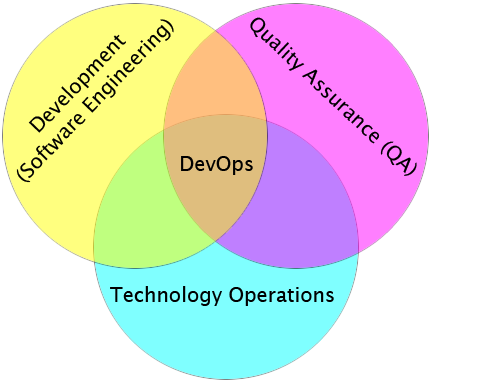
It’s a collection of services that help teams plan work, collaborate on code, build and deploy applications, and manage tests. Instead of patching together different tools from various vendors, Azure DevOps provides an integrated suite where everything works together. Let's break down its five core components.
The Five Core Services
Azure DevOps is built around five key services that cover the entire application lifecycle, from the initial idea to deployment and operations. Each service can be used on its own or together with the others for a fully integrated experience.
The five services are Azure Repos, Azure Pipelines, Azure Boards, Azure Test Plans, and Azure Artifacts.
Let's look at what each one does.
Azure Repos
noun
Provides Git repositories or Team Foundation Version Control (TFVC) for source code management.
Every software project starts with code. Azure Repos is where that code lives. It's a version control system, which is like a time machine for your project. It tracks every single change made by every developer. If a new feature introduces a bug, you can easily see what changed and revert back to a previous, working version.
Repos supports Git, the most popular version control system today, as well as Microsoft's own Team Foundation Version Control (TFVC). This allows developers to work on the same project simultaneously without stepping on each other's toes.
Azure Pipelines
noun
Provides build and release services to support continuous integration and continuous delivery (CI/CD) of your applications.
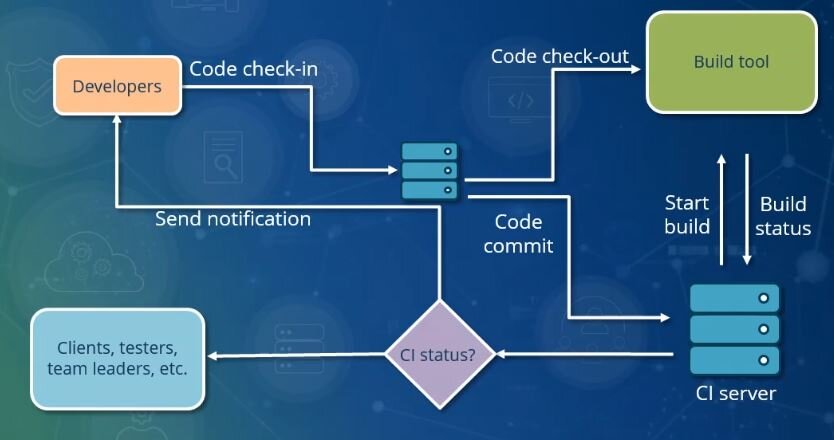
Once the code is written, it needs to be built, tested, and deployed. Doing this manually is slow and prone to human error. Azure Pipelines automates this entire process. This automation is the heart of CI/CD, which stands for Continuous Integration and Continuous Delivery/Deployment.
Here’s how it works: When a developer commits new code to Azure Repos, a pipeline can automatically trigger. It compiles the code, runs a series of automated tests to check for bugs, and if everything passes, deploys the application to a staging or production environment. This ensures that every change is tested and can be released to users quickly and reliably.
Azure Boards
noun
Provides a suite of Agile tools to support planning and tracking work, code defects, and issues using Kanban and Scrum methods.
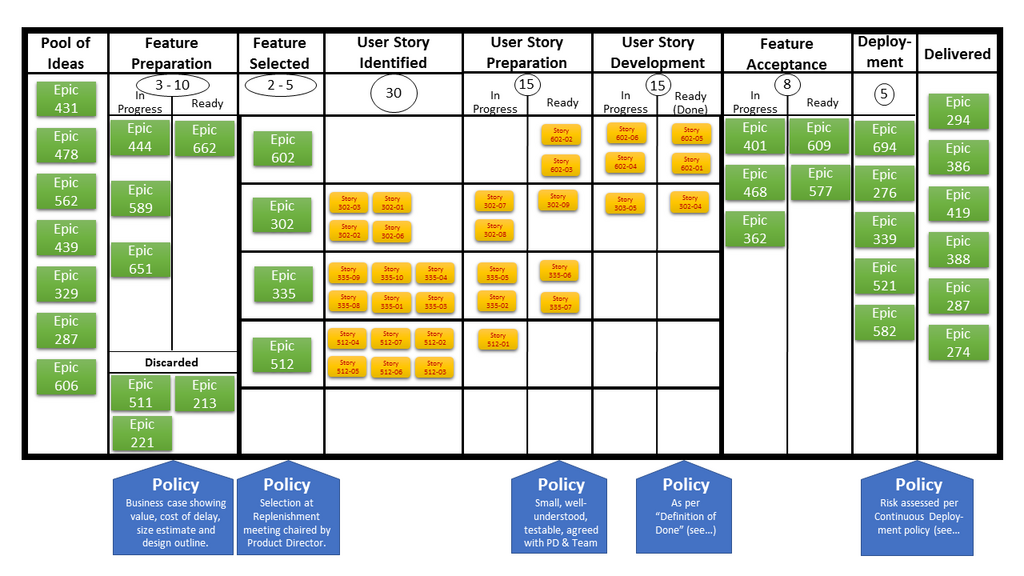
Software development isn't just about code; it's also about managing tasks, tracking bugs, and planning future work. Azure Boards is the project management hub for your team. It provides tools that support popular Agile methodologies like Scrum and Kanban.
You can create work items to represent user stories, bugs, or tasks. These items are displayed on interactive boards where you can track their progress from "To Do" to "In Progress" to "Done." This visual approach gives everyone on the team a clear view of what needs to be done, who is working on what, and what's coming up next.
Azure Test Plans
noun
Provides several tools to test your applications, including manual/exploratory testing and continuous testing.
How do you ensure your application works as expected? By testing it. While Azure Pipelines can run automated tests, some testing still requires a human touch. Azure Test Plans is a toolkit for managing your entire testing effort.
It allows you to create and manage manual test plans, where testers follow a script of steps to verify functionality. It's also great for exploratory testing, where testers freely explore the application to find bugs. As they test, they can capture rich data, like screenshots and notes, and easily create detailed bug reports that link directly back to the requirements in Azure Boards.
Azure Artifacts
noun
Allows teams to share packages such as Maven, npm, NuGet, and more from public and private sources and integrate package sharing into your CI/CD pipelines.
Modern software is rarely built from scratch. Developers rely on reusable pieces of code called packages or libraries. Azure Artifacts is a repository for managing these packages. Think of it as a private library for your organization's code components.
Teams can create and share their own packages (like NuGet for .NET or npm for JavaScript) in a secure, private feed. They can also pull in packages from public sources and cache them. This makes it easy to share code between projects and ensures that your builds are consistent and reliable, as you're not dependent on an external public repository being available.
Putting It All Together
The real power of Azure DevOps comes from how these five services work together. A product manager might create a new feature request in Azure Boards. A developer picks up the task, writes the code, and commits it to Azure Repos. This automatically triggers Azure Pipelines, which builds the code, using a shared component from Azure Artifacts. The pipeline then runs a series of tests defined in Azure Test Plans. If everything passes, the new feature is deployed to users.
This seamless integration creates a transparent, automated, and efficient workflow that helps teams deliver better software, faster.
What is the primary function of Azure Repos in the software development lifecycle?
A development team wants to automatically compile their code, run tests, and deploy their application every time a new change is committed. Which Azure DevOps service is designed for this continuous integration and continuous delivery (CI/CD) process?