Azure Data Factory Data Flow Gen2 Mastery
Introduction to Data Flow Gen2
The Data Factory
Azure Data Factory is a cloud-based service designed to orchestrate and automate the movement and transformation of data. Think of it as a digital factory. It takes in raw materials—data from various sources—and processes them through a series of steps to produce a refined, valuable product, like insights for a report or structured data for an application.
At its core, Data Factory uses pipelines to manage these processes. A pipeline is a logical grouping of activities that together perform a task. For example, a pipeline might copy data from a local server to the cloud, clean it up, and then load it into a data warehouse for analysis.
Introducing Data Flow Gen2
Within Azure Data Factory is a powerful feature called Data Flow Gen2. While pipelines orchestrate the overall workflow, Data Flows handle the complex task of transforming the data itself. It offers a visual, low-code interface where you can build sophisticated data transformation logic by dragging, dropping, and configuring different steps.
Instead of writing complex code from scratch, you build your data transformations visually, like assembling building blocks. This makes the process faster, more intuitive, and accessible to a broader range of people, not just expert coders.
Key Components
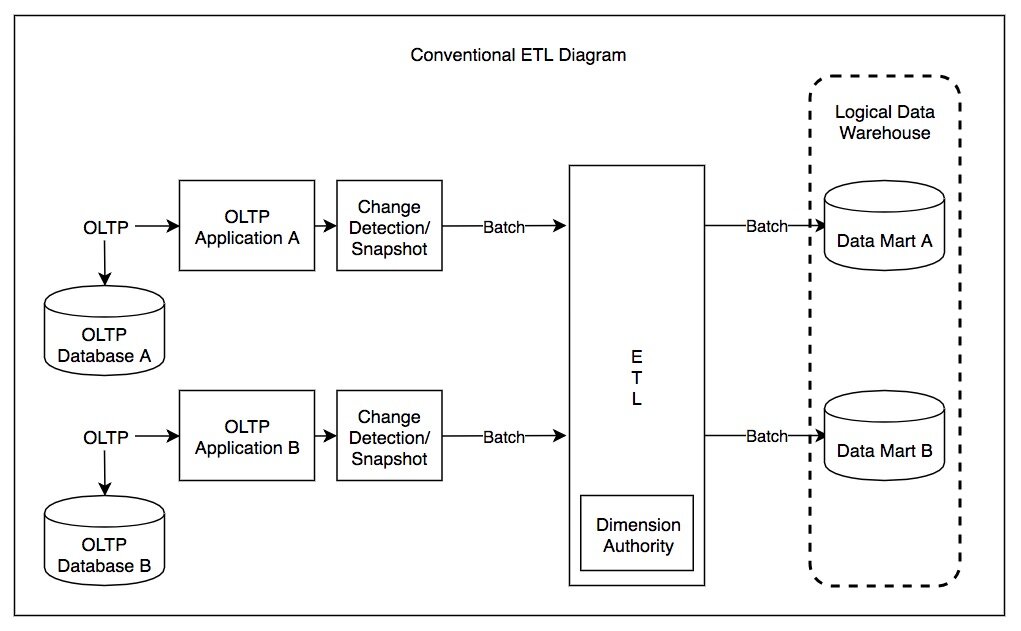
A data flow is made up of a few core components that work together to process your data. It always follows a logical path from a starting point to an endpoint.
Here’s a breakdown of these components:
-
Source: This is where your data comes from. It could be a file in Azure Blob Storage, a table in an Azure SQL Database, or dozens of other supported data stores.
-
Transformations: This is the heart of the data flow, where the actual work happens. You can chain multiple transformations together. Common examples include filtering out unwanted rows, joining data from two different sources, aggregating data to calculate sums or averages, and sorting data into a specific order.
-
Sink: This is the final destination for your transformed data. After your data has been cleaned and reshaped, the sink writes it to a target location, such as a data warehouse or another database, where it's ready for use.
Benefits of Data Flow Gen2
Using Data Flow Gen2 offers several significant advantages for data integration tasks.
Scalability: Data flows are powered by Apache Spark clusters behind the scenes. This means they can scale to process massive datasets, from gigabytes to terabytes, without you having to manually manage any of the underlying infrastructure. The service handles the complexity of distributing the workload automatically.
Ease of Use: The visual, drag-and-drop interface dramatically lowers the barrier to entry for data transformation. You don't need to be a Spark programming expert to build powerful, resilient data pipelines. This allows data analysts and other professionals to take a more active role in preparing data for their needs.
Efficiency: Building and debugging visually is often much faster than writing, testing, and troubleshooting code. The data preview feature allows you to see the results of each transformation step in real-time, helping you catch errors quickly and confirm your logic is correct as you build.
Now, let's check your understanding of these core concepts.
What is the primary role of a pipeline in Azure Data Factory?
In a Data Flow, which component defines the final destination for your processed data?
With this foundation, you can start exploring how to build your own data flows to solve real-world data challenges.