Azure Container Apps Explained
Introduction to Azure Container Apps
A Simpler Way to Run Containers
Imagine you've built an application and packaged it into a container. Now you need to run it somewhere. You could set up a virtual machine, but then you're responsible for the operating system, security patches, and scaling. You could use a full-fledged orchestration service like Kubernetes, but that can be complex to manage.
Azure Container Apps offers a middle ground. It's a serverless platform designed specifically to run containerized applications. The term "serverless" doesn't mean there are no servers; it just means you don't have to manage them. Azure handles all the underlying infrastructure for you. Your job is to provide the container, and Azure takes care of the rest.
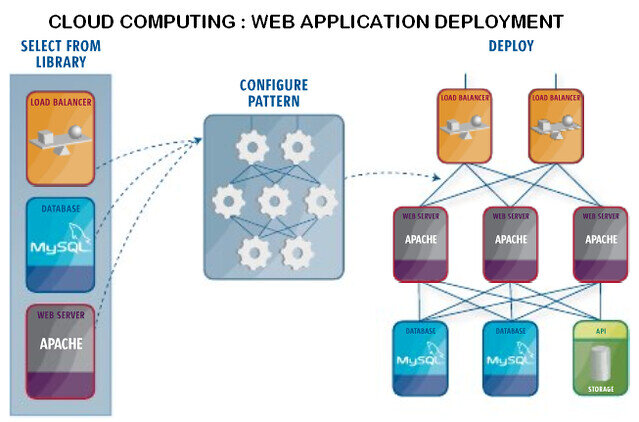
This approach lets you focus on writing code and building features for your app, rather than worrying about server maintenance and configuration. It's ideal for building microservices, APIs, and background processing jobs that need to scale efficiently.
Core Features
Azure Container Apps is built on top of powerful open-source technologies, but it hides the complexity behind a simple interface. It provides a few key features that make it a great choice for modern applications.
One of the most significant benefits is automatic scaling. Your application can automatically scale the number of running containers based on demand. If a sudden surge in traffic hits your API, Container Apps will spin up more instances to handle the load. When traffic subsides, it scales back down to zero if you want, ensuring you only pay for the resources you're actually using.
Another powerful feature is revision management. Every time you deploy a change to your container app, a new, immutable revision is created. Think of it as a snapshot or version history of your application. This makes it easy to manage updates and provides a safety net.
You can gradually direct traffic to a new revision to test it out. If you discover a bug, you can instantly roll back to the previous, stable revision with a single click. This capability simplifies common deployment strategies like A/B testing and blue-green deployments.
Seamless Integration
An application rarely lives in isolation. It needs to communicate with databases, message queues, and other services. Azure Container Apps is designed to work seamlessly with the broader Azure ecosystem.
It has built-in integration with services like Azure Key Vault for managing secrets and Azure Monitor for logging and observability. Using a feature called Dapr (Distributed Application Runtime), your containerized app can easily connect to other services like Azure Service Bus or Cosmos DB without adding complex client libraries to your code. This simplifies development and makes your application more portable.
When working in Azure, it’s essential to understand the foundational tools and services available to you.
This tight integration provides a managed, secure, and observable environment for your applications, letting you build robust systems with less effort.
What is the primary advantage of the "serverless" nature of Azure Container Apps?
When you deploy a change to your application in Azure Container Apps, a new, immutable revision is created.
Azure Container Apps provides a powerful, serverless platform for running containers, balancing ease of use with essential features for modern application development.