AWS CloudOps Engineer Certification Prep
AWS Fundamentals
AWS's Global Reach
Amazon Web Services, or AWS, is a cloud computing platform that provides services over the internet. Think of it like a global utility for computing power, storage, and more. Instead of buying and managing your own physical servers, you can rent resources from Amazon's massive network of data centers.
This network isn't just one big building; it's a carefully designed global infrastructure. This structure is built around two key concepts: Regions and Availability Zones. Understanding them is the first step to understanding how AWS works.
Region
noun
A physical geographic location in the world where AWS clusters data centers. Examples include North Virginia (us-east-1) and Ireland (eu-west-1).
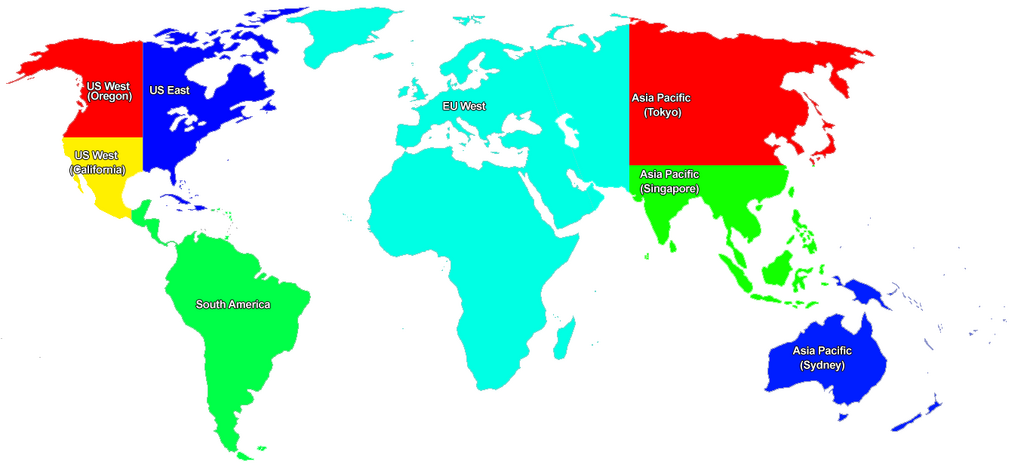
You choose a Region to run your services based on factors like proximity to your users, cost, and legal requirements. Within each Region, there are multiple, isolated locations known as Availability Zones.
Availability Zone
noun
One or more discrete data centers with redundant power, networking, and connectivity within an AWS Region. They are physically separate from each other.
The separation of Availability Zones (AZs) is a critical feature for building reliable applications. If one AZ experiences a problem, like a power outage, applications in other AZs within the same Region are unaffected. This design allows for high availability and fault tolerance.
Core Building Blocks
Now that we understand the physical layout of AWS, let's look at the services that run on this infrastructure. While AWS offers hundreds of services, most applications are built using just a handful of core ones. We'll start with the three most fundamental: compute, storage, and databases.
Think of these as the basic ingredients you can use to cook up almost any application.
Compute: Amazon EC2 Amazon Elastic Compute Cloud (EC2) provides virtual servers, known as instances. Using EC2 is like renting a computer in the cloud. You can choose its operating system, how much processing power it has, and how much memory it needs. You can launch a new server in minutes and shut it down just as quickly, paying only for what you use.
Storage: Amazon S3 Amazon Simple Storage Service (S3) is an object storage service. It's not like the hard drive on your computer; instead, you store files as objects in containers called "buckets." S3 is incredibly durable and scalable. You can store anything from a few documents to petabytes of video data, and access it from anywhere on the web. It's often used for backups, data archives, and hosting static websites.
Databases: Amazon RDS Amazon Relational Database Service (RDS) makes it easy to set up, operate, and scale a relational database in the cloud. It supports popular database engines like MySQL, PostgreSQL, and SQL Server. RDS handles tedious administration tasks like patching, backups, and recovery, freeing you to focus on your application's data.
| Service Name | Abbreviation | Primary Function |
|---|---|---|
| Elastic Compute Cloud | EC2 | Virtual Servers (Compute) |
| Simple Storage Service | S3 | Object Storage (Files) |
| Relational Database Service | RDS | Managed Databases |
Security is Job Zero
When you use a cloud provider, security is a partnership. This concept is so important that AWS calls it the Shared Responsibility Model.
In short, AWS is responsible for the security of the cloud, while you are responsible for security in the cloud.
AWS manages the security of the underlying infrastructure: the physical data centers, the hardware, the networking, and the software that runs the cloud services. Your responsibility is to secure what you put on the cloud. This includes managing who has access to your resources, encrypting your data, and configuring your network security settings correctly.
A key service for managing security in the cloud is AWS Identity and Access Management (IAM).
IAM
other
AWS Identity and Access Management (IAM) is a web service that helps you securely control access to AWS resources. You use IAM to control who is authenticated (signed in) and authorized (has permissions) to use resources.
With IAM, you can create users and groups and assign them specific permissions. The best practice is to grant the principle of least privilege, which means giving users only the permissions they absolutely need to perform their jobs, and no more.
What is the primary purpose of having multiple, isolated Availability Zones within a single AWS Region?
You need to host a company's internal wiki, which requires a specific version of Linux and a custom web server application. Which AWS service provides the most control over the underlying operating system and environment?
These foundational concepts are the starting point for working with AWS. By understanding the global infrastructure, core services, and the shared security model, you're ready to start building in the cloud.