AWS Cloud Computing Fundamentals
Introduction to AWS
What is the Cloud?
Not too long ago, if a company wanted to launch a website or run an application, it had to buy and manage its own physical servers. This meant finding space for them, paying for their power and maintenance, and guessing how much capacity would be needed. If the website suddenly became popular, the servers might crash. If it wasn't popular enough, the expensive hardware would sit unused.
Cloud computing changes all of that. Instead of owning your own computing infrastructure, you can access services like computing power, storage, and databases over the internet from a cloud provider. It’s a bit like electricity. You don't build your own power plant; you just plug into a grid and pay for what you use. This model offers incredible flexibility, allowing businesses to scale up or down as needed and only pay for the resources they consume.
With the cloud, you trade large upfront expenses for smaller, variable costs, and you don't have to guess about your capacity needs.
Enter AWS
Amazon Web Services (AWS) is one of the biggest players in the cloud computing world. It started by offering basic infrastructure services, but it has since grown into a massive platform with over 200 services. These services cover everything from simple website hosting and data storage to complex applications like artificial intelligence and machine learning.
AWS runs a huge network of data centers all over the world. These are secure, powerful facilities packed with servers that you can tap into with just a few clicks. This global reach means you can deploy applications close to your users, no matter where they are.
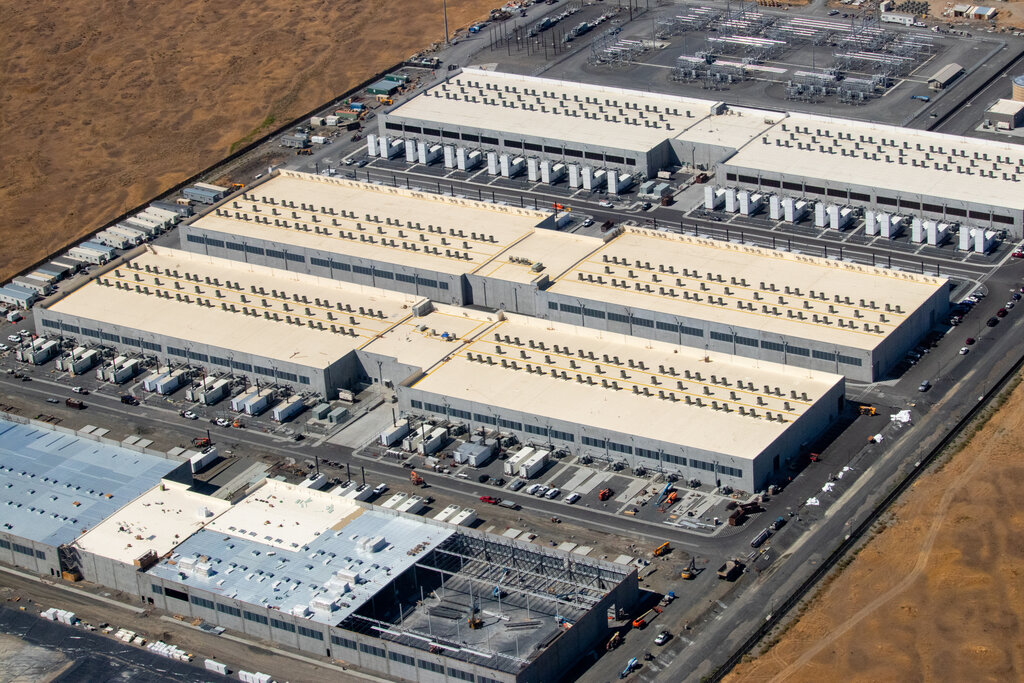
A Global Network
To provide a fast and reliable service, AWS built its infrastructure around a few key concepts. Understanding them is crucial to understanding how the cloud works.
Region
noun
A physical location in the world where AWS clusters data centers. Each region is designed to be isolated from the other regions.
Regions are the foundation of the AWS network. When you launch a resource, like a virtual server, you choose a region to run it in. This is often based on where your users are, to reduce delays, or for legal reasons that require data to stay in a specific country.
Availability Zone
noun
One or more discrete data centers with redundant power, networking, and connectivity within a Region. They are physically separate from each other.
Think of Availability Zones (AZs) as insulation against failure. Each Region has multiple AZs, typically three or more. Because they are physically separate, a problem like a power outage or flood affecting one AZ is unlikely to affect the others. By designing your applications to run across multiple AZs, you can build highly reliable systems that stay online even if one data center goes down.
Finally, there are Edge Locations.
Edge Location
noun
A site where AWS caches copies of your content closer to customers for faster delivery. There are many more edge locations than regions.
Edge locations work with services like Amazon CloudFront, a content delivery network (CDN). If you have a popular website with users in Japan, but your servers are in the U.S., the data has a long way to travel. By caching your website's content at an edge location in Tokyo, you can deliver it to Japanese users much more quickly.
Getting Started for Free
The sheer number of services on AWS can seem overwhelming. The good news is that you don't need to know everything, and you can start exploring without spending any money.
If you want to try AWS without large commitments, sign up for the AWS Free Tier and experiment with a few simple exercises: create an S3 bucket, launch a tiny EC2 instance, or deploy a static site.
The AWS Free Tier provides a certain amount of popular services for free for 12 months after you sign up. This includes enough computing power to run a small server, some object storage, and a small database. It's more than enough to learn the basics, build a small personal project, or get a feel for how the platform works. This hands-on experience is the best way to begin your cloud journey.
What is a primary advantage of using a cloud provider like AWS instead of managing your own physical servers?
A company wants to build a highly reliable application that can withstand the failure of an entire data center. How should they distribute their resources in AWS?
This foundation gives you a map of the AWS world. You now understand what the cloud is, how AWS organizes its global infrastructure for reliability and speed, and how you can begin experimenting on your own.