AWS Cloud Computing Essentials
Introduction to Cloud Computing
What is Cloud Computing?
Think about how you watch movies. A decade ago, you probably owned a collection of DVDs or Blu-rays. Now, you likely stream them from services like Netflix or Hulu. You don't own the physical movie, but you can watch it anytime, anywhere, on any device. You pay a subscription and get access to a massive library.
Cloud computing applies this same idea to computing power. Instead of buying and managing your own physical servers and data storage, you access them over the internet from a cloud provider.
Cloud Computing
noun
The on-demand delivery of IT resources like servers, storage, databases, and software over the internet with pay-as-you-go pricing.
This model is built on a few key characteristics:
- On-demand self-service: You can access computing resources whenever you need them, without having to talk to anyone.
- Broad network access: You can get to your resources from anywhere with an internet connection, using a phone, laptop, or tablet.
- Resource pooling: The provider's resources are shared among many customers, a model known as multi-tenancy.
- Rapid elasticity: You can quickly scale your resources up or down to match your needs. Need more power for a big sale? You can get it in minutes and then scale back down when it's over.
- Measured service: You only pay for what you use, just like your electricity bill.
Cloud vs. Traditional IT
The old way of doing things is called on-premises IT. This is like owning a car. You have to buy it, pay for insurance, handle all the maintenance, and find a place to park it. It’s a big upfront investment and requires ongoing work.
In the on-premises world, a company buys its own servers, installs them in its own data center, and hires a team to manage and maintain everything. If they need more capacity, they have to buy more hardware, which takes time and money.
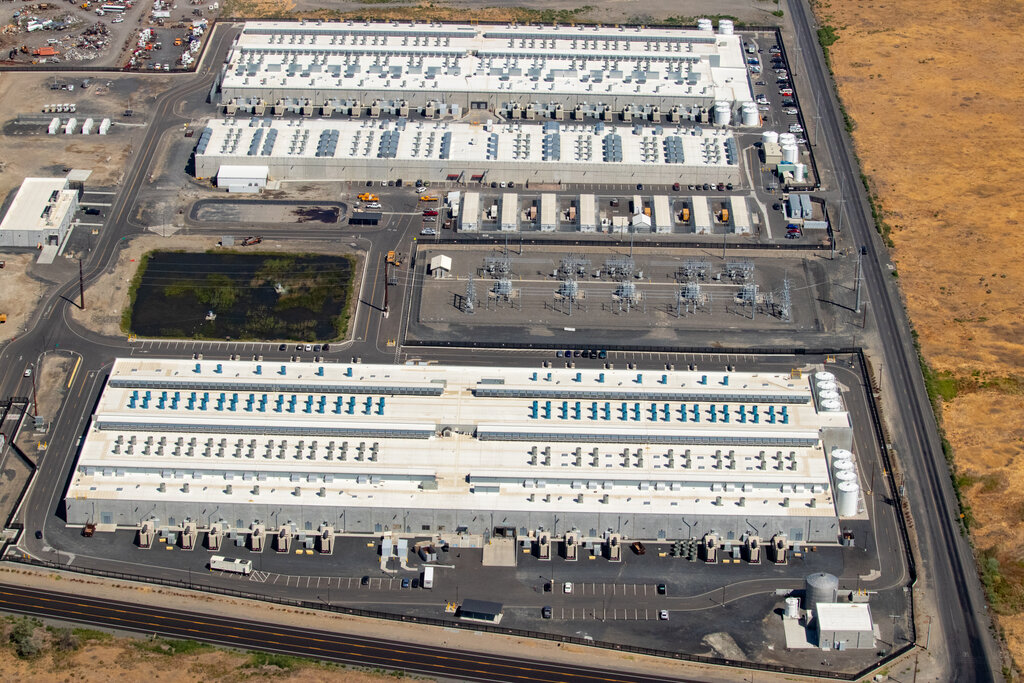
Cloud computing is like using a ride-sharing service. You don't own the car, you don't worry about maintenance, and you just pay for the rides you take. It's flexible and often more cost-effective. A cloud provider owns and maintains the hardware, and you simply rent the resources you need.
| Feature | On-Premises IT | Cloud Computing |
|---|---|---|
| Cost | High upfront cost (CapEx) | Pay-as-you-go (OpEx) |
| Scalability | Slow and expensive | Fast and easy |
| Maintenance | Your responsibility | Provider's responsibility |
| Deployment | Takes weeks or months | Takes minutes |
| Accessibility | Limited to the office network | Accessible from anywhere |
Service Models
Cloud computing isn't a one-size-fits-all solution. It comes in three main service models, each offering a different level of control and management. A helpful analogy is ordering pizza.
Infrastructure as a Service (IaaS) This is the most basic level. The provider gives you the fundamental building blocks: virtual servers, networking, and data storage. It's like renting a kitchen; you get the oven and stovetop, but you have to bring your own ingredients and do all the cooking. IaaS gives you the most control over your resources.
Platform as a Service (PaaS) This model provides a platform for you to develop, run, and manage applications without worrying about the underlying infrastructure. It's like a take-and-bake pizza place. They provide the dough and the oven, and you just add your own toppings and bake it. PaaS is great for developers who want to focus on writing code.
Software as a Service (SaaS) This is the most common model. The provider hosts a complete application that you access over the internet, usually through a web browser. Think of services like Google Workspace or Salesforce. This is like ordering a pizza for delivery. You just place the order and eat it when it arrives; everything else is handled for you.
Deployment Models
Finally, where does your cloud live? There are three main ways to deploy cloud services.
Public Cloud: The cloud infrastructure is owned and operated by a third-party provider (like Amazon, Google, or Microsoft) and shared by many organizations. It offers the greatest scalability and is the most cost-effective option.
Private Cloud: The infrastructure is used exclusively by one organization. It can be located at the company’s on-site data center or hosted by a third-party. This offers more security and control but comes at a higher cost.
Hybrid Cloud: This model combines a private cloud with one or more public cloud services. It allows data and applications to be shared between them, giving a business greater flexibility to run sensitive applications on the private cloud while using the public cloud for less critical workloads.
Understanding these core concepts—what the cloud is, how it compares to traditional IT, and the different service and deployment models—is the first step. With this foundation, you can start to see how powerful and transformative cloud computing can be.