Automating Inventory with Computer Vision
Introduction to Computer Vision
What is Computer Vision?
At its core, computer vision is the science of teaching computers to see and understand the visual world. For humans, this is effortless. You can glance at a photo and instantly recognize faces, objects, and scenes. For a computer, a picture isn't a picture at all. It's just a massive grid of numbers.
Computer vision gives machines a pair of eyes, allowing them to process, analyze, and make sense of visual data just like humans do.
The idea isn't new. Researchers have been trying to make computers see since the 1960s. Early experiments focused on simple tasks, like identifying basic shapes in a carefully controlled environment. Progress was slow because computers lacked the processing power we have today. A simple image analysis task could take hours on a room-sized machine.
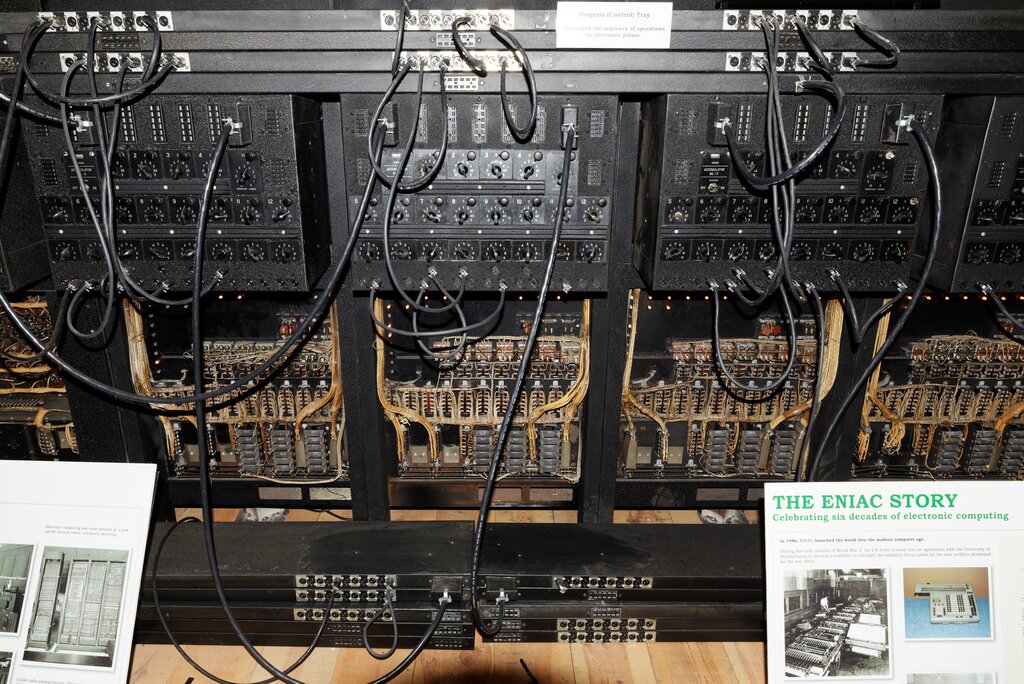
As technology advanced, so did the field. Faster processors and vast amounts of digital images (thanks, internet!) created the perfect conditions for computer vision to flourish. Today, it's a key part of artificial intelligence that powers countless applications, from unlocking your phone with your face to helping doctors spot diseases in medical scans.
How Computers See Images
To understand computer vision, you first have to understand how a computer interprets an image. It doesn't see a dog, a car, or a tree. It sees pixels. Every digital image is a grid of these tiny dots, and each pixel has a numerical value that represents its color and brightness.
For a simple grayscale image, each pixel might have one value, say from 0 (black) to 255 (white). For a color image, each pixel typically has three values: one for red, one for green, and one for blue (RGB). A computer sees a vibrant photograph as a massive, three-dimensional array of numbers.
This process of converting an image into numbers is a basic form of image processing. Often, algorithms will first adjust these numbers, maybe by increasing contrast or reducing "noise" (random variations in brightness or color), to make the image clearer for analysis. But the real magic begins when the computer starts looking for patterns in these numbers.
Finding Meaning with Features
A computer can't recognize a face just by looking at millions of individual pixel values. It needs to identify meaningful patterns, or features. Feature extraction is the process of finding these important characteristics in an image.
What counts as a feature? It could be anything that helps distinguish one object from another:
- Edges: Where does an object stop and the background begin?
- Corners: Points where edges meet.
- Color: A patch of bright red might be a stop sign.
- Texture: The rough surface of tree bark or the smooth finish of a car.
Algorithms scan the pixel data for these features. For example, an edge detector looks for areas where pixel values change abruptly. By combining information about these simple features, the system can start to piece together more complex shapes and objects.
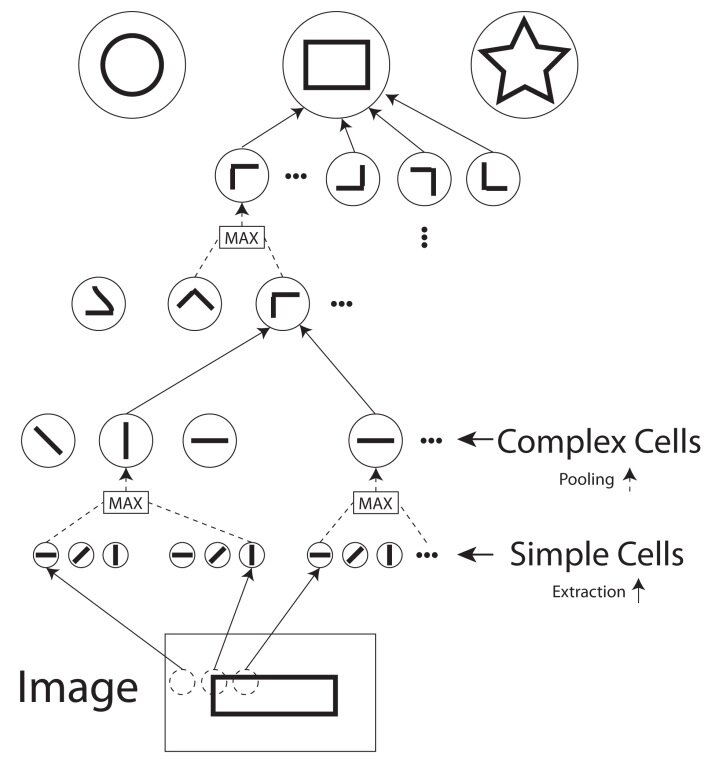
Think of it like building with blocks. You start with simple shapes (edges and corners) and combine them to create more complex structures (squares, circles). Then, you combine those structures to build a house or a car. This hierarchical approach allows a computer to move from a sea of pixels to a meaningful interpretation of a scene.
This ability to extract features is the foundation for almost every computer vision application, from identifying products on a shelf to enabling a car to navigate a busy street.
Time to check what you've learned about the fundamentals of computer vision.