Automating Inventory with Computer Vision
Introduction to Computer Vision
What Computers See
At its core, computer vision is the science of teaching computers to see and understand the world through images and videos. It’s not enough for a machine to simply record a picture; the goal is to interpret what's in it, just like a person does.
Think about how a child learns to recognize a dog. At first, they might just see a furry shape. But over time, they learn to identify key features: four legs, a tail, floppy ears, and a wet nose. They see these patterns again and again, until they can confidently point at a new furry creature and say, "Dog!"
Computer vision works in a similar way. It trains machines to recognize patterns in visual data so they can make decisions or recommendations.
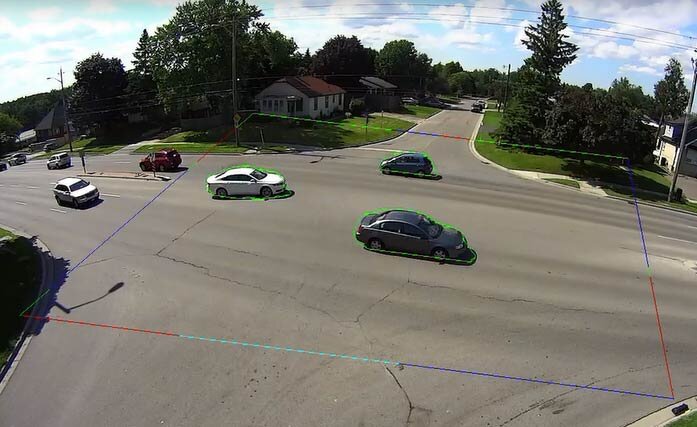
From Pixels to Patterns
How does a computer go from a collection of pixels to identifying an object? The process involves a few key steps. It starts with cleaning up the image to make it easier to analyze, a step called image processing. This might involve converting an image to grayscale, sharpening edges, or reducing digital "noise" to clarify the important details.
Once the image is prepped, the next step is feature extraction. The computer identifies the most important visual information. For a can of soup on a shelf, key features might be its cylindrical shape, the distinct red and white colors of the label, and the specific text printed on it. These are the unique identifiers that distinguish it from a box of cereal next to it.
Finally, the system uses pattern recognition to make sense of these features. It compares the extracted features—the cylinder shape, the colors, the text—to a database of known objects. When it finds a match, it can conclude, "This is a can of Campbell's Tomato Soup."
Computer Vision in the Warehouse
This process has powerful applications in managing inventory. Instead of relying on manual counts or barcode scans, businesses can use cameras to monitor their stock automatically. A camera mounted above a store shelf can use computer vision to keep a constant, real-time tally of every item.
Using computer vision algorithms, smart cameras continuously scan the retail environment, instantly flagging out-of-stock items or misplaced products.
Imagine a system that scans the shelves in a grocery store. First, it processes the video feed to get clear images. Then, it extracts features for each item on the shelf—shapes, sizes, and label designs. Finally, it uses pattern recognition to identify each product and count how many are present.
If the system detects that there are only two jars of a specific brand of peanut butter left, it can automatically alert staff to restock the shelf. It can also spot errors, like when a box of crackers is accidentally placed in the snack aisle. This continuous, automated monitoring makes inventory management faster, more accurate, and more efficient.
Let's test your understanding of these core concepts.
What is the primary goal of computer vision?
A computer vision system is analyzing products on a grocery shelf. Arrange the following steps in the correct order: 1. The system compares the item's cylindrical shape and red/white label to a database. 2. The system sharpens the camera feed and reduces digital 'noise'. 3. The system identifies the item's key visual identifiers like shape, color, and text.
By breaking down images into simple, recognizable patterns, computer vision gives us a powerful new way to track and manage physical goods.