Automating Inventory with Computer Vision
Introduction to Computer Vision
How Computers See the World
When we look at a photograph, we see people, places, and things. A computer sees something very different: a grid of numbers. Every digital image is made up of tiny dots called pixels, and each pixel has a numerical value that represents its color and brightness.
Think of it like a giant mosaic or a piece of graph paper. For a simple black and white image, each square on the grid might have a number from 0 (black) to 255 (white). For a color image, each pixel has three numbers, one for red, one for green, and one for blue (RGB). By combining these three values, a computer can represent millions of different colors. This numerical grid is the raw data computer vision starts with.
This process of interpreting the grid of numbers is called image processing. It's the first step in helping a machine make sense of visual information, often by cleaning up the image, adjusting brightness, or sharpening details to make the next steps easier.
Finding Important Features
A list of pixel values isn't very useful on its own. To understand an image, a computer needs to identify its most important characteristics, or features. Features are the interesting or significant parts of an image, like edges, corners, textures, and blocks of color.
This is similar to how humans recognize things. When you see a car, you don't analyze every single speck of paint. You recognize the overall shape, the four wheels, the windows, and the headlights. These are the car's key features. Feature extraction is the process of a computer algorithm scanning the pixel data to find these same kinds of meaningful patterns.
Once these features are extracted, they can be used to recognize patterns. For example, a set of features describing a round shape with a stem and a particular yellow color might consistently be identified as a banana. This leads us to the core tasks of computer vision.
Recognizing and Labeling Objects
After processing an image and extracting its features, a computer vision system can perform several key tasks. These tasks are what allow it to be useful in the real world.
Image Classification: This is the simplest task. It involves looking at an entire image and assigning it a single label. For instance, the system might decide "This is a picture of a warehouse" or "This picture contains a dog."
But what if there are multiple objects in the image? That's where more advanced techniques come in.
Object Detection: This task goes a step further. Instead of just labeling the whole image, object detection identifies where specific objects are located within it, usually by drawing a bounding box around each one. An image might be classified as "warehouse," but object detection could identify "box," "forklift," and "person" and show you their exact positions.
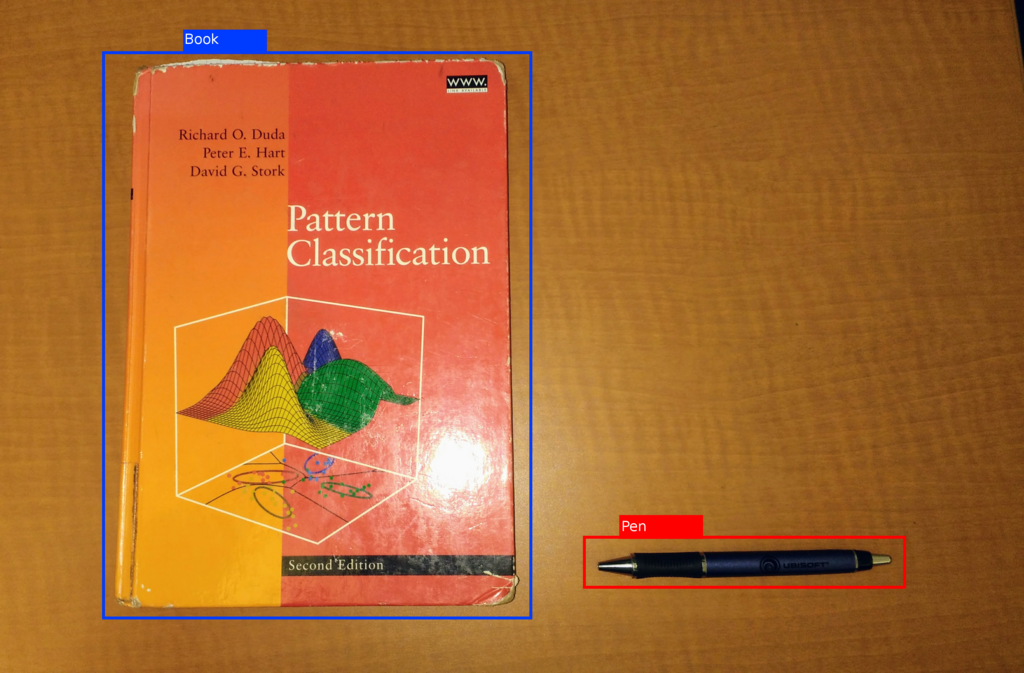
For even more detail, we can use segmentation.
Segmentation: This is the most precise task. Instead of just drawing a box around an object, segmentation outlines its exact shape, pixel by pixel. Think of it like creating a perfect digital stencil of each object in the image. This is useful when the exact shape and boundaries of an object are important.
These fundamental concepts, from understanding pixels to segmenting objects, are the building blocks that allow machines to interpret and interact with the visual world.