Automated Inventory with Computer Vision
Introduction to Computer Vision
What is Computer Vision?
At its core, computer vision is the science of teaching computers to see and understand the world through images and videos. While we humans do this effortlessly, it's a monumental task for a machine. A computer doesn't see a photograph of a cat; it sees a grid of numbers, called pixels, each representing a different color and brightness.
The goal of computer vision is to extract meaningful information from visual data to automate tasks that the human visual system can do.
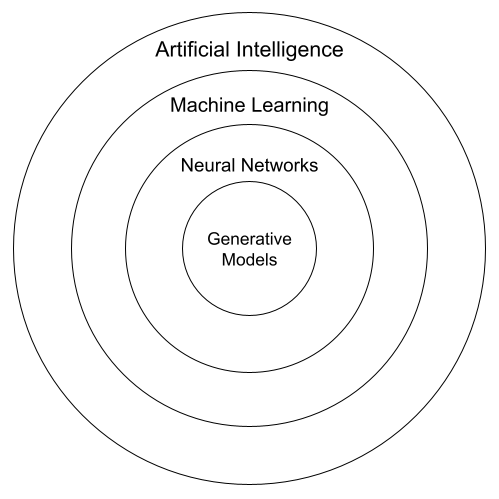
This field is a key part of artificial intelligence (AI). Think of it this way: AI is the broad concept of creating intelligent machines. Machine learning is a subset of AI that allows machines to learn from data without being explicitly programmed. Computer vision, in turn, often uses machine learning techniques to make sense of all that visual data.
A Brief History
The idea of machine sight isn't new. It started in the 1960s with researchers asking a simple question: can we hook up a camera to a computer and get it to describe what it sees? Early projects, like the one at MIT in 1966, were about identifying objects in simple, block-like worlds. These first steps were slow and challenging, but they laid the foundation for everything to come.
A major breakthrough came with the development of neural networks, which are computing systems modeled loosely on the human brain. Another key moment was the creation of large, labeled datasets in the early 2000s, like ImageNet. For the first time, researchers had millions of images to train their models on, leading to a massive leap in accuracy and capability.
How Computers Process Images
To understand an image, a computer must first process it. This involves a series of steps to simplify the image and highlight the most important parts. It's like turning a complex painting into a simpler line drawing that's easier to analyze.
Here are a few basic techniques:
- Grayscale Conversion: The first step is often to convert a color image to black and white. This reduces the amount of information the computer has to deal with. Instead of three values (red, green, and blue) for each pixel, there's just one value representing its brightness.
- Edge Detection: Next, the computer looks for edges, which are places where the brightness changes sharply. This helps it find the outlines of objects in the image. It's how a system can begin to distinguish a car from the road or a face from the background.
- Feature Extraction: Once outlines are found, the system looks for specific features, like corners, shapes, or textures. In a picture of a face, it might identify the eyes, nose, and mouth as key features. These features are then used to identify the object.
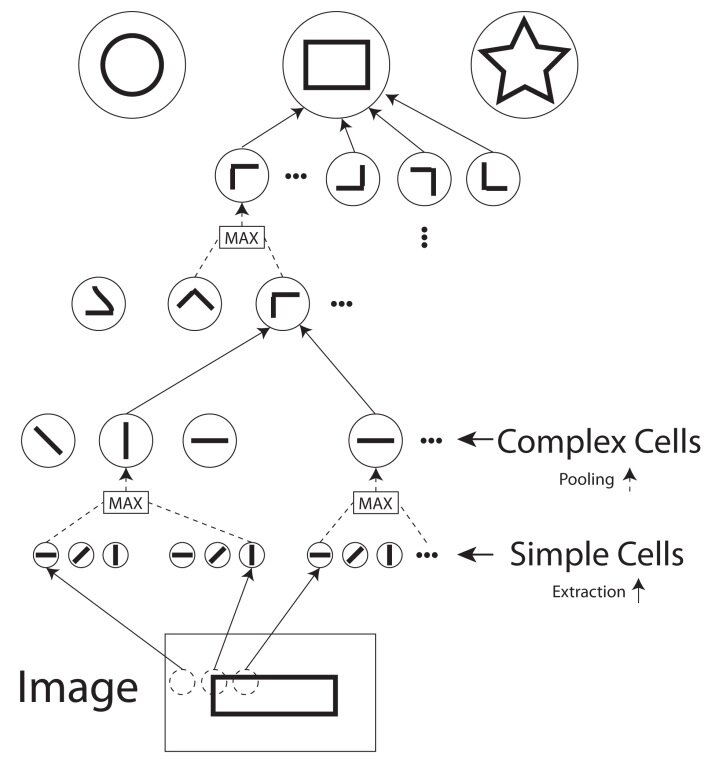
These foundational steps allow the computer to break down a complex scene into understandable parts. From there, more advanced algorithms can step in to classify objects, track movement, and much more.
Everyday Applications
Computer vision is no longer confined to research labs. It's all around us, often in ways we don't even notice. Your phone uses it to unlock with your face. Social media platforms use it to automatically tag your friends in photos. Self-driving cars rely on it to navigate roads and avoid obstacles.
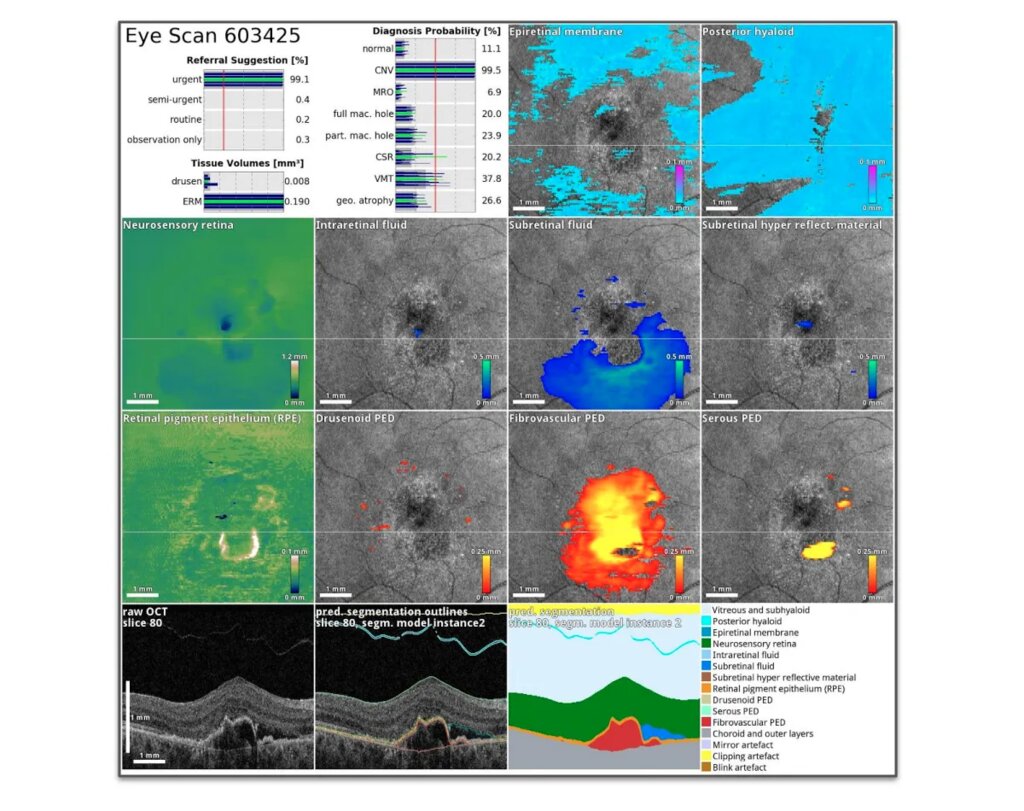
In healthcare, it helps doctors analyze medical scans like X-rays and MRIs to detect diseases earlier and more accurately. In retail, it can power cashier-less stores by tracking what shoppers take from shelves. And in manufacturing, it's used for quality control, spotting defects on an assembly line far faster than any human could.
As the technology continues to improve, computer vision will become even more integrated into our daily lives, changing the way we interact with the world.
Ready to check your understanding?
What does a computer fundamentally perceive when it processes a digital photograph?
Which of the following is NOT a foundational image processing technique mentioned for helping a computer understand an image?