Automate Work with Python AI No Code
Introduction to Automation
What Is Automation?
Automation is the use of technology to perform tasks that would otherwise require human effort. Think about the last time you got a shipping notification for an online order. A person didn't type that email and send it to you manually. A system did it automatically, triggered by the package leaving the warehouse.
At its core, automation is about creating a sequence of actions—a workflow—that runs on its own. It's designed to handle repetitive, rule-based jobs, freeing up people to focus on more creative and strategic work.
workflow
noun
A sequence of tasks that processes a set of data. Workflows are the building blocks of automation, defining the steps a system takes to complete a process from start to finish.
The benefits are straightforward. Automation reduces manual errors, speeds up processes, and ensures consistency. When you automate a task, it gets done the same way every time. This leads to higher productivity and allows teams to accomplish more without working longer hours.
AI automation tools accelerate processes, reduce manual effort, and improve accuracy and efficiency in your workflows.
Tools for Everyone
In the past, building automation required a team of developers writing complex code. Today, that's no longer the case. A new generation of tools has made automation accessible to everyone, regardless of their technical background.
These tools fall into two main categories: no-code and low-code.
| Category | Description | Who it's for |
|---|---|---|
| No-Code | Allows users to build automations with visual, drag-and-drop interfaces. No programming knowledge is needed. | Business users, marketers, project managers. |
| Low-Code | Uses a visual approach but allows for small snippets of code to customize or extend functionality. | IT professionals, business analysts with some technical skills. |
These platforms work by connecting different applications you already use. For example, you could build a workflow that automatically saves email attachments from Gmail to a specific Dropbox folder. Instead of writing code to connect to Gmail and Dropbox, you just drag and drop pre-built blocks representing each app and tell them what to do.
No-code AI refers to platforms that let users build AI-powered workflows using drag-and-drop interfaces, visual builders, and pre-configured integrations.
This visual approach empowers people to solve their own problems without waiting for developer resources.
Adding Intelligence with AI
Traditional automation is great for tasks with clear, unchanging rules. But what about situations that require a bit of judgment? That's where Artificial Intelligence (AI) comes in.
AI gives automation the ability to handle more complex scenarios. Instead of just following a rigid script, an AI-powered workflow can analyze information, recognize patterns, and make decisions. This opens up a whole new world of possibilities.
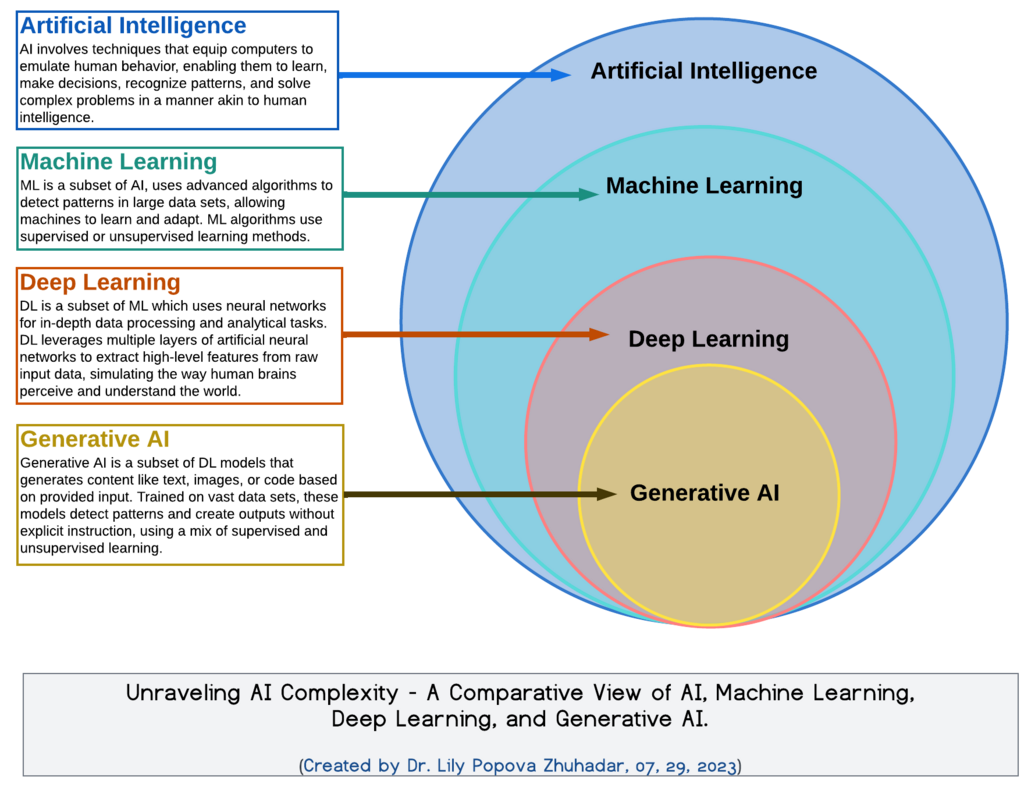
For example, imagine an automated workflow for processing customer support tickets. A standard automation could route all tickets containing the word "refund" to the billing department. But an AI-powered automation could do much more.
It could analyze the sentiment of the ticket to gauge the customer's frustration level. It could extract key information like order numbers and product names, even if they're buried in a long paragraph. It could then summarize the issue and suggest a response, all before a human agent even sees the ticket. The agent's job shifts from repetitive data entry to high-level problem-solving.
By combining automation with AI, businesses can create smarter, more flexible systems that handle a wider range of tasks. This allows people to offload not just the repetitive work, but some of the cognitive load as well.
Ready to check your understanding? This quiz covers the core ideas of automation we've discussed.
What is the core purpose of using automation in a business process?
No-code and low-code platforms have made automation more accessible primarily by...
Understanding these foundational concepts is the first step. With automation, you can start small, build confidence, and gradually tackle more complex challenges.