Arduino Programming Essentials
Introduction to Arduino
What Is an Arduino?
An Arduino is an open-source electronics platform that makes it easy to build interactive projects. Think of it as a small, programmable brain that you can connect to sensors, lights, motors, and other electronic components. You write simple code, upload it to the Arduino board, and it tells your project what to do.
The project started in Ivrea, Italy, with a simple goal: to create a low-cost, easy-to-use tool for students and non-engineers to create digital projects. Before Arduino, working with microcontrollers was often complex and expensive.
What makes Arduino special is its open-source nature. This means the hardware designs and the software used to program it are publicly available. Anyone can use them, modify them, and even build their own compatible boards. This has led to a massive global community of makers, hobbyists, and professionals who share projects, write tutorials, and help each other solve problems. If you ever get stuck, chances are someone online has already found a solution.
Meet the Board
At first glance, an Arduino board might look intimidating with all its chips and pins. But it's actually quite straightforward once you know the key parts.
Let's break down the most important components:
-
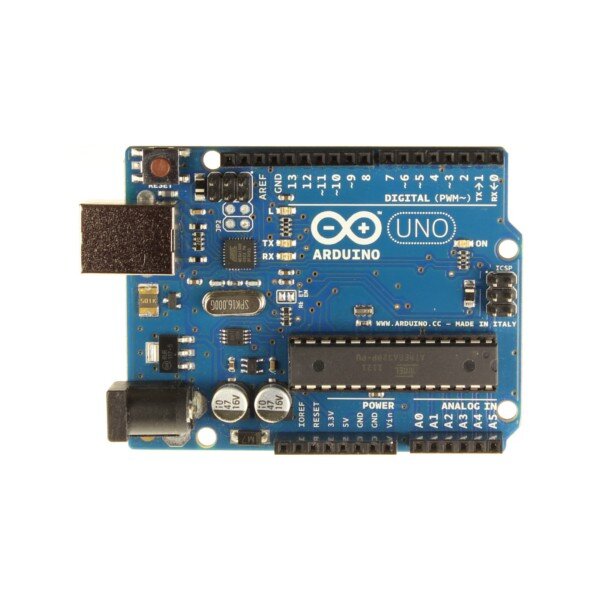
Microcontroller: This is the large black chip in the center. It's the brain of the board. It stores and runs the programs (called "sketches") you write, controlling all the other components.
-
Input/Output (I/O) Pins: These are the rows of sockets along the edges of the board. They are how the Arduino interacts with the outside world. You connect wires from sensors, LEDs, and motors to these pins. They are divided into two main types: digital and analog.
-
Power Supply: You can power an Arduino in two main ways. The USB port connects to your computer for both programming and power. Alternatively, you can use the barrel-shaped power jack to connect an external power supply, like a battery pack or wall adapter, allowing your project to run independently.
A Family of Boards
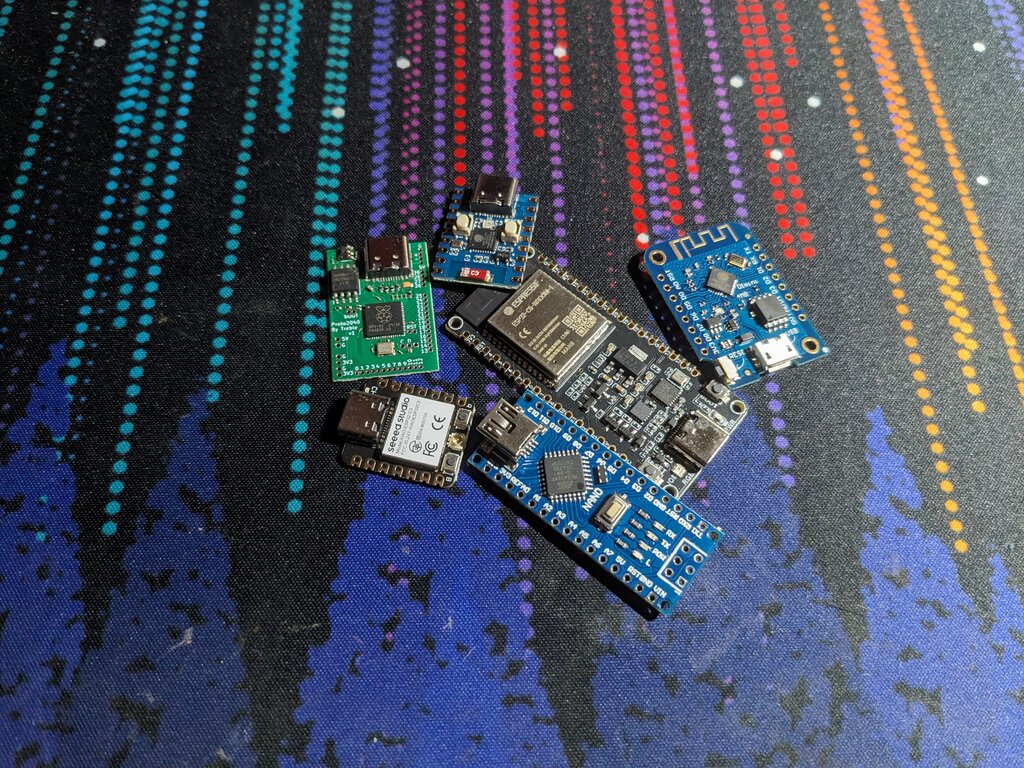
Arduino isn't just one device; it's a whole family of boards designed for different needs. While they all share the same programming environment, their size, power, and number of pins can vary greatly.
The Arduino Uno is the classic choice for beginners. It has a good balance of features and is robust enough for most starting projects.
The Arduino Nano is tiny, making it perfect for projects where space is tight, like wearables or small robots. It has similar capabilities to the Uno but is packed into a much smaller form factor.
For more ambitious projects that require lots of connections, there's the Arduino Mega. It has many more I/O pins and more memory, making it suitable for things like 3D printers or complex interactive installations.
These are just a few examples. The open-source nature of Arduino means there are hundreds of official and third-party boards available, each with its own special features.
The right board for you depends entirely on your project. Start simple with an Uno, and as your ideas get bigger, you can explore more powerful options.
This combination of simple hardware, a user-friendly programming language, and a strong community makes Arduino an incredible tool for bringing your creative ideas to life. In the next step, we'll get the software set up and write our first piece of code.