App Monetization and Launch Strategies
Introduction to Mobile App Development
The Mobile Landscape
Mobile apps run on operating systems, just like your computer. The two dominant players in this space are Apple's iOS and Google's Android. While they both let you make calls, browse the web, and use apps, they are fundamentally different. Think of them as two different countries with their own languages and customs.
Android is an open-source platform, which means manufacturers like Samsung, Google, and OnePlus can customize it for their devices. This leads to a huge variety of phones at different price points. iOS, on the other hand, runs exclusively on Apple hardware like the iPhone. This creates a more controlled, uniform experience for all users.
Your Development Toolkit
To build an app, you need a special set of tools called an Integrated Development Environment, or IDE. An IDE is like a workshop for coders. It bundles a text editor, a compiler (to turn your code into a runnable app), and a debugger (to help find and fix mistakes) into one package.
For iOS development, the go-to IDE is Apple's Xcode. It runs only on Macs and has everything you need to build apps for iPhones, iPads, and other Apple devices.
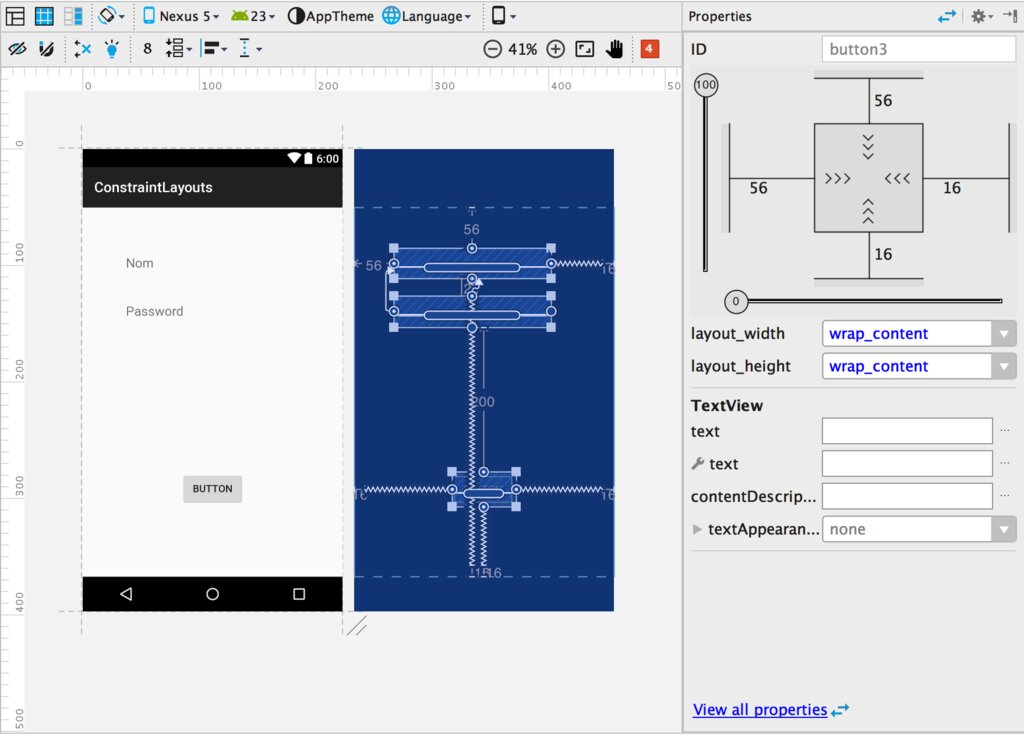
For Android, the official IDE is Android Studio. It's built by Google and works on Windows, macOS, and Linux. It provides a powerful and flexible environment for crafting Android applications.
Just as countries have their own languages, so do these platforms. The primary language for modern iOS development is Swift, a powerful and intuitive language created by Apple. For Android, the preferred language is Kotlin, which is known for its safety features and concise syntax. Java is also widely used for Android, especially in older projects.
Native vs. Cross-Platform
When you decide to build an app, you face a big choice: go native or cross-platform?
Native development means building an app specifically for a single platform. You'd use Xcode and Swift for an iOS app, and Android Studio and Kotlin for an Android app. This approach gives you the best performance and full access to the device's features, like the camera and GPS. The downside is that you have to build and maintain two completely separate codebases if you want your app on both platforms.
Cross-platform development lets you write your code once and run it on both iOS and Android. Frameworks like React Native and Flutter allow you to share a large portion of your code between platforms. This can save time and money, but it sometimes comes with performance trade-offs and might limit access to certain device-specific features.
| Feature | Native Development | Cross-Platform Development |
|---|---|---|
| Performance | Highest possible | Can be slower |
| User Experience | Tailored to the platform | More generic feel |
| Cost & Speed | Higher and slower | Lower and faster |
| Codebase | Separate for each platform | Single, shared codebase |
Think of it like cooking. A native approach is like being a master chef of Italian food and a separate master chef of Japanese food. You create the most authentic dishes for each cuisine. A cross-platform approach is like being a fusion chef who creates a single dish that incorporates elements from both, which is efficient but might not be purely traditional.
Starting Your First Project
Ready to get your hands dirty? The first step is to download and install the appropriate IDE for your target platform. Once you have it set up, creating a new project is straightforward.
You'll typically start by opening the IDE and selecting an option like "Create a New Project" or "Start a new Android Studio project." The IDE will then guide you through a setup process. You'll choose a project template (like "Single View App" or "Basic Activity"), name your application, and select the language you want to use (Swift or Kotlin). After a few clicks, the IDE will generate a basic, runnable app for you. This simple starting point is the canvas on which you'll build your creation.
Let's check your understanding of these foundational ideas.
What is a primary advantage of building a native mobile app compared to a cross-platform app?
Which statement accurately describes the relationship between the iOS and Android operating systems?
You now have a solid overview of the mobile development landscape, the tools of the trade, and the key decisions you'll face when starting a new project. With these fundamentals in place, you're ready to dive deeper.