App Coding Fundamentals
Introduction to Mobile App Development
What Kind of App Will You Build?
Before writing a single line of code, the first big decision is what type of app to build. There are three main paths, each with its own set of trade-offs.
Native Apps: These are built specifically for one operating system, either Apple's iOS or Google's Android. Think of it like a tailor-made suit. It fits perfectly, runs smoothly, and takes full advantage of every feature the device offers, from the camera to the GPS. The performance is top-notch. The downside? You need to build and maintain two separate apps if you want to be on both iPhones and Android devices, which doubles the work.
Web Apps: These aren't really apps in the traditional sense. They are websites that look and behave like apps, accessed through a mobile browser. The big advantage is that one version works everywhere. However, they're generally slower and can't access all of a phone's hardware features. They also typically require an internet connection to work.
Hybrid Apps: This approach tries to get the best of both worlds. Developers write the app once using web technologies (like HTML, CSS, and JavaScript) and then wrap it in a native shell. This allows the app to be downloaded from an app store and access some device features. It’s faster to develop than two native apps, but performance can sometimes lag behind a true native experience.
For businesses looking to cover both iOS and Android platforms without developing separate apps, hybrid and cross-platform technologies like React Native, Flutter, and Xamarin are great choices.
The Two Big Players
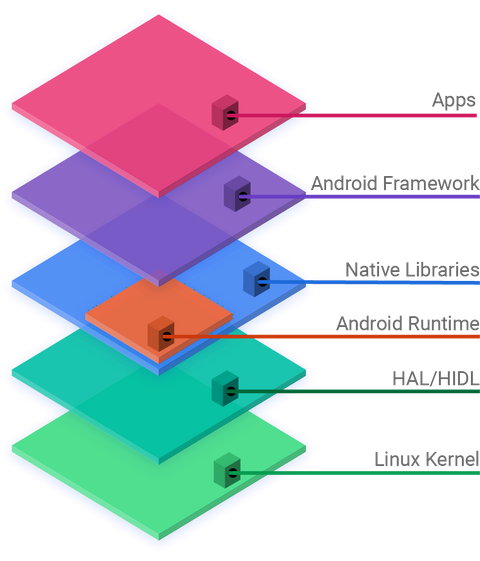
The mobile world is dominated by two operating systems: iOS and Android. Choosing which to build for—or whether to tackle both—is a key part of your strategy.
| Platform | Key Features |
|---|---|
| iOS (Apple) | Runs only on Apple hardware (iPhone, iPad). Known for high performance, strong security, and a unified user experience. The App Store has a strict review process, ensuring a high standard for apps. |
| Android (Google) | An open-source platform used by many different manufacturers (Samsung, Google, etc.). This leads to a huge variety of devices and screen sizes. It's more customizable, and the Google Play Store's submission process is generally more lenient. |
Your target audience might influence your choice. Some demographics lean more heavily toward one platform than the other. Many businesses eventually launch on both, but often start with one to test their idea and gather feedback.
Your Development Toolkit
To build a native app, you need a specialized piece of software called an Integrated Development Environment, or IDE. It's a workbench that bundles together everything you need: a code editor, debugging tools, and emulators for testing your app.
IDE
noun
An Integrated Development Environment is a software application that provides comprehensive facilities to computer programmers for software development.
Each platform has its own official IDE.
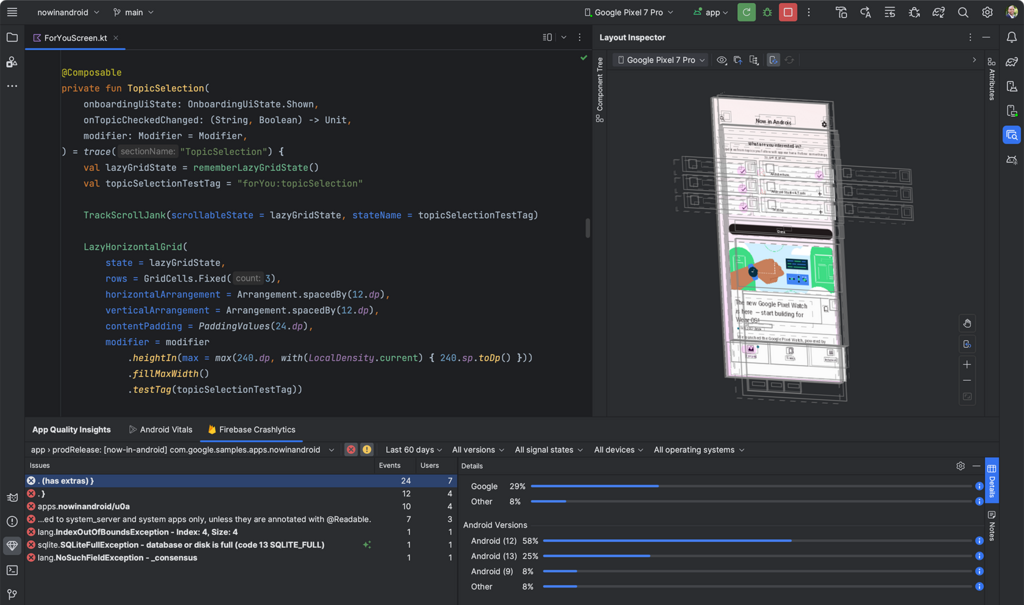
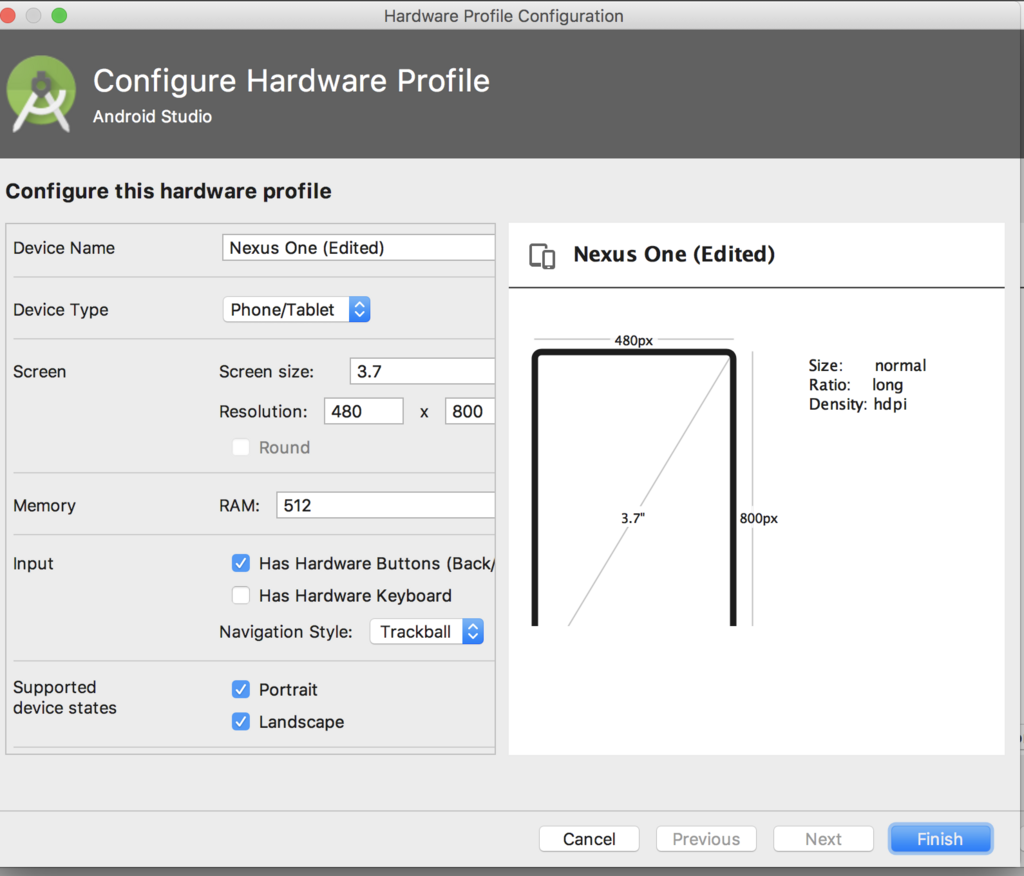
For Android, the tool is Android Studio. It's the official IDE from Google, used for building, testing, and preparing apps for the Google Play Store. It supports programming languages like Kotlin and Java and includes a powerful virtual device manager to simulate a wide range of Android phones and tablets.
For iOS, developers use Xcode. This is Apple’s IDE and it only runs on Macs. Xcode is the all-in-one tool for creating apps for iPhone, iPad, Apple Watch, and Mac. The primary programming languages used are Swift and Objective-C. It features a slick interface builder for designing your app’s look and feel, plus robust tools for analyzing performance.
Understanding these basic building blocks—the types of apps, the major platforms, and their primary tools—is the first step on the journey of mobile development. With this foundation, you can start making informed decisions about how to bring your app idea to life.