Android Online Banking System Development
Android Studio Setup
Your Development Hub
To build an Android app, you need a place to write code, design screens, and test your work. That place is Android Studio. It's the official Integrated Development Environment (IDE) for Android, which means it’s a single application that bundles everything you need to get started.
Android Studio is the official Integrated Development Environment (IDE) for Android app development.
Think of it as a specialized workshop for building apps. It includes a code editor, tools for designing layouts, and ways to test your app without needing a physical phone. It's the command center for all your Android projects.
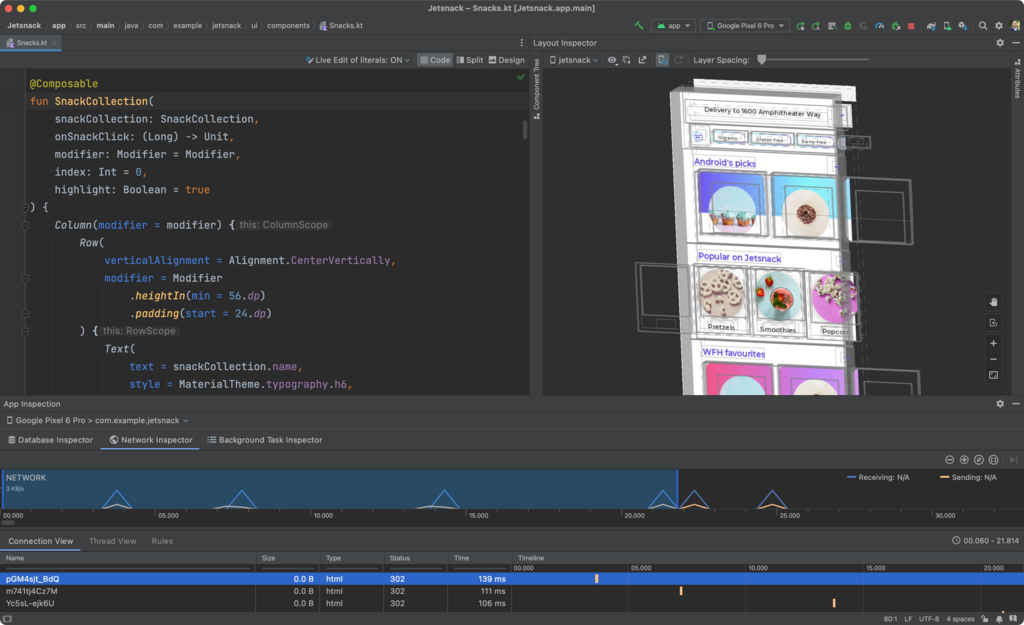
Installation and SDKs
Getting Android Studio is simple. You download it from the official Android developer website and run the installer, which guides you through the setup. A key part of this process is installing the Android SDK.
SDK
noun
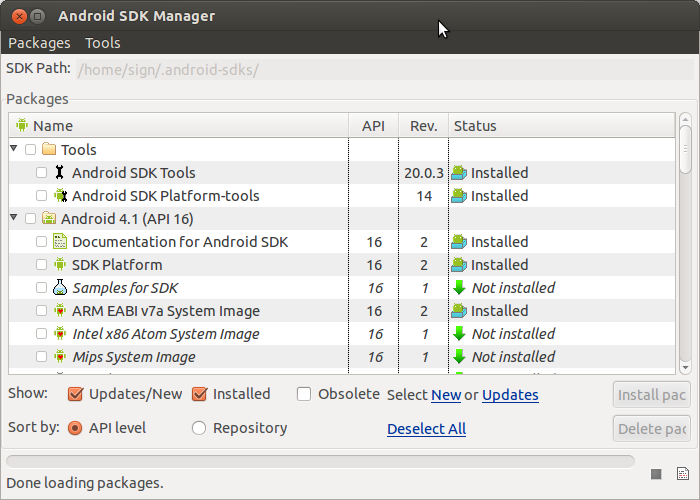
A Software Development Kit (SDK) is a collection of software development tools in one installable package. It provides the libraries, compilers, and tools needed to build applications for a specific platform.
The Android SDK contains all the necessary components to build for different versions of the Android operating system. You don't need to install every version, just the ones you want to target. Android Studio includes an SDK Manager that makes it easy to download and manage these packages.
Virtual Devices
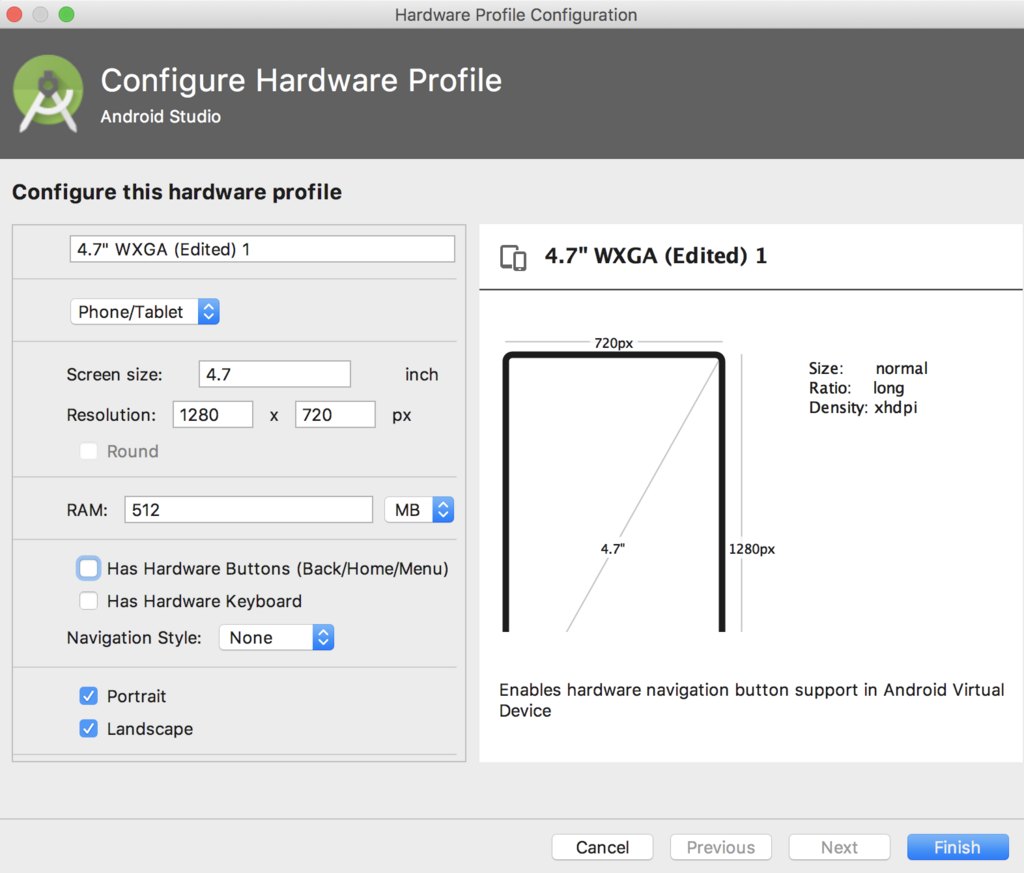
You don't need a physical phone to test your app. Android Studio comes with an emulator, a tool that creates a virtual Android device on your computer. You can configure emulators to mimic different phones, with varying screen sizes, resolutions, and Android versions.
This is incredibly useful for seeing how your app looks and behaves on a variety of devices without having to own them all. Setting up a new virtual device, also known as an Android Virtual Device (AVD), takes just a few clicks inside the AVD Manager.
Inside an Android Project
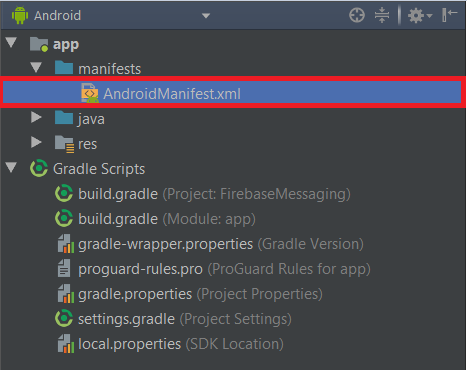
When you create a new project, Android Studio generates a standard folder structure. Understanding this structure is key to knowing where to find and place your files.
The most important directory is the app folder. This is where your app's code and resources live. Inside app, you'll find a few critical subdirectories.
Here's a quick breakdown:
- java: This folder contains your Kotlin or Java source code. The
MainActivity.ktfile is typically the entry point of your app, controlling the main screen. - res: This is for all non-code assets, called resources. It has subfolders for things like
drawable(images),layout(XML files that define your app's user interface), andvalues(for text, colors, and styles). - manifests: This contains the
AndroidManifest.xmlfile. Think of this as your app's ID card. It declares essential information like the app's name, icon, permissions it needs (like internet access), and its components (like screens).
Now that you've seen the basic setup, let's check your understanding.
What is the primary role of Android Studio in app development?
To test an app on various screen sizes and OS versions without owning multiple physical phones, a developer uses the ____.
With Android Studio installed and a basic understanding of its components, you have the foundation needed to start building.