Android Game APK Modification Mechanics
APK Architecture
Unpacking the Android Game
At its heart, an Android Package (APK) is little more than a specialised ZIP archive. You can even rename a .apk file to .zip and extract its contents to see what's inside. For a game developer or a modder, understanding this structure is key to knowing how the game functions and where to find specific elements.
| File / Directory | Purpose |
|---|---|
classes.dex | Contains the application's compiled code. |
resources.arsc | A pre-compiled table mapping resource IDs to files/values. |
AndroidManifest.xml | Declares the app's components, permissions, and metadata. |
res/ | Holds compiled resources like images, layouts, and strings. |
assets/ | Stores raw asset files accessed by the app. |
lib/ | Contains compiled code for specific processor architectures. |
META-INF/ | Holds the application's signature and certificate information. |
When you launch a game, the Android system uses these files to bring it to life. The AndroidManifest.xml acts as the initial blueprint, telling the OS what the app needs and which component to start first. From there, the system loads the code from classes.dex and the necessary resources from the res/ and assets/ directories.
The Code and the Index
The single most important file in any APK is classes.dex. This isn't human-readable source code. Instead, it contains Dalvik bytecode, the set of instructions executed by the Android Runtime (ART). Every action in your game, from player movement to collision detection, is defined by the code compiled into this file. For very large games, you might even see classes2.dex, classes3.dex, and so on, as Android splits the code to manage memory efficiently.
Working in tandem with the code is resources.arsc. Think of this file as a highly optimised address book. When your code wants to display an image, say the player's avatar, it doesn't ask for player_sprite.png by name. Instead, it requests a numeric ID, like 0x7f020001. The Android system then looks up this ID in resources.arsc to find the actual path to the image file located in the res/ directory. This indexing process makes resource loading incredibly fast, which is critical for smooth game performance. It avoids slow, string-based file lookups during runtime.
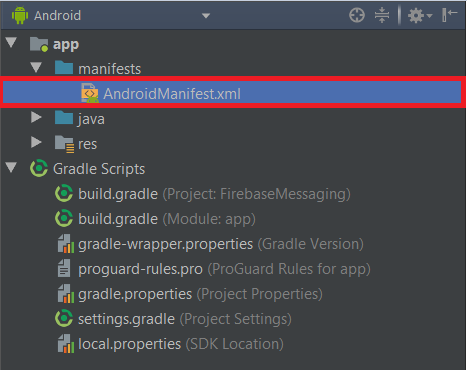
The game's blueprint, AndroidManifest.xml, is also optimised. If you extract an APK and try to open this file in a text editor, you'll see gibberish. That's because it's been converted into a format. This compact, machine-readable version allows the Android OS to parse the app's essential information—like its permissions, hardware requirements, and main activity—much faster than it could with a plain text file.
Assets vs. Resources
One common point of confusion is the difference between the res/ and assets/ directories. Both hold game files, but they are treated very differently by the system.
The res/ directory is for resources that are part of the app's build process. Anything here—images, layout files, sound clips, string values—is assigned a resource ID and indexed in resources.arsc. The system can also automatically select the correct resource based on device configuration, such as providing different image sizes for different screen densities (e.g., res/drawable-mdpi/, res/drawable-hdpi/).
The assets/ directory is a free-for-all. It's a simple file storage area. Nothing in here gets a resource ID, and the system doesn't perform any optimisation on these files. You access them using a file path, much like you would on a desktop computer. This makes it the perfect place for game-specific data that you want to manage yourself, such as 3D model files (.obj), level data (.json), or custom shader programs.
Finally, the directory contains the digital signature of the APK. This is how the Android system verifies that the app hasn't been tampered with and that it comes from a legitimate developer. If you change a single byte in any other file within the APK, this signature becomes invalid, and the OS will refuse to install or update the app.
By understanding how these core components—the code, the resource index, the manifest, and the asset directories—fit together, you gain a foundational knowledge of how an Android game is constructed. This allows you to diagnose issues, optimise performance, and even begin to modify game behaviour by targeting the right files.