Android App Development for WordPress Pros
Mobile vs Web Fundamentals
From Web Pages to Mobile Screens
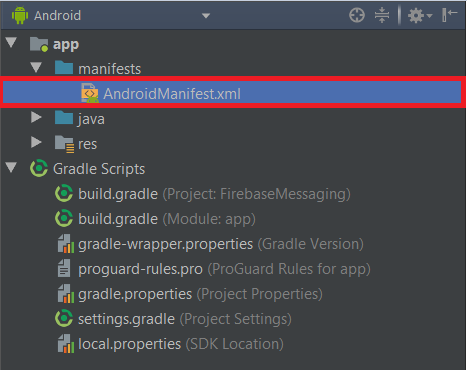
Coming from WordPress, you’re used to a server, configuration files like wp-config.php, and a database handling the heavy lifting. A mobile app is a self-contained package. Instead of a config file that connects to a database, every Android app has a central file called AndroidManifest.xml. This isn't just for configuration; it's the app's identity card for the Android operating system.
The manifest file declares the app's components, specifies its permissions (like needing internet access or use of the camera), and defines its core characteristics.
Think of it as the master blueprint. The operating system reads this file to understand what your app is, what it can do, and how to interact with it before a single line of your code even runs. It's fundamentally different from a web config file, which is primarily read by the web server or application framework during runtime.
Activities, Not Pages
In the web world, a user navigates between pages. Each page is a distinct document, usually an HTML file. In Android, the equivalent of a single screen in your app is an Activity. When you open an app, you're launching its main Activity. When you navigate to a new screen, you're typically starting a new Activity.
But building every single piece of UI as a full-screen Activity can be inefficient. For more modular and reusable UI components, Android uses Fragments. A Fragment is a portion of a user interface that can be embedded within an Activity. You can have multiple Fragments in a single Activity, and you can reuse the same Fragment across different Activities. This is similar to how you might use a WordPress shortcode or a reusable block to embed a piece of content or functionality on multiple pages.
The App Lifecycle
A website's lifecycle is simple: a user sends a request, the server sends a response, and the page loads. The browser tab might stay open, but it's largely static until the next interaction. A mobile app is different. It lives on the device and must constantly respond to the operating system.
What happens when a phone call comes in? Or the battery gets low? Or the user just switches to another app? The Android OS manages this through the Activity Lifecycle. An Activity goes through various states: it can be created, started, resumed (in the foreground), paused (partially visible), stopped (in the background), or destroyed. You, the developer, must write code to handle these state changes gracefully. For example, you might save a user's input when the app is paused and restore it when it's resumed.
Unlike a web page, a mobile app can be killed by the operating system at any time to free up resources. Properly managing the lifecycle is essential for a stable, predictable user experience.
Views vs the DOM
Web developers live and breathe the HTML DOM. It’s a tree-like structure representing all the elements on a page. Android has a similar concept called the View hierarchy. Every UI element in an Android app is a View or a subclass of View.
You have TextView for text, Button for buttons, and ImageView for images. These are organized into a tree structure using ViewGroups like LinearLayout or ConstraintLayout, which act as containers that define how their child Views are positioned. While you interact with the DOM using JavaScript, you typically define your View hierarchy in XML layout files and interact with it using Kotlin or Java code.
Finally, resource management is more explicit in mobile development. On the web, you link to images or stylesheets with a URL. In Android, all resources like images, text strings, and layout files are bundled within the app package. The system provides a structured way to manage them, including providing different versions of an image for screens with different pixel densities. This ensures your app looks sharp and uses resources efficiently on a wide variety of devices.
Ready to test your knowledge on these core concepts?
What is the primary role of the AndroidManifest.xml file in an Android app, especially when compared to a wp-config.php file in WordPress?
In Android, the equivalent of a single screen, like a web page in WordPress, is called an __________.
This conceptual shift is the biggest hurdle when moving from web to mobile development. Understanding these fundamental differences in structure, lifecycle, and UI is the first step toward building great native applications.