Algorithmic Trading with Random Forests and Alpaca API
Data Acquisition
Acquiring Your Data
Every trading strategy, no matter how simple or complex, starts with data. Without high-quality historical data, you can't backtest your ideas or train a model to find patterns. It's the foundation of everything that follows. For our purposes, we'll use the Alpaca API, which provides a straightforward way to access stock market data.
Setting Up Your Alpaca Account
Before you can request any data, you need to create an Alpaca account. Think of it like getting a library card before you can check out books. Once you've signed up on their website, you'll need to generate API keys.
API keys are unique credentials that prove your identity to Alpaca's system. They consist of a Key ID (like a username) and a Secret Key (like a password). You must keep your Secret Key private. Alpaca provides separate keys for paper trading (using simulated money) and live trading. For now, we'll stick to the paper trading keys.
Fetching Data with Python
With your API keys in hand, you can start writing Python scripts to pull data. First, you'll need to install the official Alpaca library. You can do this using pip, Python's package manager:
pip install alpaca-trade-api
Next, you'll use your keys to create an authenticated API object. It's best practice to store your keys as environment variables rather than hardcoding them directly in your script. This keeps them secure.
import alpaca_trade_api as tradeapi
import os

# --- Authentication ---
# Make sure you have set these environment variables
API_KEY = os.getenv('APCA_API_KEY_ID')
SECRET_KEY = os.getenv('APCA_API_SECRET_KEY')
BASE_URL = 'https://paper-api.alpaca.markets' # Use paper trading URL

api = tradeapi.REST(API_KEY, SECRET_KEY, BASE_URL, api_version='v2')
This script imports the library, retrieves your keys, and establishes a connection to the Alpaca paper trading API. Now you're ready to make requests.
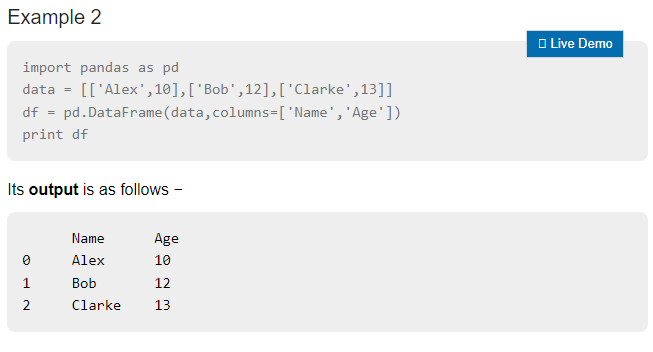
Let's fetch historical daily price data for Apple (AAPL) for the year 2023. The data is returned as a pandas DataFrame, which is a powerful and standard format for data analysis in Python.
from alpaca_trade_api.rest import TimeFrame

# --- Fetching Data ---
# Set the ticker, start and end dates
aapl_bars = api.get_bars(
    'AAPL',
    TimeFrame.Day,
    '2023-01-01T00:00:00-00:00',
    '2023-12-31T00:00:00-00:00'
).df

print(aapl_bars.head())
Here's what that code does:
'AAPL'specifies the stock ticker we want.TimeFrame.Daytells the API we want daily data. You could also useTimeFrame.HourorTimeFrame.Minutefor more granular data.- The next two strings set the start and end dates for our data request in ISO 8601 format.
.dfat the end converts the API response directly into a pandas DataFrame.
The result is a clean table of data, ready for the next steps.
Data Cleaning and Preprocessing
The data you get from a good provider like Alpaca is usually high quality, but you should never assume it's perfect. The principle of "garbage in, garbage out" is especially true in trading. If your data is flawed, your strategy's backtest results will be meaningless.
Preprocessing involves checking for and handling any issues. Common tasks include:
- Checking for missing values: Are there gaps in the data where a trading day is missing? Or are some values (like volume) null?
- Adjusting for splits: Stock splits can create large, artificial price jumps. While most data providers adjust for this automatically, it's something to be aware of.
- Formatting data types: Ensure that prices are floating-point numbers and dates are datetime objects for easier manipulation.
Your analysis is only as good as your data. Always take the time to inspect and clean your dataset before building any strategy.
You can use simple pandas functions to inspect your DataFrame. For example, to check for any missing values across all columns:
# Check for any missing values in the DataFrame
print(aapl_bars.isnull().sum())
If this command returns all zeros, your dataset is complete. If it shows a count for a certain column, you'd need to decide how to handle it. You could fill the missing value with the previous day's value or drop the row entirely, depending on your strategy's needs. Once your data is clean and validated, it's ready for the next stage: feature engineering.
What is the primary purpose of an API Key ID and a Secret Key when using a service like the Alpaca API?
Why is it considered a best practice to store API keys as environment variables instead of hardcoding them directly into your script?
Now that you can acquire and clean data, you have the raw material needed to build and test trading ideas.