Akai MPC1000 and JJOS2XL Beatmaking
Introduction to MPC1000 and JJOS2XL
Meet the MPC1000
The Akai MPC1000 is a compact, powerful music production studio in a box. Released in the early 2000s, it brought the legendary MPC workflow to a more portable and affordable format. Unlike software that requires a computer, the MPC1000 is a standalone hardware unit. You can create entire tracks on it from start to finish.
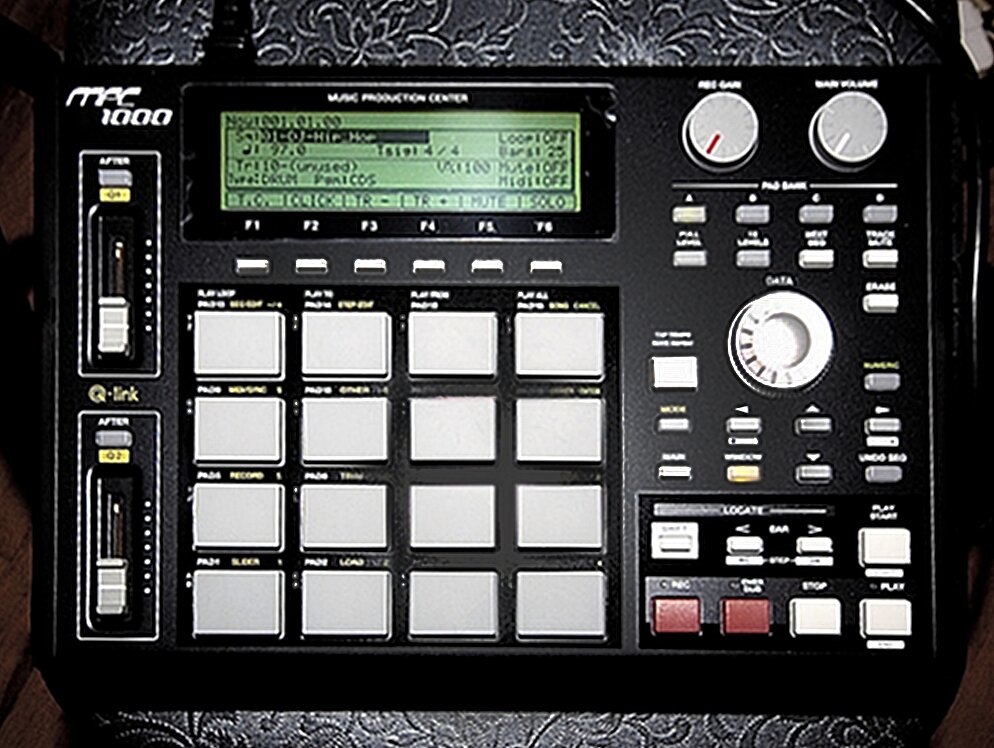
At its heart are the 16 velocity-sensitive pads, the primary way you'll play drums, chop samples, and trigger melodies. To the left, you'll find two Q-Link sliders, which can be assigned to control parameters like filter cutoff or sample tuning in real-time. The central LCD screen is your window into everything, from editing samples to arranging sequences.
The magic of the MPC lies in its hands-on, tactile workflow. The pads aren't just buttons; they're expressive instruments.
Connections and Storage
The back panel is where you hook the MPC1000 into the rest of your studio. It includes standard MIDI In and Out ports for connecting keyboards or other gear, stereo inputs for sampling, and stereo outputs to send your sound to speakers or a mixer. A USB port allows you to easily transfer files between the MPC and a computer.
For storage, the MPC1000 uses CompactFlash cards. This is where you'll save your projects, sounds, and the operating system itself.
The JJOS2XL Upgrade
While the standard Akai operating system is functional, a third-party OS called JJOS unlocks the MPC1000's true potential. Developed by a former Akai engineer, JJOS (short for Japanese Jenius OS) is a replacement firmware that dramatically expands the machine's features. We'll be focusing on a specific version called JJOS2XL.
Think of JJOS2XL as a complete software overhaul, adding features that rival modern, more expensive machines.
So, what does it actually add? The list is long, but some key enhancements include a non-destructive sample chopping mode, a powerful grid editor for fine-tuning your sequences, more filter types, and expanded effects. It makes the entire workflow faster and more intuitive.
| Feature | Stock Akai OS | JJOS2XL |
|---|---|---|
| Sample Editing | Destructive | Non-Destructive option |
| Sequence Editing | Basic step editor | Visual grid editor |
| MIDI Tracks | 64 | 128 |
| Effects | 2 busses | 4 busses + Master |
| Audio Tracks | No | Yes |
Installation
Installing JJOS2XL is straightforward. First, you need to purchase and download the OS file from the official JJOS website. Then, you simply copy that file to the root directory of your CompactFlash card using your computer.
Insert the card into your MPC1000. Power it on while holding down the [WINDOW] button. The MPC will boot into a special menu. From here, you can select the JJOS2XL file and follow the on-screen prompts to install it. The process only takes a minute or two. Once it's done, your MPC1000 will reboot with its powerful new brain.
Now that you're familiar with the hardware and have the upgraded OS installed, you're ready to dive into making music.