AI Zapier Automation Mastery
Introduction to Zapier
What is Zapier?
Think about the apps you use every day: your email, your calendar, your project management tool, your social media. They all hold different pieces of your digital life. Zapier acts as a bridge between these apps, allowing them to talk to each other and work together automatically. It’s a “no-code” platform, which means you can connect apps and automate tasks without writing a single line of code.
Zapier is a no-code tool that moves your info between your web apps automatically, so you can focus on your most important work.
Imagine you want to save every email attachment you receive from a specific client to a dedicated folder in Google Drive. Doing this manually is tedious. With Zapier, you can create an automated workflow that does it for you instantly, every time.
The Building Blocks of Automation
Every automation in Zapier is built from two core components: a Trigger and an Action.
A Trigger is an event that starts your automation. It's the "if this happens..." part of the equation.
An Action is the event that Zapier automatically performs after the trigger occurs. It's the "...then do that" part.
Let's look at a simple example. Suppose you want to get a Slack message every time a new row is added to a specific Google Sheet.
- Trigger: A new row is created in Google Sheets.
- Action: Post a message in a Slack channel.
This complete, automated workflow, from the trigger to the action, is called a Zap.
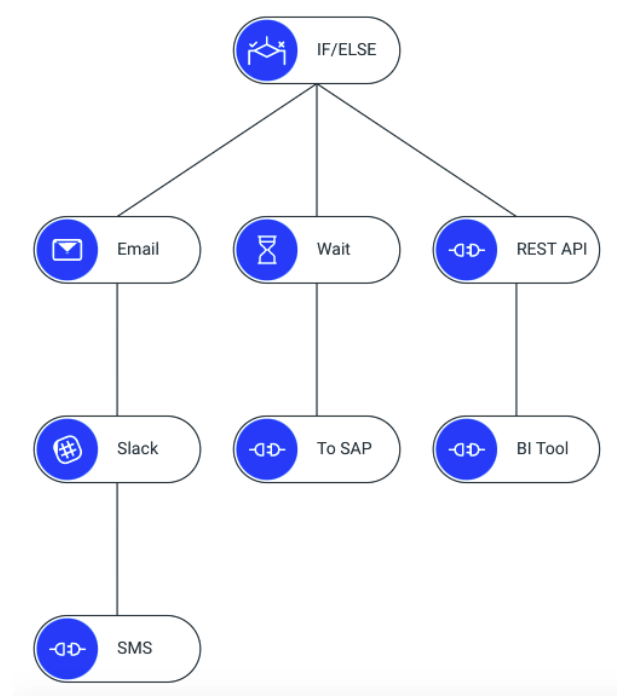
Zaps can be simple, with just one trigger and one action, or they can be more complex, involving multiple steps and even conditional logic to handle different scenarios.
Finding Your Apps
The real power of Zapier comes from its vast library of connected applications. The platform supports thousands of apps, from popular tools like Slack, Google Workspace, and Trello to more specialized software for marketing, sales, and development. This extensive app directory is what allows you to build workflows that are tailored to your specific needs.
When you build a Zap, you'll start by searching this directory for the apps you want to connect. You pick your trigger app, then your action app, and Zapier guides you through the rest of the setup process, helping you specify exactly what information should move from one app to the other.
Let's check your understanding of these core concepts.
What is the main purpose of Zapier?
In a Zapier workflow, the event that initiates the automation is called a(n) ____.
By understanding triggers, actions, and Zaps, you have the foundational knowledge to start automating your own repetitive tasks.