AI UGC Producer and Automated Cinematic Workflows
Persona Stability Systems
Beyond the Prompt
Relying on text prompts alone to create a consistent character across multiple video scenes is a recipe for failure. You might get a similar hairstyle or eye color, but subtle facial structures, expressions, and mannerisms will drift. This is the core challenge of digital cloning: maintaining persona stability. The solution isn't a better prompt; it's a better reference.
This is where visual anchoring comes in. Instead of just describing your character, you show the AI exactly who they are. By providing a set of high-quality images, you anchor the model's understanding, forcing it to preserve the specific identity you've defined, regardless of the action, lighting, or setting in the new scene.
One of the most significant challenges in AI video generation has historically been maintaining character consistency across different scenes, angles, and temporal frames.
The Character Sheet
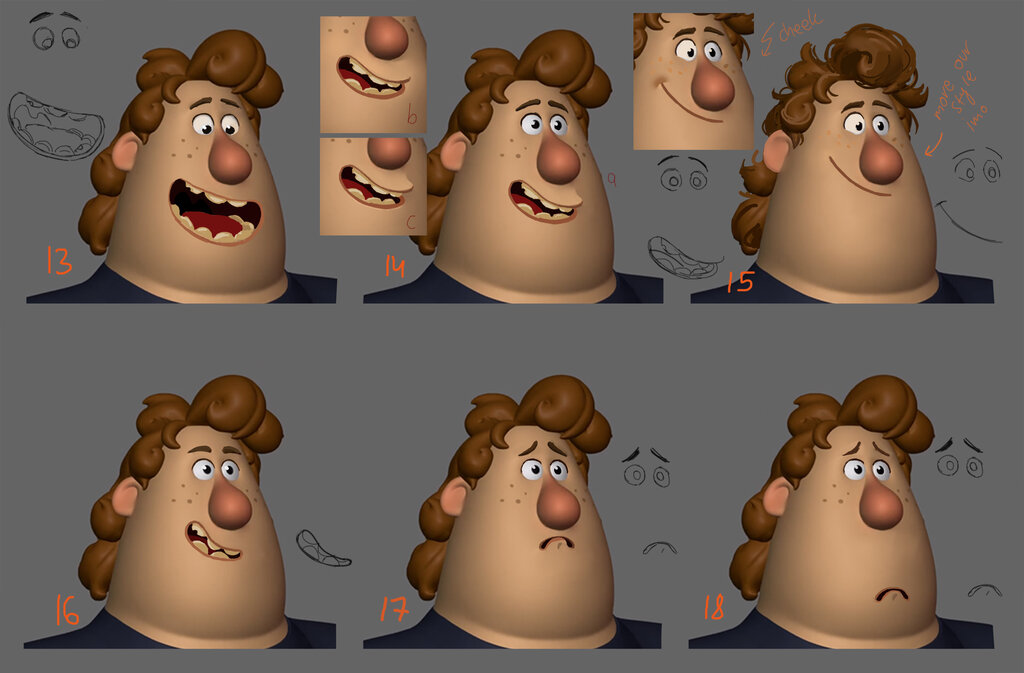
Your visual anchor is a master 'character sheet.' This isn't just one good headshot. It's a curated collection of high-resolution images that define your digital clone from every angle. A strong character sheet includes:
- Multiple Angles: Front, three-quarter, and profile views are essential.
- Varied Lighting: Show the character in hard, soft, and colored light to teach the model how their features respond to different environments.
- Diverse Expressions: A neutral expression is the baseline, but including smiles, frowns, and other emotions provides richer data.
Tools like Midjourney are excellent for generating these sheets. You can use its 'pan' and 'vary' features on a core image to produce a wide array of consistent outputs that capture the character's full range.
Injecting Identity
Once you have a character sheet, you need a way to feed that visual information into the video model. Two powerful techniques for this are training a LoRA and using an IP-Adapter.
A LoRA, or Low-Rank Adaptation, is a small, specialized model trained on your character sheet. It fine-tunes a larger base model, essentially teaching it a new, permanent concept: your character. When you activate the LoRA, the model knows exactly who to generate. This method is robust and provides a high degree of consistency, as the character's identity is baked into the model's weights.
The IP-Adapter (Image Prompt Adapter) offers a more flexible, on-the-fly approach. It's a node used in systems like ComfyUI that allows an image to function as a direct prompt. The adapter extracts the core features from your reference image—the character's face, style, or composition—and injects them directly into the latent space of the video model during generation.
Unlike a LoRA, the IP-Adapter doesn't require pre-training. You can simply plug in a reference image and guide the output. Nodes like 'IPAdapter' or 'Reference-Only' control how strongly the reference image influences the final video, allowing you to blend the character's identity with a new scene described by a text prompt.
This diagram shows the IP-Adapter workflow. Both the text prompt (describing the scene) and the character sheet (defining the subject) are fed into the IP-Adapter. It combines these inputs and guides the video model, ensuring the final output features the correct character performing the desired action.
What is the primary reason that relying solely on text prompts fails to maintain character consistency across multiple AI-generated video scenes?
According to the text, which of the following best describes the concept of 'visual anchoring'?
These techniques move character creation from a game of chance to a deliberate process. By providing clear, detailed visual references, you gain precise control over your digital clones, ensuring they remain perfectly consistent across any narrative you create.