AI-Powered Automation Without Code
Introduction to AI Automation
Putting Your Digital Chores on Autopilot
Many of our daily work tasks are repetitive. Think about sorting through emails, copying data from one place to another, or generating the same weekly report. It's necessary work, but it can be tedious.
AI automation is the process of teaching software to handle these kinds of repetitive tasks for you. It’s like having a digital assistant that can perform multi-step processes on its own, freeing you up to focus on more complex and creative problems.
The key idea is simple: If a task follows a predictable pattern, a machine can probably do it.
What makes it "AI" automation is the ability to handle tasks that require a little bit of intelligence. This isn't just about simple, robotic copying and pasting. Modern tools can understand the content of an email, summarize a document, or make decisions based on rules you set. Best of all, you don't need to be a programmer. Many of these tools use simple, visual interfaces, letting you build powerful workflows without writing a single line of code.
Why Bother with Automation?
Setting up an automation might take a little time upfront, but the payoff is significant. There are three main benefits.
By automating the mundane, AI is liberating human capital to focus on what people do best: strategic analysis, complex problem-solving, and relationship management.
1. Reclaim Your Time Every minute spent on a boring, repeatable task is a minute you could have spent on strategic thinking, talking to customers, or designing something new. Automation gives you those minutes back.
2. Reduce Errors Humans are creative and brilliant, but we're not great at performing the same exact task thousands of times. We get tired, distracted, and make small mistakes. A well-built automation performs its task perfectly every single time, improving accuracy and consistency.
3. Improve Efficiency Automated workflows operate 24/7 without getting tired. They can process data, send emails, and update records far faster than a person can. This means work gets done quicker, and processes that used to take days can be completed in minutes.
What Kinds of Tasks Can Be Automated?
The best candidates for automation are tasks that are digital, repetitive, and rule-based. If you can write down the steps to complete a task, you can likely automate it. Even tasks that require a bit of judgment, like categorizing support tickets by topic, can be handled by modern AI.
| Task Example | What the AI Does |
|---|---|
| Processing Invoices | Extracts vendor name, date, and amount from a PDF and enters it into a spreadsheet. |
| Managing Emails | Reads incoming emails, tags them based on content (e.g., 'Urgent', 'Receipt'), and moves them to the correct folder. |
| Scheduling Meetings | Finds a time that works for everyone based on their calendars and sends out the invitation. |
| Onboarding New Hires | Sends welcome emails, creates accounts in various systems, and assigns introductory training materials. |
| Social Media Updates | Posts pre-written content to different platforms at scheduled times. |
These are just a few examples. The possibilities are vast, covering everything from marketing and sales to HR and finance. The key is to start by identifying the small, repetitive chores in your own workflow.
If you're exploring AI workflow automation services for the first time, start by identifying a few repetitive tasks that drain time.
The Rise of No-Code Tools
In the past, automation required specialized programming skills. Today, a new generation of "no-code" tools makes it accessible to everyone. These platforms use visual, drag-and-drop interfaces to build workflows. You connect different apps and services like building blocks, telling the system: "When this happens in App A, do that in App B."
For example, you could create a workflow that says: "When a customer fills out the contact form on my website, create a new record for them in my customer database, and then send them a welcome email."
This approach removes the technical barrier, allowing you to focus on the logic of your workflow rather than the complexities of code.
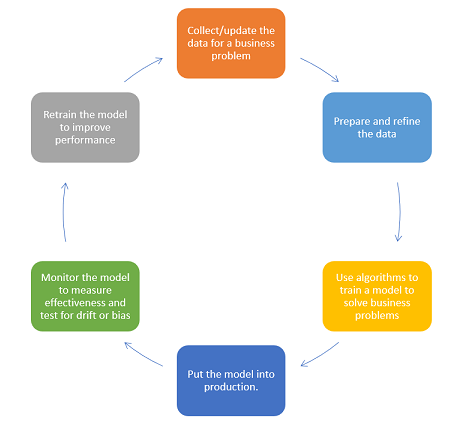
By starting small and automating simple tasks, you can begin to see the power of these tools and gradually build more complex and impactful workflows. It's less about becoming a tech expert and more about being a smart problem-solver.
Ready to check your understanding?
What is the key characteristic that makes a process "AI automation" rather than simple, robotic automation?
Which of the following best describes the types of tasks that are ideal candidates for automation?
Now that you understand the what and why of AI automation, you're ready to start thinking about how to apply it to your own work.