AI-Powered Automation Without Code
Introduction to No-Code and Low-Code Automation
Automation for Everyone
For a long time, if you wanted a computer to perform a task automatically, you needed a programmer. They would write custom code, a specialized language that tells the computer exactly what to do. This made creating software and automating workflows a complex, time-consuming, and often expensive process, accessible only to those with technical skills.
But what if you could just describe what you wanted to happen, or drag and drop a few blocks to build your own solution? This is the core idea behind no-code and low-code platforms. They are tools designed to open up the world of automation to everyone, not just developers.
No-code platforms enable non-technical users, such as marketers or administrators, to create automations using drag-and-drop interfaces, eliminating the need for coding skills.
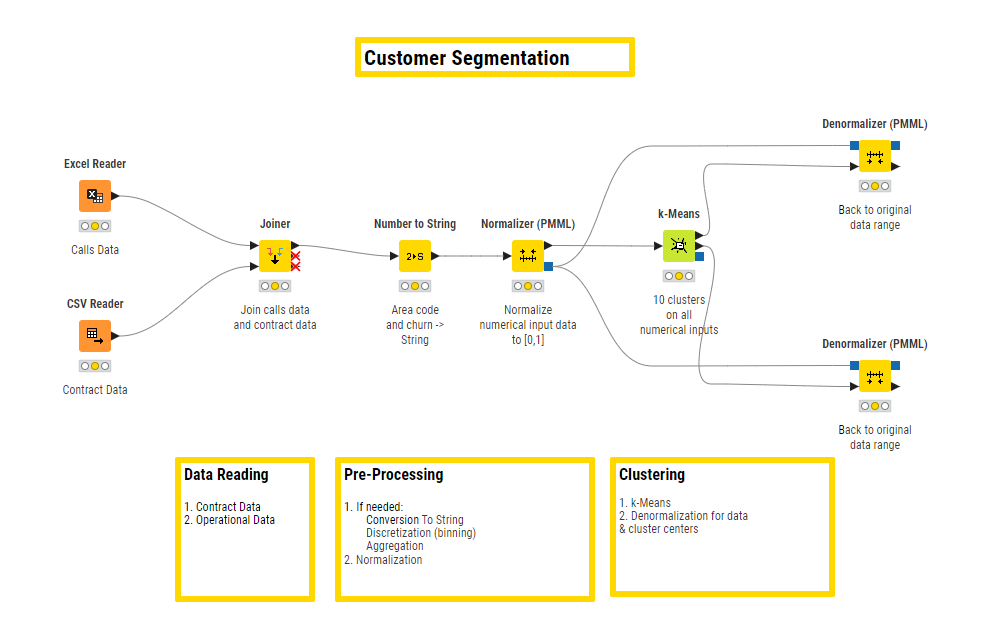
No-code is exactly what it sounds like: automation without writing a single line of code. Think of it like building with LEGO bricks. You have a set of pre-made components (like “Send an email” or “Add a row to a spreadsheet”), and you connect them in a visual editor to create a workflow. If you can make a flowchart, you can use a no-code tool.
Low-code is a middle ground. It also uses a visual, drag-and-drop approach, but it allows for an extra layer of customization through small amounts of code. This makes it a great option for users who have some technical know-how or for teams with developers who want to speed up their work. It provides pre-built components for the majority of the task, but leaves the door open for custom scripts to handle unique or complex requirements.
| Feature | No-Code | Low-Code |
|---|---|---|
| Target User | Business users, marketers, anyone | Developers, IT professionals, tech-savvy users |
| Skill Level | None required | Basic coding knowledge helpful |
| Flexibility | Limited to platform's components | Highly flexible and customizable |
| Speed | Very fast for simple tasks | Fast, but custom code takes time |
From Niche to Mainstream
The idea of visual development isn't entirely new. Early tools and even spreadsheet programs gave users a taste of building simple logic without traditional programming. However, the real explosion in no-code and low-code came with the rise of cloud computing and APIs (Application Programming Interfaces). APIs act as messengers that allow different software applications to talk to each other.
Suddenly, it was possible to create platforms that could connect tools like your email, your customer database, and your project management software. No-code and low-code tools were built to manage these connections, providing a user-friendly layer on top of this complex web of APIs. This turned a technical challenge into a simple drag-and-drop process, leading to rapid growth and adoption.
Why Bother?
The benefits of this new approach are significant. The most obvious is speed. Teams can build and launch new processes in hours or days, rather than the weeks or months it might take with traditional development. This agility allows businesses to adapt quickly to changing needs.
By empowering non-technical employees to build their own solutions, companies can free up their professional developers to focus on the most complex, high-value projects.
This also leads to lower costs. Building custom software from scratch is expensive. Using no-code or low-code tools reduces development time and the need for specialized, hard-to-hire talent. It democratizes innovation, giving the people who best understand a business problem the power to build a solution for it.
These tools are now used across nearly every industry. Marketing teams automate social media campaigns and lead nurturing. HR departments build custom onboarding workflows. Finance teams automate expense reporting and invoicing. In manufacturing, they help manage supply chain logistics. Even in highly regulated fields like healthcare and finance, these platforms are used to streamline processes while maintaining security and compliance.
What is the primary difference between no-code and low-code platforms?
Which technological development was most critical for the recent explosion in popularity of no-code and low-code tools?