AI-Powered Automation for Work Tasks
Introduction to AI Automation
What is AI Automation?
You’ve probably heard of automation. It’s when you set up a system to do a repetitive task for you, like a rule that automatically files emails from your boss into a specific folder. It’s helpful, but it's rigid. The system does exactly what you tell it to, nothing more.
AI automation is different. It’s smarter. Think of traditional automation as an intern who needs exact, step-by-step instructions for every task. AI automation is more like a senior assistant who can take a general goal, look at the context, and figure out the best way to get it done.
Instead of just following pre-set rules, AI automation uses artificial intelligence to handle tasks that require a bit of thinking, learning, and adapting.
The benefits are huge. By automating more complex and nuanced tasks, we can reduce errors, boost productivity, and free ourselves from tedious work. This leaves more time for the creative and strategic parts of a job—the parts humans do best.
The Brains Behind the Operation
Two key technologies make this intelligent automation possible: Machine Learning and Natural Language Processing.
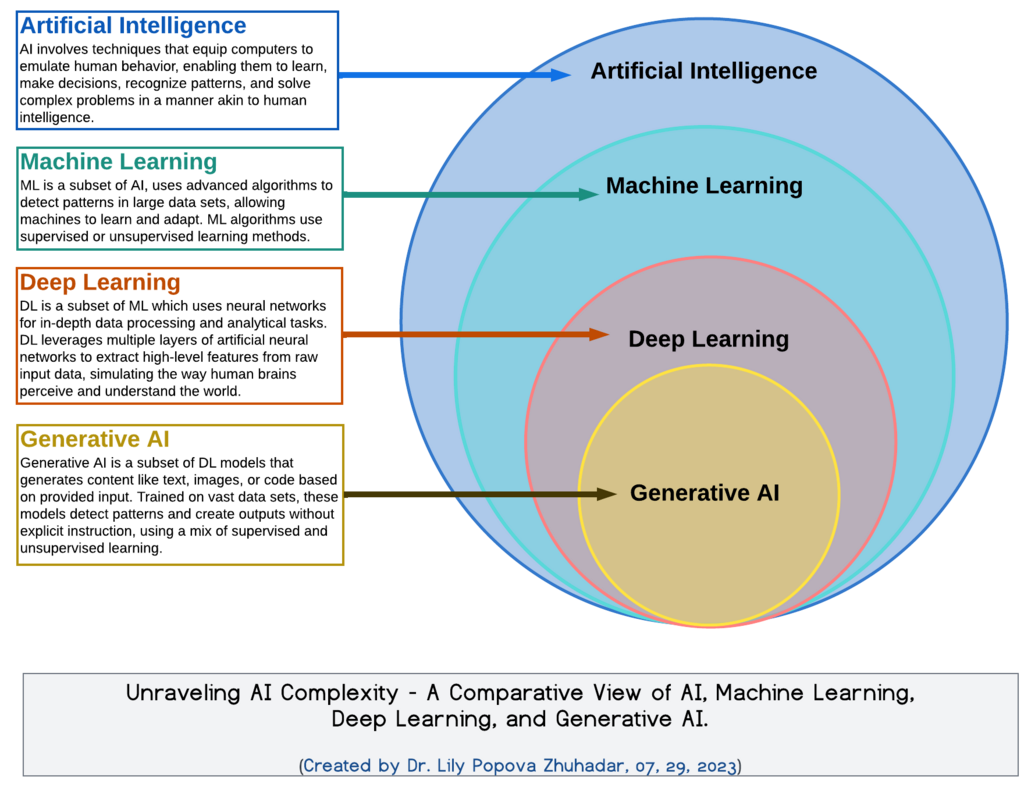
Machine Learning (ML) is how computers learn without being explicitly programmed for every single scenario. Instead of writing code for every possibility, you give the machine a lot of data to learn from. Over time, it starts to recognize patterns and make predictions on its own.
A great example is your email's spam filter. No one programmed it with a list of every possible spam email. Instead, it was trained on millions of examples of spam and legitimate emails. Now, it can identify and filter out new junk mail with impressive accuracy, constantly learning as it goes.
Natural Language Processing (NLP) is a branch of AI that helps computers understand, interpret, and respond to human language. It's the technology behind chatbots, voice assistants like Siri and Alexa, and translation apps.
In automation, NLP is incredibly useful for tasks involving text. An AI tool could read all incoming customer support tickets, understand the core issue in each one, and automatically route them to the right department—no human needed to read and sort them first.
No Coding Required
In the past, building any kind of automation, especially with AI, required a team of skilled programmers. That's no longer the case. The rise of no-code AI platforms has made this technology accessible to everyone.
No-code AI workflow automation tools enable users to build, deploy, and manage AI‑driven workflows through visual interfaces without coding.
These tools use intuitive drag-and-drop interfaces. You can connect different apps and AI models to build a custom workflow, or "bot," that automates a task. For example, you could build a workflow that:
- Watches a specific email inbox for new invoices.
- Uses AI to extract key information like the sender, amount due, and due date.
- Enters that information into a spreadsheet or accounting software.
- Sends you a notification that the invoice has been processed.
This entire process can be built visually, without writing a single line of code. It's a powerful way to start applying AI to your daily work, letting you focus on what really matters.