AI for User Session Analysis
Introduction to Session Replay
What is Session Replay?
Imagine watching a sports replay. You see exactly what each player did, moment by moment, leading up to a crucial play. Session replay does the same thing, but for users on a website or app.
It’s a way to record and play back a user's entire journey, from the moment they arrive to the moment they leave. This isn't just a screen recording. It captures every click, scroll, mouse movement, and keyboard input, recreating the user's experience perfectly.
Session replay gives you a first-person view of how people actually interact with your product, not just how you think they do.
This technology logs user interactions as a series of events. When you want to review a session, the replay tool reconstructs these events in your browser, creating a video-like playback of the user's exact actions.
Why Watch the Replay?
Watching session replays offers two major benefits: improving the user experience and squashing bugs faster.
First, it builds empathy. You might see a user repeatedly clicking an image they think is a button, or scrolling frantically because they can't find information. These moments of frustration, often called "rage clicks" or "dead clicks," are invisible in standard analytics data. By seeing where users get stuck or confused, you can make targeted design changes to create a smoother, more intuitive experience.
Second, it revolutionizes bug fixing. A typical bug report might say, "The checkout button didn't work." That’s not much to go on. A session replay shows you the user's exact operating system, browser, and the precise sequence of actions that led to the error. Instead of trying to guess what went wrong, developers can watch it happen and fix the problem immediately.
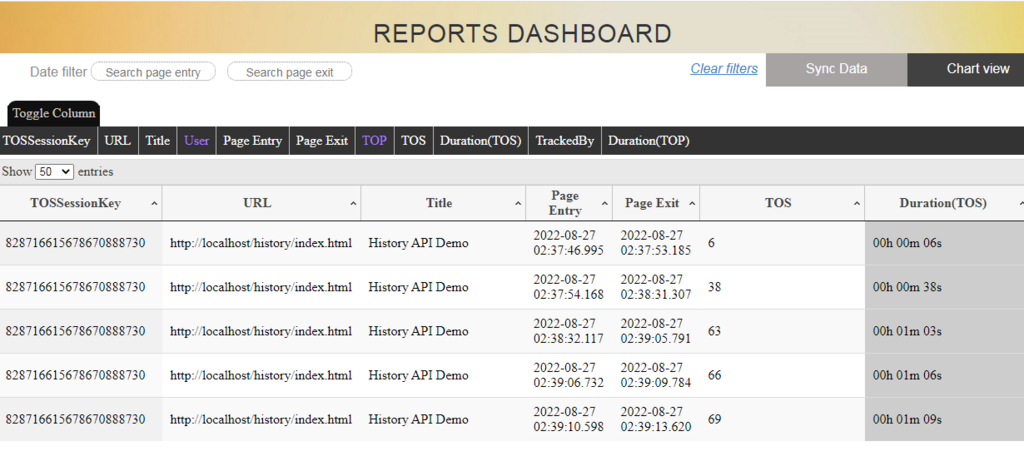
Tools of the Trade
Numerous tools offer session replay capabilities. Some are standalone products focused solely on recording and playback, while others are part of larger product analytics platforms. These platforms often combine replays with other data, like conversion funnels and user segmentation.
Beyond simple playback, these tools provide powerful ways to understand user behavior at a glance.
| Feature | Description |
|---|---|
| Heatmaps | Shows where users click, move, and scroll most often. |
| Funnel Analysis | Tracks how users progress through key steps, like sign-up or checkout. |
| Error Tracking | Automatically flags sessions where a user encountered a bug or error. |
| User Segmentation | Allows filtering replays based on user attributes like device or location. |
By combining these features, teams can quickly move from identifying a problem in their data to watching the exact user sessions that illustrate why the problem is happening.
Session replay is one of the fastest time-to-insight analytics tools you can set up.
Understanding session replay is a key first step. It provides the raw, qualitative data that can be used to train AI systems to recognize patterns in user behavior, predict user needs, and ultimately build more intelligent applications.
What is the primary way session replay technology captures a user's activity on a website?
A developer receives a bug report that just says, 'The checkout button didn't work.' How does a session replay help them solve this problem faster?