AI Driven Operational Efficiency with Low-Code No-Code
Introduction to Low-Code/No-Code Platforms
Building Without Code
Imagine you need to build a house. You could start from scratch, mixing your own concrete and firing your own bricks. Or, you could use pre-fabricated walls and modules that snap together. The second approach is faster and doesn't require you to be an expert mason.
This is the core idea behind low-code and no-code platforms. They offer a visual way to build applications and automate workflows. Instead of writing hundreds of lines of complex code, you use drag-and-drop interfaces and pre-built components to create the tools you need.
No-Code
adjective
Platforms that allow users with no programming skills to build applications using visual, drag-and-drop interfaces.
Low-code platforms are a small step up. They still rely on visual development, but they allow for some custom coding if you need more specific functionality. This makes them a bit more flexible.
The key benefit is speed and accessibility. Teams can build and launch new tools in days instead of months. It also empowers employees who aren't software developers to solve their own problems.
With today’s AI-powered Low-Code, No-Code (LCNC) platforms, organizations can rapidly design and deploy tailor-made workflows that streamline operations, reduce delays, and boost productivity — all without relying on heavy IT resources.
Streamlining Business Operations
In the energy sector, efficiency and clear processes are critical. Low-code and no-code platforms can automate repetitive tasks across various departments, freeing up teams to focus on more important work. Let's look at a few examples.
| Department | Use Case | How it Helps |
|---|---|---|
| HR | New Hire Onboarding | Automate the process of sending documents, scheduling safety training, and assigning equipment for new field engineers. |
| Finance | Expense Reporting | Build a simple mobile app for technicians to submit project expenses and receipts directly from a remote site. |
| Sales | Client Management | Create a lightweight CRM to track communications and project status for large industrial energy clients. |
Each of these applications addresses a specific business need without requiring a massive, months-long software development project. A department manager could potentially design and implement a solution with minimal help from the IT department.
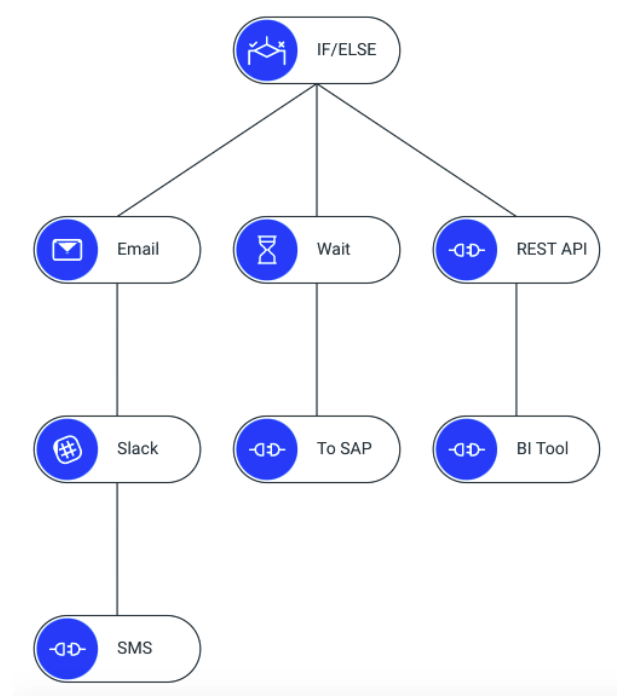
Popular Platforms
Many platforms are available, each with different strengths. Here's a quick look at three common options.
Mendix: A low-code platform that's highly flexible and powerful. It's great for building complex, enterprise-grade applications and can handle sophisticated business logic. It's often used when you need a custom solution that still benefits from the speed of low-code development.
Kissflow: This platform focuses on process management and workflow automation. It's a great choice for companies looking to digitize their internal processes, like approvals, requests, and case management. It's very user-friendly, leaning more towards the no-code side of the spectrum.
Microsoft Power Platform: This is a suite of tools (including Power Apps, Power Automate, and Power BI) that work together seamlessly, especially if your organization already uses Microsoft products like Office 365. You can build apps, automate workflows, and analyze data, all within one integrated ecosystem.
Choosing the right platform depends on your project's complexity, your team's technical skills, and your existing software ecosystem. Now, let's check your understanding of these concepts.
What is the core principle behind low-code and no-code platforms?
What is the primary difference between a "low-code" and a "no-code" platform?
By empowering employees to build their own solutions, companies can become more agile and responsive to changing needs, which is a significant advantage in the fast-moving energy industry.