AI Content Generation in Markdown
Markdown Basics
What is Markdown?
Markdown is a simple way to format text that looks clean and is easy to read. It was created to be a straightforward writing format that could be quickly converted to HTML for web pages. Instead of using complex code or clicking buttons in a toolbar, you use punctuation characters you already know to style your words.
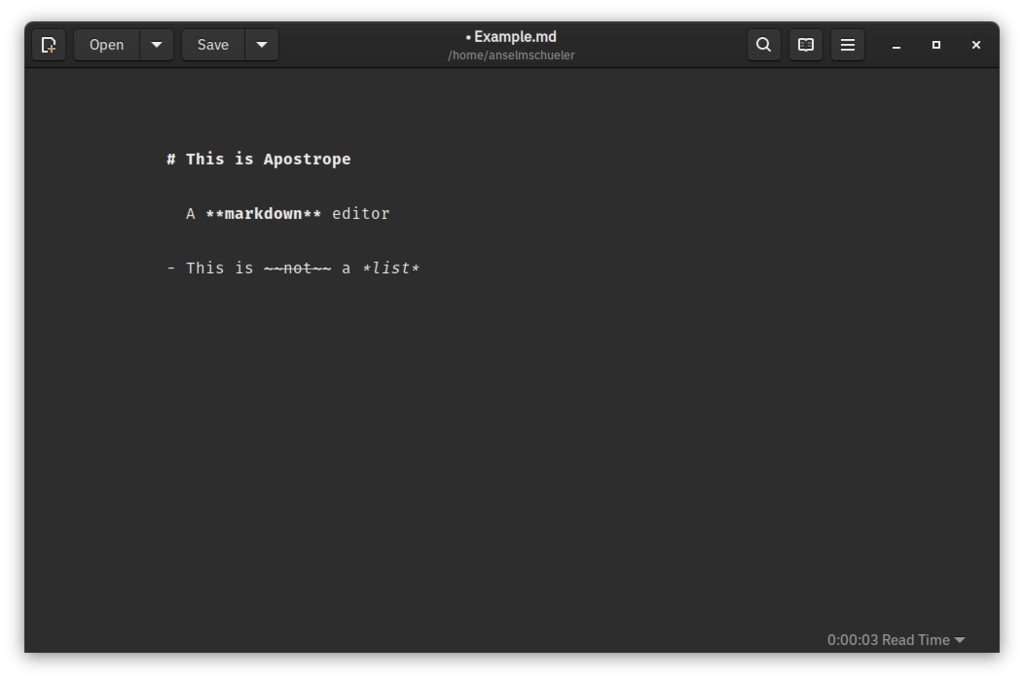
The great thing about Markdown is its simplicity. You can write it in any plain-text editor, and the formatting symbols don't get in the way of reading the text itself. Let's look at the most common elements you'll use.
Headings and Emphasis
To structure your document, you'll use headings. In Markdown, you create a heading by placing a hash symbol (#) at the beginning of a line. The number of hashes corresponds to the heading level. One hash is the largest heading (an <h1> in HTML), two is the second-largest, and so on, all the way down to six.
# Heading 1
## Heading 2
### Heading 3
Adding emphasis to your text is just as simple. To make text italic, you wrap it in single asterisks (*) or underscores (_). For bold text, you use double asterisks (**) or double underscores (__).
You can combine them, too. For example,
***this text***will be both bold and italic.
*This text will be italic.*
_This will also be italic._

**This text will be bold.**
__This will also be bold.__
Lists and Blockquotes
Making lists is a natural way to organize information. For an unordered (bulleted) list, you can start each line with an asterisk, a plus sign, or a hyphen.
* Item 1
* Item 2
  * A nested item
For an ordered (numbered) list, you just start each line with a number followed by a period.
1. First item
2. Second item
3. Third item
Sometimes you need to set a piece of text apart, like a quote. For that, you use a blockquote. Just start a line with a greater-than sign (>).
> This is a blockquote. It's a great way to make a piece of text stand out. You can even have multi-paragraph blockquotes.
>
> Just add the > symbol to each line, including the blank ones.
Links, Images, and Code
Adding a link is straightforward. The syntax consists of two parts: the link text in square brackets, followed immediately by the URL in parentheses.
[Visit the main page](https://www.example.com)
The syntax for images is very similar. It starts with an exclamation point, followed by alternative text in square brackets (which describes the image for screen readers or if the image fails to load), and then the image URL in parentheses.

Finally, sharing code snippets is a common need. To format a piece of text as inline code, wrap it in backticks (`). For a larger block of code, you can fence it in triple backticks (```). You can also specify the programming language right after the opening backticks for syntax highlighting.
Here is some `inline code`.

```python
def hello_world():
    print("Hello, world!")
Now that you've seen the fundamentals, let's test your knowledge.
How do you create a level 3 heading in Markdown?
What is the primary syntactical difference between creating a link and inserting an image in Markdown?
With these basic elements, you can create well-structured and formatted documents using only plain text.