Advanced SEO and Technical Optimization
Crawl Budget Mastery
The Two Sides of Crawl Budget
For enterprise sites, crawl budget isn't a simple number. It's a constant negotiation between two forces: Crawl Rate Limit and Crawl Demand. Think of the Crawl Rate Limit as the maximum speed your server can handle requests from Googlebot without degrading performance. It’s a technical ceiling set to prevent your servers from crashing. On the other side, Crawl Demand is the level of interest Google has in your content, driven by your site's overall authority and the popularity of individual URLs.
On a site with millions of pages, these two forces are always in tension. A high-authority site might have immense Crawl Demand, but if the server is slow, the Crawl Rate Limit acts as a bottleneck, leaving important new content undiscovered. Conversely, a lightning-fast server is wasted if Googlebot perceives the content as low-value and doesn't bother to crawl it frequently. The goal is to align demand with capacity, ensuring Googlebot's finite resources are spent on pages that actually matter to the business.
The Purge: Strategic Content Pruning
The most effective way to increase the crawl frequency of high-value pages is not to ask Google to crawl more, but to give it less to crawl. This is 'The Purge': a deliberate, data-driven process of removing or de-indexing low-value content to focus Googlebot's attention. This includes thin content, expired promotions, and especially zombie pages—pages with no organic traffic, no backlinks, and no strategic value.
These zombie pages consume crawl budget without providing any ROI. By identifying them through a combination of server log analysis and analytics data (pages with zero non-branded organic entrances over 12 months is a good start), you can make a choice: improve them, or get rid of them. Pruning them via 410 (Gone) or 404 (Not Found) status codes, or by applying noindex tags, sends a clear signal to Google to stop wasting its time. This frees up crawl budget, which is then reallocated to your critical, high-conversion URLs.
This matrix helps you categorise your site's sections and identify where action is needed. The 'Crawl Waste' quadrant is particularly important, as it often contains the technical issues that squander the most budget on large ecommerce and publisher sites.
Taming the Infinite Crawl
Crawl traps are notorious budget killers. Faceted navigation with its endless combinations of parameters can create millions of near-duplicate URL variations. Another common culprit is infinite scroll that dynamically generates new URLs or calendar views with endless 'next month' links. These create an 'infinite space' that can trap Googlebot for days, preventing it from ever reaching your valuable pages.
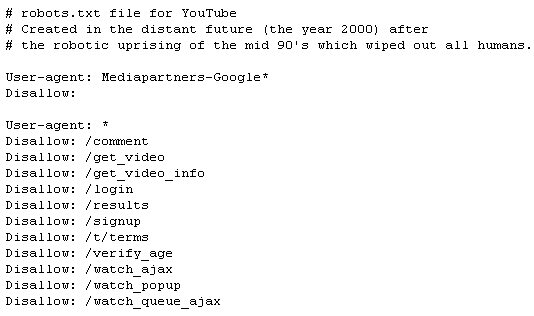
Aggressive robots.txt configuration is your first line of defence. Instead of trying to Disallow every possible problematic parameter, use Allow rules to define a clean, crawlable URL structure and block everything else. For example, you can allow a specific parameter you need for sorting and disallow any URL containing a ? that doesn't fit that pattern. This is a more robust strategy than chasing every new parameter your platform generates.
User-agent: Googlebot

# Allow crawling of clean category and product pages
Allow: /category/
Allow: /product/

# Allow sorting by price, but no other parameters
Allow: /*?sort=price

# Disallow all other URL parameters to prevent crawling
# of faceted navigation, session IDs, etc.
Disallow: /*?

# Also disallow specific problematic directories
Disallow: /search/
Disallow: /cart/
Combine this with URL Parameter handling in Google Search Console. While robots.txt prevents crawling, telling GSC how to handle parameters helps Google consolidate signals from the URLs it already knows about. Set parameters that don't change page content (like tracking tags) to 'No: Doesn't affect page content' and sorting parameters to 'Yes: Sorts'. This helps Google understand your site structure rather than just blindly obeying block rules.
Finally, remember that the Crawl Stats report in GSC is an abstraction. It shows trends and summaries, not the raw reality. For true crawl budget analysis, you need direct server log file data. Cross-referencing GSC's reports with log files allows you to see the exact hit-by-hit activity of Googlebot. You can identify which specific parameter combinations are being hit most often, discover unexpected 404s being crawled, and get a precise measure of your server's response times under load. GSC tells you the 'what'; log files tell you the 'why'.
What are the two primary, competing forces that determine a website's crawl budget?
An e-commerce site has an extremely fast server, but Googlebot rarely visits its new product pages. Which factor is most likely the bottleneck?