Advanced Productivity Architect
Mastering GTD Implementation
From Mental Clutter to Trusted System
You already know how to make a list. The real challenge is managing the constant stream of tasks, ideas, and reminders that fill your head every day. Each of these is an "open loop" — an unclosed commitment that drains mental energy. The goal of the Getting Things Done (GTD) methodology is to get these loops out of your head and into an external, trusted system you can rely on completely.
The core principle of the GTD process is to transfer tasks and ideas from one’s mind into an external system, thereby freeing mental space for focused execution.
This isn't just about writing things down; it's about building a systematic process for handling life's inputs. A trusted system can be anything from a simple notebook to a sophisticated app, but it must be a single source of truth for everything you need to do. When you trust your system, your mind can stop juggling reminders and start focusing on the actual work.
The Capture Habit
The first step is to capture everything. Every single thing that has your attention—big or small, personal or professional—must be collected in an inbox. This could be a physical tray on your desk, an email folder, a task manager app, or even a simple text file. The tool doesn't matter as much as the habit.
The goal is 100% capture. Don't filter, judge, or organize at this stage. Just get it out of your head and into your inbox. Idea for a vacation? In the inbox. Need to buy milk? In the inbox. Reminder to call your accountant? In the inbox. This creates a complete inventory of your commitments, clearing your mind for deeper thinking.
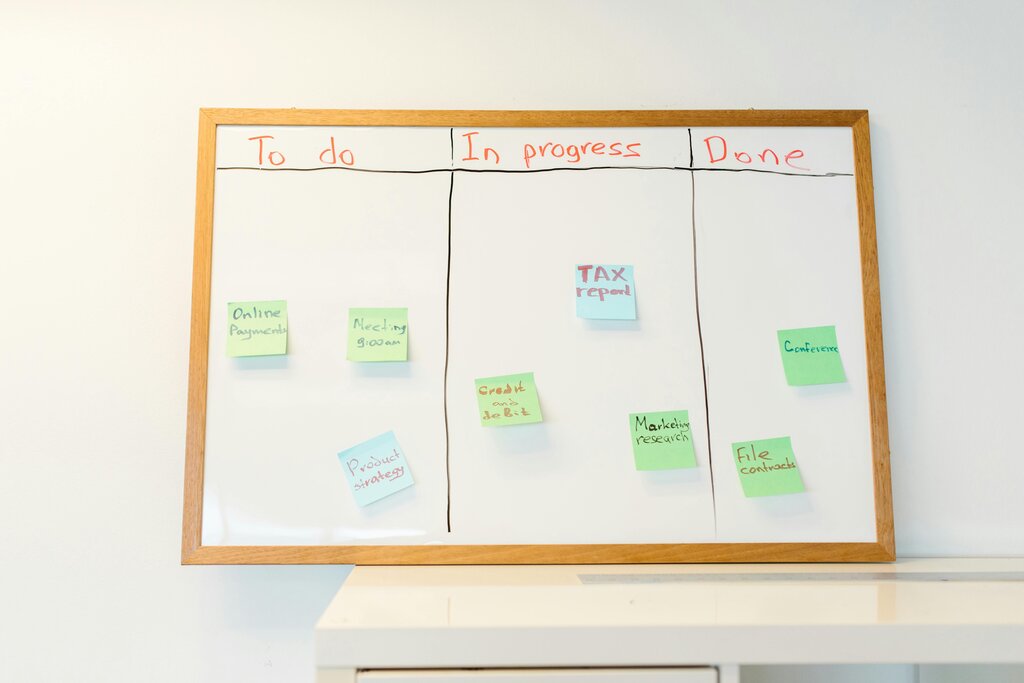
Clarify and Organize
An inbox full of random notes is just a glorified junk drawer. The next step, Clarify, is where you process your captured items one by one. For each item, you ask a series of simple questions to determine what it is and what to do with it. This is the core engine of the GTD workflow, created by productivity consultant to transform chaos into order.
If an item is actionable and requires multiple steps, it's a Project. A project isn't a task; it's an outcome you want to achieve (e.g., "Plan summer vacation"). For every project, you must then define the Next Action — the single, physical, visible action you can take to move the project forward (e.g., "Email family to ask for available dates").
This distinction is crucial. "Plan vacation" is vague and intimidating. "Email family" is clear and easy to start.
The core principle: If a task takes less than two minutes, do it the moment you process it. Don't defer it. Don't add it to a list. Just do it.
This "2-Minute Rule" prevents small tasks from clogging up your system and builds momentum.
For actions that take longer than two minutes, you defer them. But instead of organizing them by project, GTD uses contexts. A context is the tool, place, or person you need to complete the action. For example:
@computer: For tasks you can do at your computer.@calls: For phone calls you need to make.@errands: For things to do when you're out and about.@agenda:Susan: For topics to discuss with a specific person.
Organizing by context means you see only relevant tasks. When you're at your computer, you can pull up your @computer list and see everything you can accomplish right there, without being distracted by errands you can't run.
The Weekly Review
A GTD system is not a set-it-and-forget-it tool. It requires regular maintenance to stay current and trustworthy. The is the single most critical habit for making GTD stick. It's a dedicated block of time, usually 1-2 hours each week, to get your system back to 100%.
During the review, you'll clear all your inboxes, review your project lists to ensure each one has a defined next action, check your calendar, and scan your "Someday/Maybe" lists for any projects to activate. This process ensures nothing falls through the cracks and gives you the confidence to start the new week with a clear head and a reliable plan.
| Step | Action | Purpose |
|---|---|---|
| Get Clear | Collect loose papers and materials. | Gather all outstanding inputs. |
| Get Current | Process all inboxes to zero. | Ensure no unprocessed items remain. |
| Review Lists | Review Next Action, Project, and Waiting For lists. | Check for completed items and define next steps. |
| Review Calendar | Review past and upcoming calendar entries. | Get context for current and future commitments. |
| Review Someday/Maybe | Scan the list for any projects to activate or delete. | Keep long-term goals and ideas fresh. |
By consistently applying these principles—capture, clarify, organize, and reflect—you build a system that manages your tasks so your brain doesn't have to.
What is the primary goal of the Getting Things Done (GTD) methodology?
According to GTD, what is the very first step you should take with a new idea or task that pops into your head?