Advanced PLC Step 7 Structure Programming
Structured Text Basics
Beyond the Ladder
Programmable Logic Controllers (PLCs) are the brains behind industrial automation, from assembly lines to power plants. For decades, the primary way to program them has been Ladder Logic, a visual language that mimics electrical relay circuits. It's intuitive for electricians and technicians, but can become cumbersome for complex tasks.
Enter Structured Text (ST). It's a high-level, text-based programming language, much like Pascal or C. Instead of drawing rungs on a ladder, you write lines of code. This approach opens up a world of possibilities for handling complex logic and data that would be a nightmare in Ladder Logic.
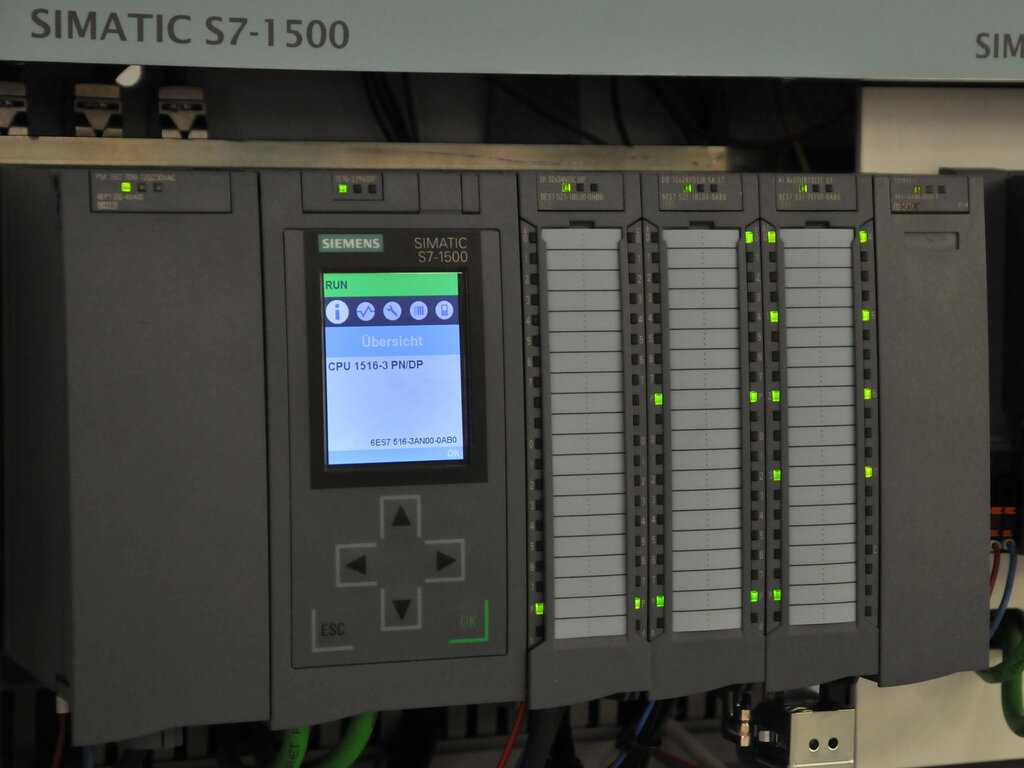
Think of it this way: Ladder Logic is like using a set of switches and lightbulbs to build a calculator. You can do it, but it gets complicated fast. Structured Text is like having a powerful calculator from the start, ready for any equation you can throw at it.
Among the programming languages for Programmable Logic Controllers (PLCs), Structured Text (ST) is widely adopted for industrial automation due to its expressiveness and flexibility.
Syntax and Control
The syntax of ST is straightforward, especially if you have any experience with other text-based programming languages. Statements are commands that the PLC executes, and they always end with a semicolon (;). The most basic statement is an assignment, which uses := to assign a value to a variable.
MotorSpeed := 500; // Assigns the value 500 to the variable MotorSpeed
Tank_Level := Current_Reading + 10.5; // Simple calculation
Start_Motor := TRUE; // Boolean assignment
Where ST really shines is in its control structures. These allow your program to make decisions and repeat actions.
The IF statement lets the PLC execute code only if a certain condition is met. You can add ELSIF for more conditions and ELSE for a default action.
IF Temperature > 90.0 THEN
    Cooling_Fan := TRUE; // Turn on the fan
    Alarm_Light := FALSE;
ELSIF Temperature > 80.0 THEN
    Alarm_Light := TRUE; // Turn on a warning light
ELSE
    Cooling_Fan := FALSE;
    Alarm_Light := FALSE;
END_IF;
The CASE statement is useful when you have a single variable that could have several specific values.
CASE Machine_Mode IS
    1: // Manual Mode
        Manual_Control := TRUE;
        Auto_Control := FALSE;
    2: // Automatic Mode
        Manual_Control := FALSE;
        Auto_Control := TRUE;
    ELSE // Default or Error State
        Shutdown_System := TRUE;
END_CASE;
Loops and Arrays
Handling repetitive tasks or large sets of data is a major advantage of ST. This is done with loops and arrays.
An array is a collection of variables of the same type, stored under one name. Think of it like a row of mailboxes, where each box has a number (an index) and holds a value.
Arrays are perfect for managing data from multiple sensors or storing recipes for a batch process.
To process the data in an array, you use a loop. A FOR loop repeats a block of code a specific number of times. This is ideal for stepping through each element of an array.
Let's say we have an array of 10 temperature readings and we want to find the average.
// Assume TempReadings is an ARRAY[1..10] OF REAL
// Assume TotalTemp and AvgTemp are REAL variables

TotalTemp := 0.0; // Reset the total before starting

FOR i := 1 TO 10 DO
    TotalTemp := TotalTemp + TempReadings[i];
END_FOR;

AvgTemp := TotalTemp / 10.0;
In Ladder Logic, this same task would require multiple rungs and complex indexing registers. In ST, it's clean and easy to read.
Another type of loop is the WHILE loop, which continues as long as a condition is true. This is useful when you don't know exactly how many times you need to repeat an action.
// Wait for a tank to fill to 95% capacity
WHILE TankLevel < 95.0 DO
    // This loop does nothing but wait.
    // The PLC will keep checking the condition.
END_WHILE;

// Once the loop is finished, close the valve.
Fill_Valve := FALSE;
Ready to test your knowledge?
Which of the following best describes a primary advantage of Structured Text (ST) over Ladder Logic?
In Structured Text, what is the correct syntax to assign the value of 10 to a variable named MotorSpeed?
By mastering these basics, you can write cleaner, more efficient, and more powerful PLC programs for complex industrial challenges.