Advanced Networking Architecture and Implementation
Protocol Layer Interaction
Models and Reality
Networking models like OSI and TCP/IP are not strict blueprints; they're conceptual frameworks. The 7-layer OSI model is a detailed, academic tool perfect for teaching and troubleshooting. The 4-layer TCP/IP model is more practical, reflecting the architecture of the actual internet, which was built on the TCP/IP protocol suite long before the OSI model was finalized.
The key difference isn't just the number of layers. It's about function. The TCP/IP model combines the responsibilities of OSI's Application, Presentation, and Session layers into a single Application layer. This is because in practice, these functions—managing the user interface, handling data formatting like encryption or compression, and maintaining the dialogue between computers—are often handled by the application itself. For example, your web browser (the application) handles the session and presents the data, all in one go.
This consolidation simplifies the model but doesn't remove the functions. They still happen, just higher up the stack within the application's own code.
Wrapping and Unwrapping Data
As data travels down the protocol stack from the application on the sending device, each layer adds its own header—a process called encapsulation. Think of it like a set of Russian nesting dolls. The original data from the Application layer is the innermost doll.
The Transport layer wraps it in a header (creating a segment), the Network layer adds its header (creating a packet), and finally, the Data Link layer adds its header and a trailer (creating a frame). This frame is then converted into bits and sent over the physical medium.
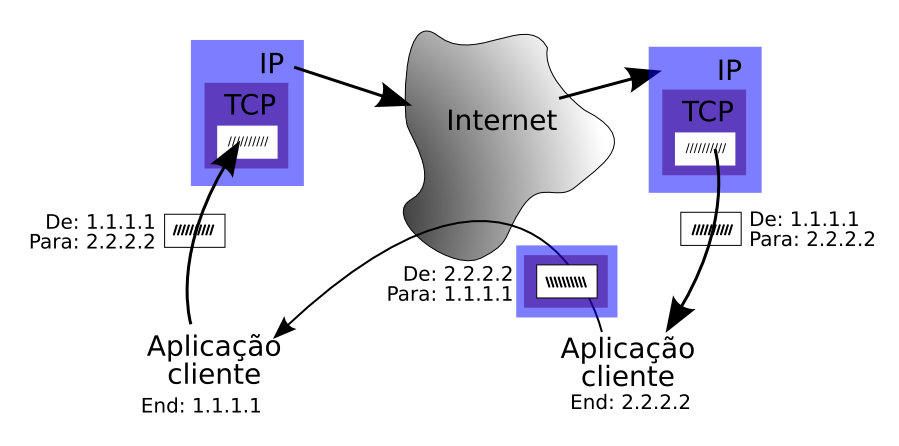
When the data arrives, the receiving device performs the reverse process, de-encapsulation. Each layer strips off its corresponding header, reads the control information intended for it, and passes the remaining data up to the next layer. This continues until the original, raw data reaches the receiving application.
This layered approach is brilliant because it allows for modularity. The Network layer doesn't need to know what's inside the data it's carrying, only where the packet needs to go. This separation of concerns is what makes complex networks like the ARPANET—and its successor, the internet—possible.
The Transport Layer Trade-Off
The Transport layer is where a critical choice is made between reliability and speed. The two main protocols here are TCP (Transmission Control Protocol) and UDP (User Datagram Protocol), and they have fundamentally different philosophies.
TCP is the reliable, responsible one. It establishes a formal connection before sending data, a process known as the three-way handshake. It then chops the data into numbered segments. The receiving computer sends acknowledgments (ACKs) back to confirm it received each segment. If a segment is lost or corrupted, TCP retransmits it. This guarantees that all data arrives, and in the correct order.
TCP prioritizes reliability over speed. Use it when you cannot afford to lose any data, like for file transfers, emails, or web browsing.
To manage this back-and-forth without grinding to a halt, TCP uses a sliding window mechanism. Instead of sending one segment and waiting for an ACK, the sender can transmit a whole "window" of segments before needing an acknowledgment. As ACKs arrive, this window slides forward, allowing more data to be sent. This creates a continuous, efficient flow of data while still ensuring reliability.
UDP, on the other hand, is the fast, no-frills option. It's connectionless, meaning it doesn't establish a connection before sending. It just fires datagrams at the destination and hopes for the best. There are no sequence numbers, no acknowledgments, and no retransmissions. If a packet is lost, it's gone for good.
This sounds risky, but it's perfect for real-time applications where speed is more important than perfect accuracy. Think of live video streaming, online gaming, or VoIP calls. In these cases, receiving a slightly garbled or delayed packet is useless anyway. It's better to just drop it and move on to the next one to keep the stream flowing with minimal latency .
| Feature | TCP (Transmission Control Protocol) | UDP (User Datagram Protocol) |
|---|---|---|
| Connection | Connection-oriented (three-way handshake) | Connectionless |
| Reliability | High (sequencing, acknowledgments, retransmission) | Low (no guarantees) |
| Overhead | High (20-byte header) | Low (8-byte header) |
| Speed | Slower | Faster |
| Use Case | Web, Email, File Transfer | Streaming, Gaming, VoIP |
Overhead and Throughput
All those headers added during encapsulation come at a cost. This is called protocol overhead. The headers contain vital control information, but they aren't part of the actual data you want to send. They take up space and consume bandwidth.
TCP's header is 20 bytes, while UDP's is only 8 bytes. This difference might seem small, but it adds up. More importantly, the overhead's impact depends on the size of the data payload. Sending a tiny 10-byte message with a 20-byte TCP header means two-thirds of your transmission is overhead. Sending a 1400-byte message with the same header makes the overhead almost negligible.
This is why network performance isn't just about raw bandwidth. True throughput—the actual rate of useful data transfer—is always lower than the theoretical link speed because of this overhead. The efficiency can be calculated as:
In enterprise environments, optimizing throughput involves balancing packet size, protocol choice, and network conditions. Network engineers must understand these trade-offs to tune performance, ensuring that applications get the speed and reliability they need without wasting bandwidth on excessive overhead.
What is the primary reason the TCP/IP model combines the OSI model's Application, Presentation, and Session layers into a single Application layer?
During the encapsulation process, data passes down the protocol stack. What is the correct order of the data unit names as they are formed?
Understanding how these layers interact, the purpose of encapsulation, and the trade-offs at the transport layer is fundamental to network engineering. It's the key to diagnosing problems and designing efficient, resilient systems.